Till
Close the day
On the till, tap Day close. Settle any open bills, count the cash in the drawer, check the totals and tap Close the day.
Ce contenu n’est pas encore disponible dans votre langue.
Close the day
-
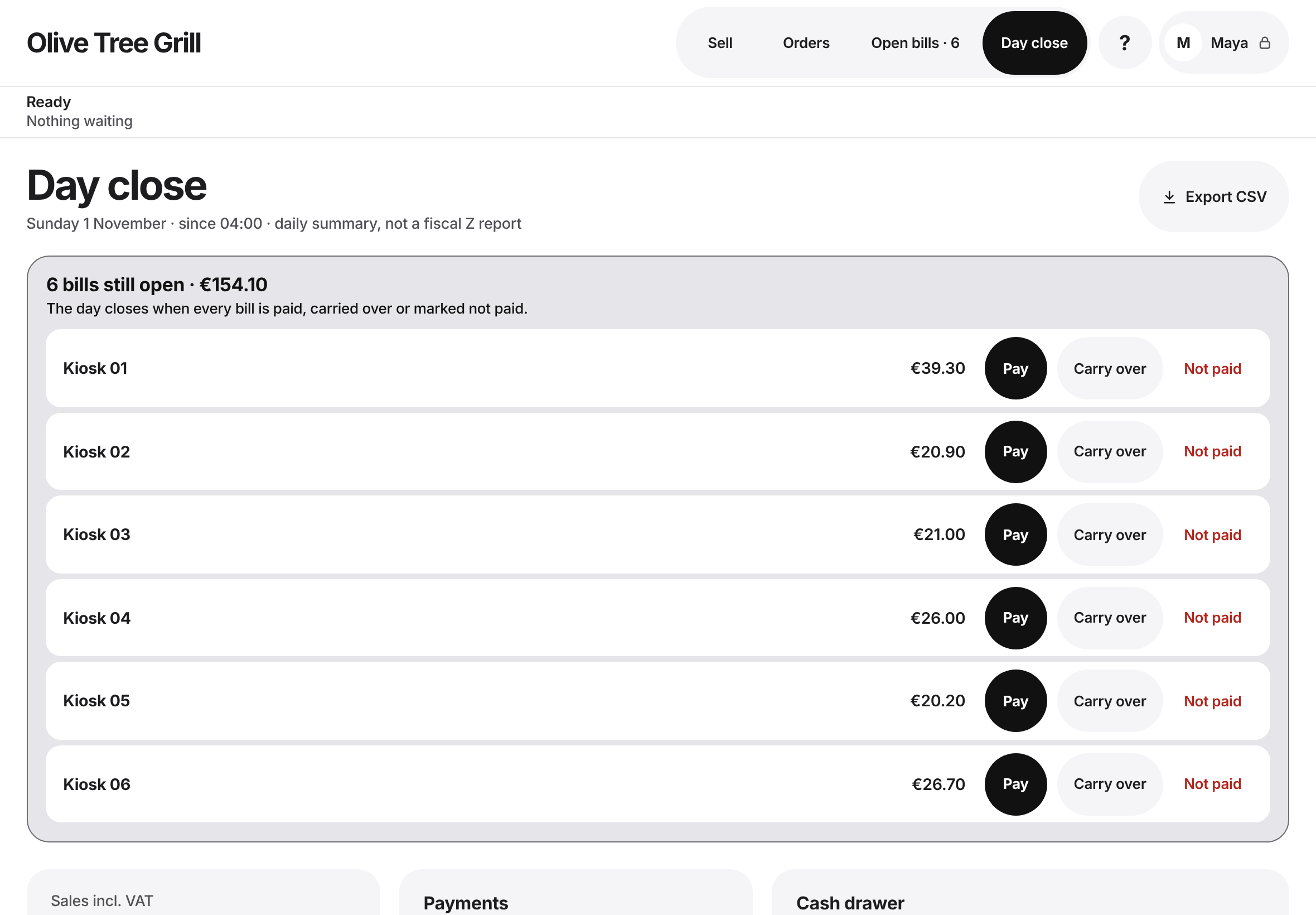
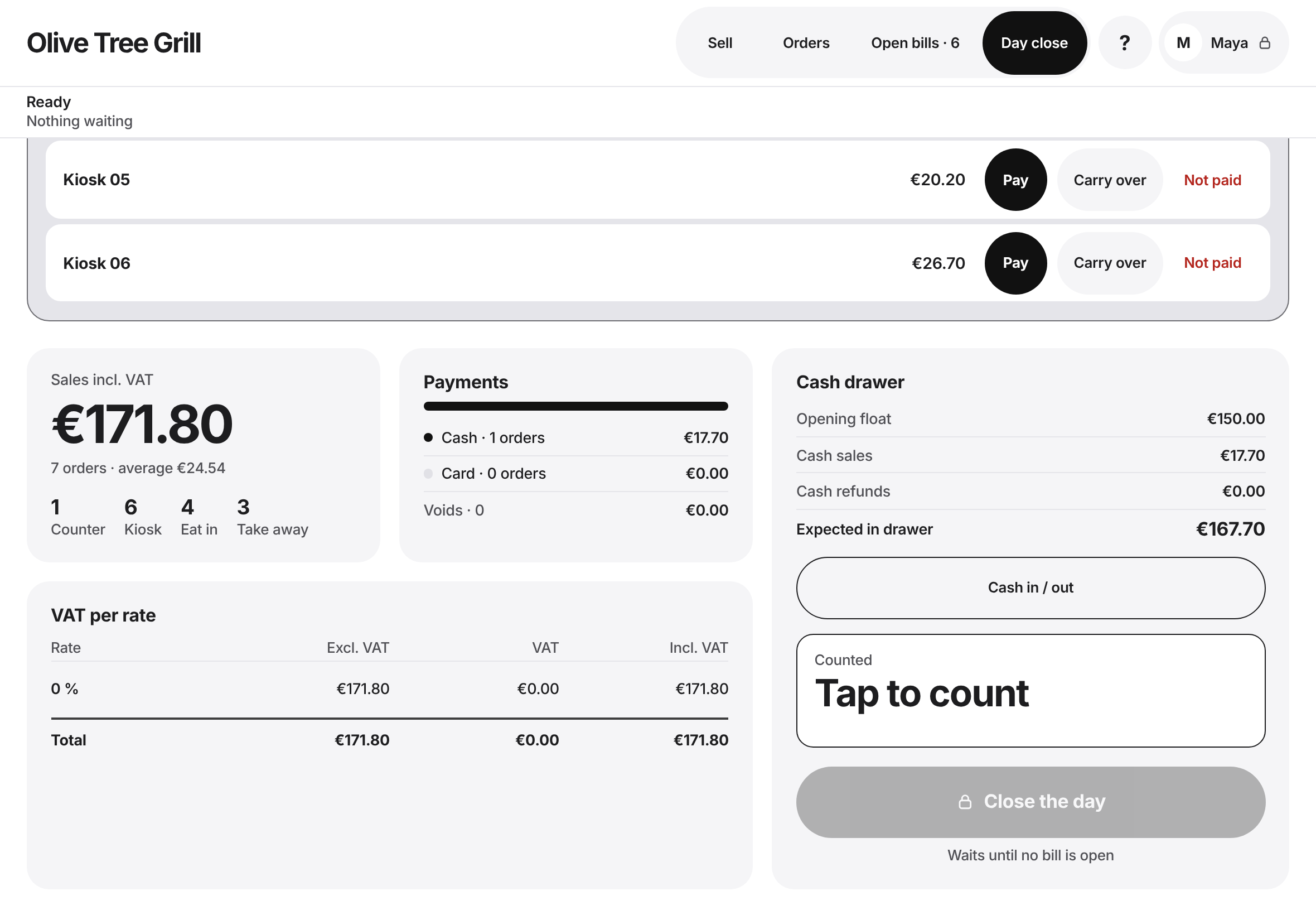
Tap Day close. You see today’s sales, payments and VAT per rate.
-
Open bills must be settled first. For each one choose Pay, Carry over (to tomorrow) or Not paid.
-
Under Cash drawer, tap Tap to count and enter the cash in the drawer. The till compares it with Expected (opening float plus cash sales and cash in, minus cash refunds and cash out).
-
Tap Close the day. If your role needs approval, a manager picks their name and types their PIN. Want the numbers in a spreadsheet? Tap Export CSV.