Menu
Options and extras
Make an option group once (for example Sauce), then attach it to every dish that uses it. Set if customers pick one or several, and an extra price per option.
Ce contenu n’est pas encore disponible dans votre langue.
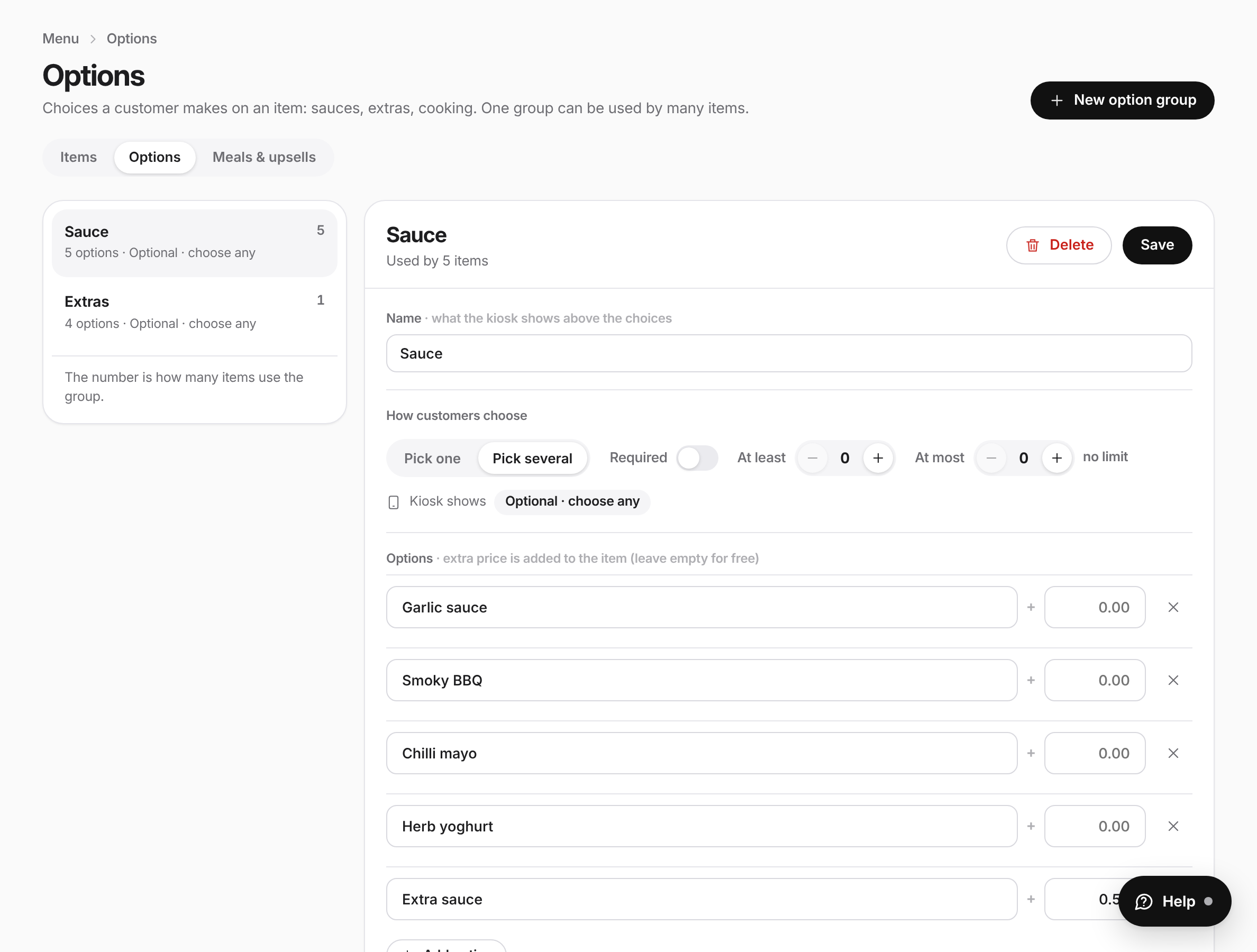
Make an option group
-
In Menu, open the Options tab and tap New option group.
-
Give it a Name. That’s what the kiosk shows above the choices.
-
Under How customers choose, pick Pick one or Pick several. Switch on Required if they must choose. Set At least and At most if needed.
-
Add the options. Type an extra price, or leave it empty for free. Tap Save.
Attach it to a dish
Open the dish and, under Choices on the kiosk, add the group. The number next to each group shows how many dishes use it.