Deals & promotions
Make a promo code
Open Promo codes, switch Promo codes on, tap New code, fill in the code and the discount and tap Create code.
Ce contenu n’est pas encore disponible dans votre langue.
-
Open Promo codes and switch Promo codes on.
-
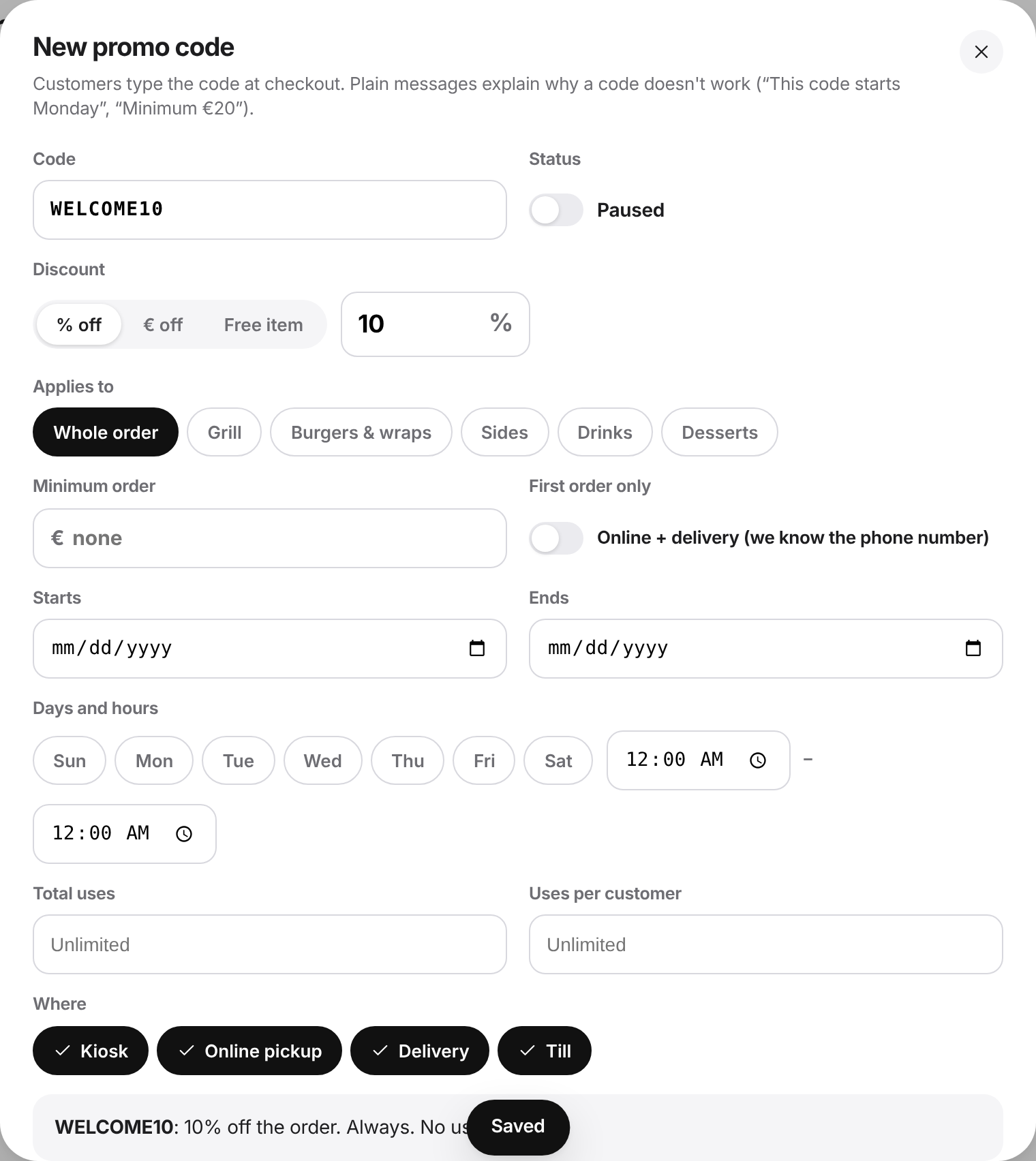
Tap New code. Type the code, like WELCOME10.
-
Pick % off, € off or Free item, and what it applies to.
-
Add limits if you like: Minimum order, First order only, dates, days and hours, Total uses, Uses per customer.
-
Under Where, pick Kiosk, Online pickup, Delivery and/or Till. Check Status is Active, then tap Create code.
-
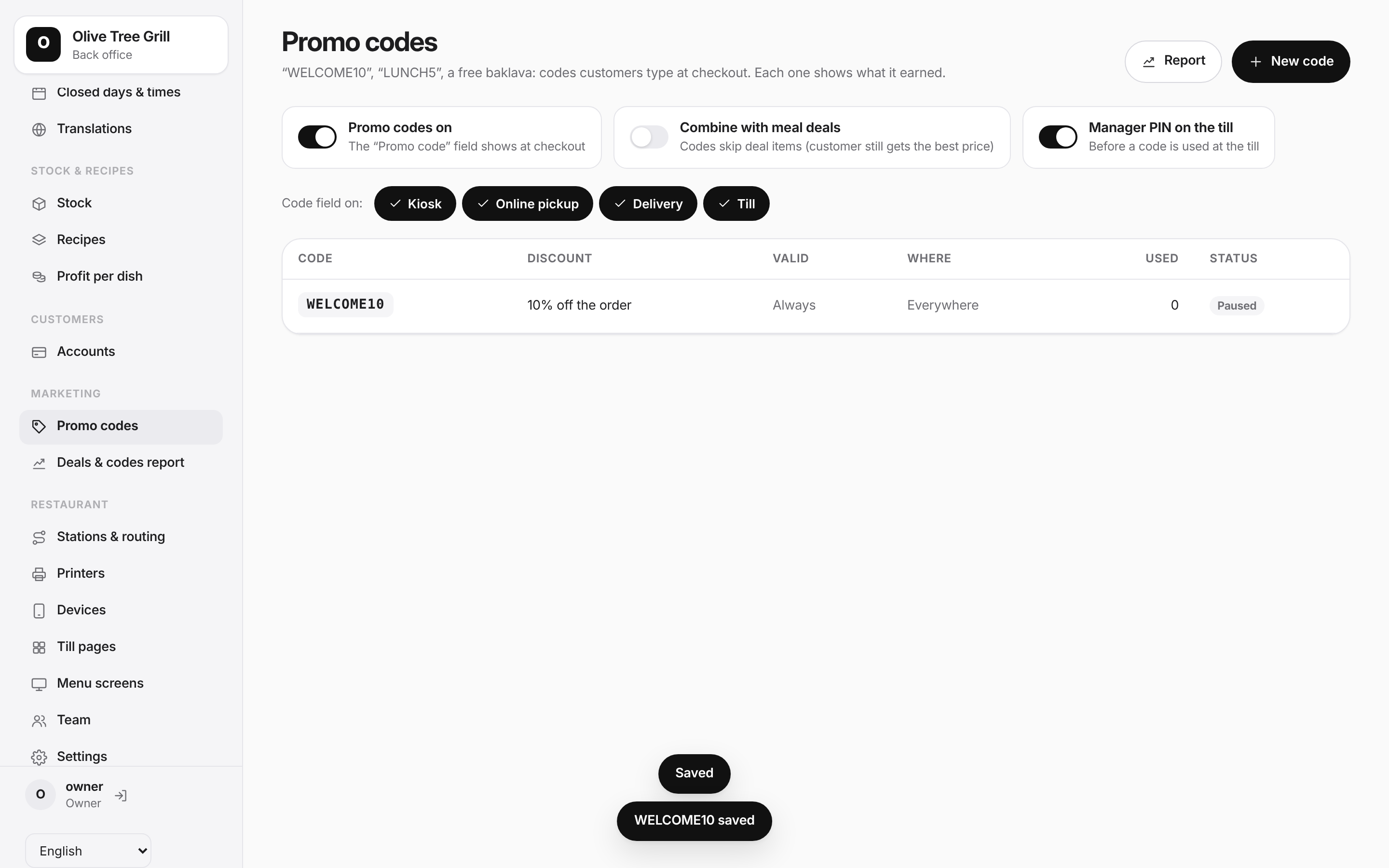
The code is in the list, with how often it was used.
Every setting
| Setting | Starts as |
|---|---|
| Promo codes | Off: no code field anywhere |
| Combine with meal deals | Off: codes skip deal items |
| Manager PIN on the till | On |
| Code field on | Kiosk, Online pickup, Delivery, Till |