Online ordering
Start taking orders online
Open Settings → Online ordering. Check the Page address, tap Save address, then switch Online ordering on. Share the link or print the QR.
Ce contenu n’est pas encore disponible dans votre langue.
Online orders arrive just like kiosk orders: on the kitchen screen, on the till and on the order status screen.
Switch it on
-
In the back office, open Settings, then Online ordering.
-
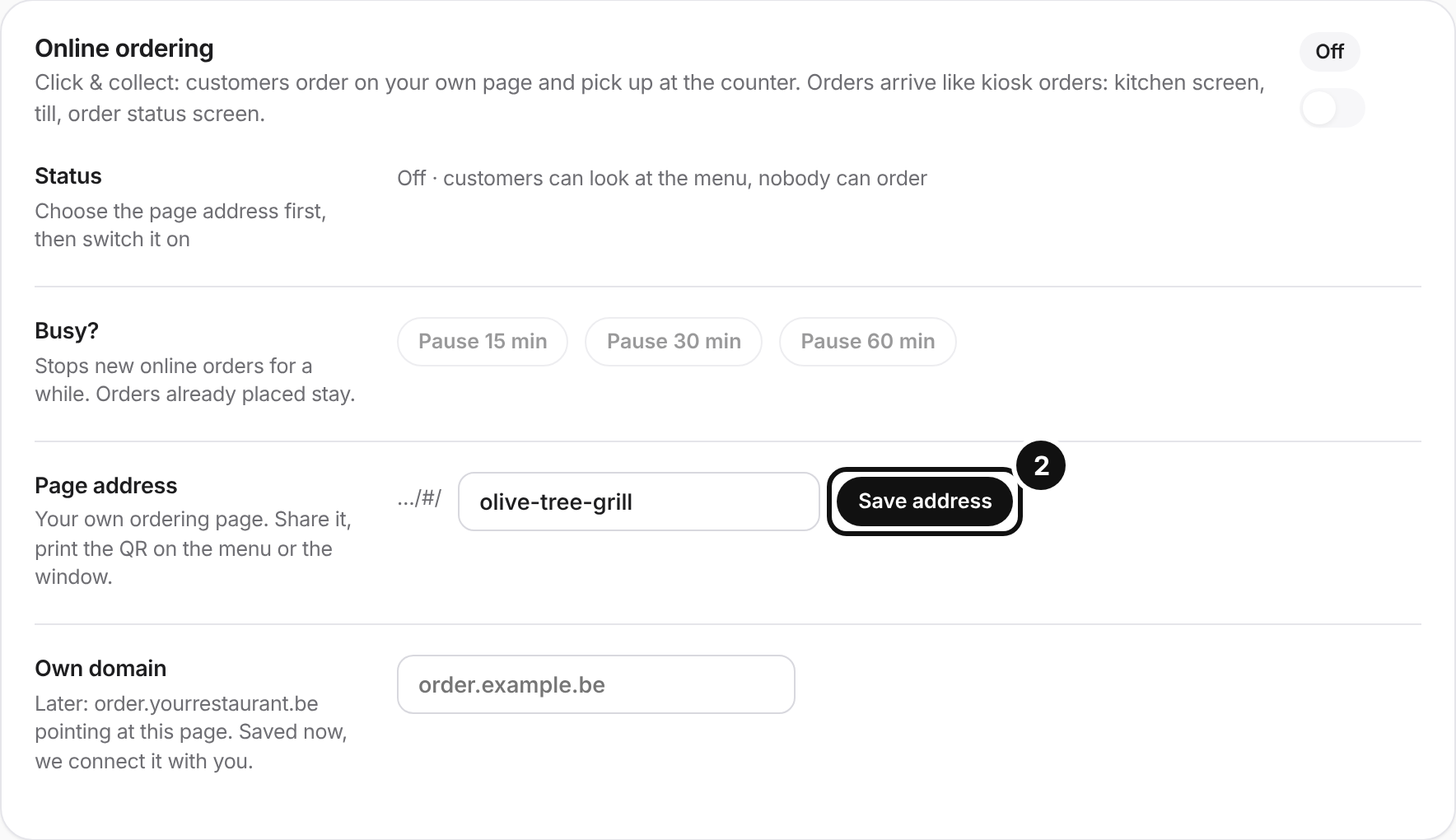
Look at Page address. It starts as your restaurant’s name, like olive-tree-grill. Change it if you like, then tap Save address. Choose it well: your QR codes use it.
-
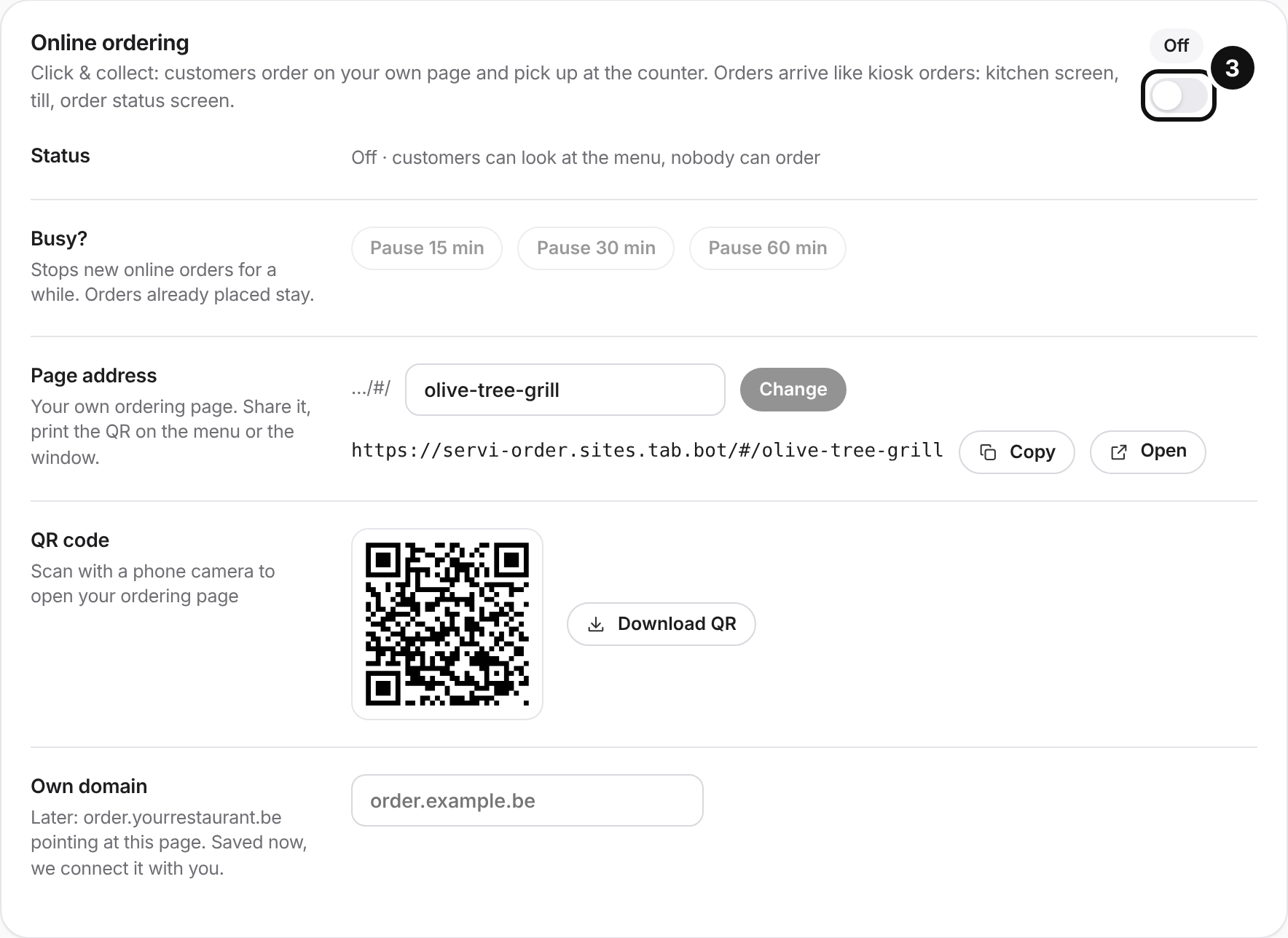
Tap the switch next to Online ordering.
-
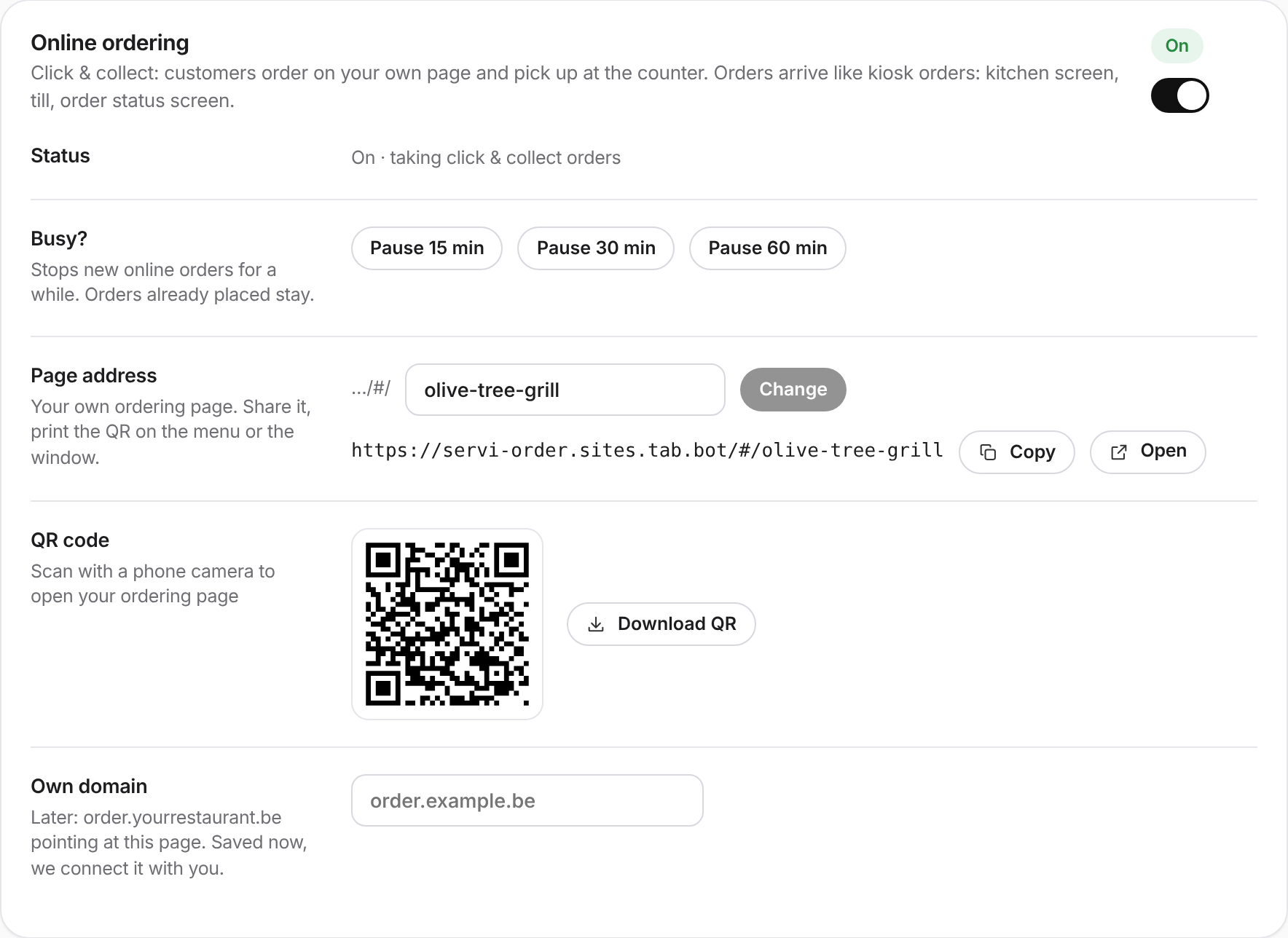
The status turns to On · taking click & collect orders. Your link and its QR code appear.
-
Tap Copy to copy your link, Open to see your page, or Download QR to print the code on your menu or window.
What it starts with
| Setting | Starts as |
|---|---|
| Online ordering | Off |
| As soon as possible | On, earliest pickup 20 min after ordering |
| Choose a time (pickup later today) | On, a time every 15 min |
| Orders per time slot | 6 |
| Pay at pickup | On, up to €150 |
| Pay online | Off until SumUp is connected |
| Minimum order | €0 (no minimum) |
| Group orders | Off |