Payments
Connect SumUp for card payments
In Settings → Payments, tap Use an API key instead, paste your SumUp secret key and tap Test & connect.
Ce contenu n’est pas encore disponible dans votre langue.
-
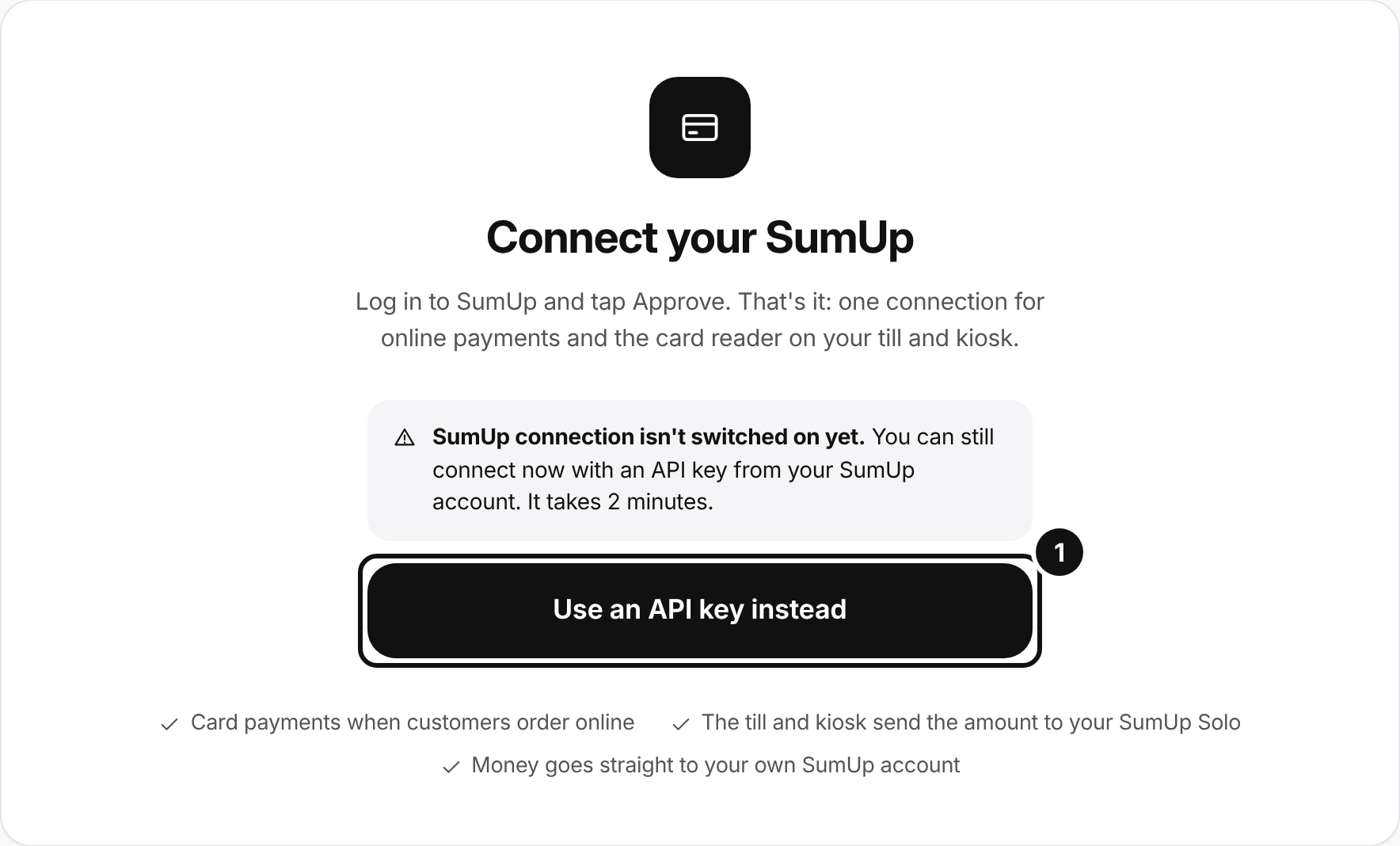
Open Settings → Payments. Under Connect your SumUp, tap Use an API key instead.
-
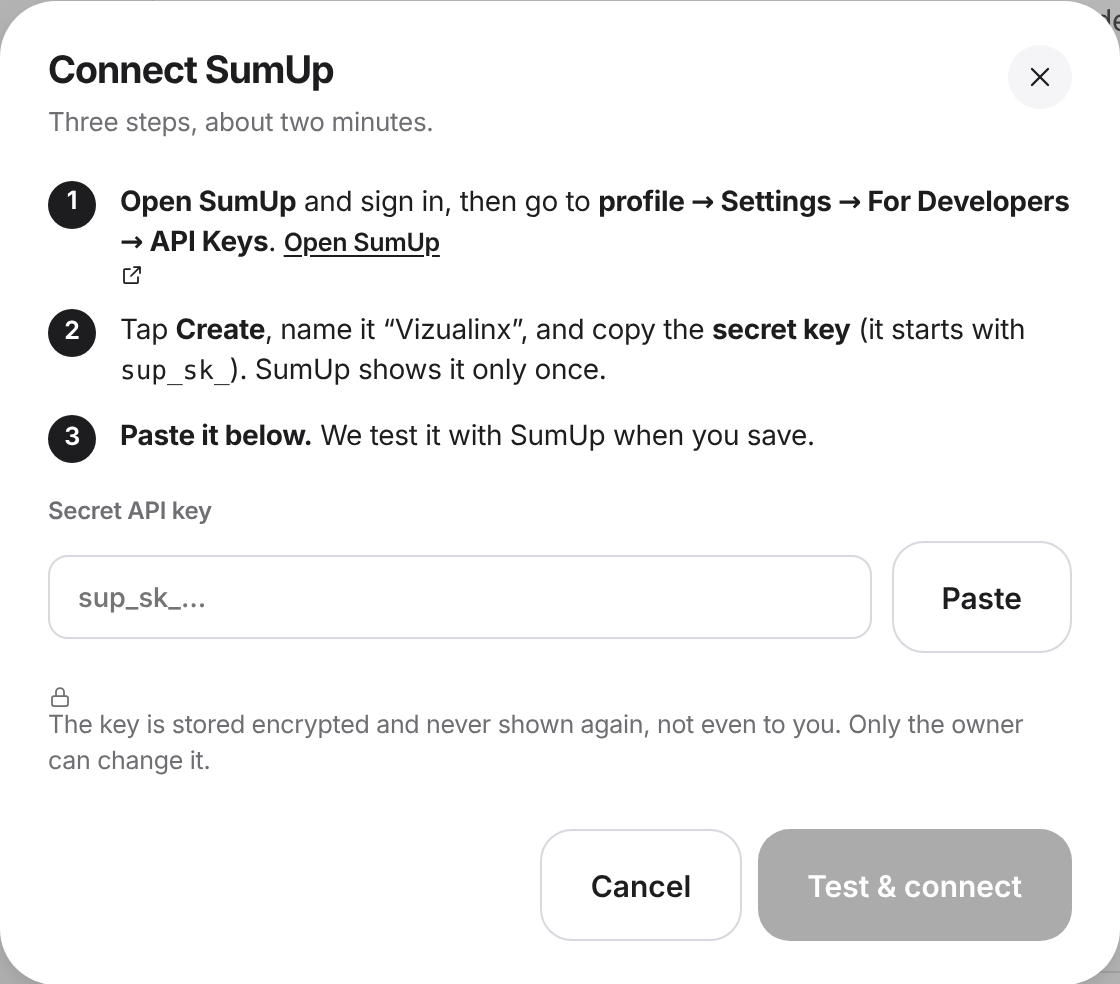
Tap Open SumUp and sign in. Go to your profile → Settings → For Developers → API Keys.
-
Tap Create, call it anything you like, and copy the secret key. It starts with sup_sk_. SumUp shows it only once.
-
Paste the key under Secret API key and tap Test & connect. We check it with SumUp before saving.
-
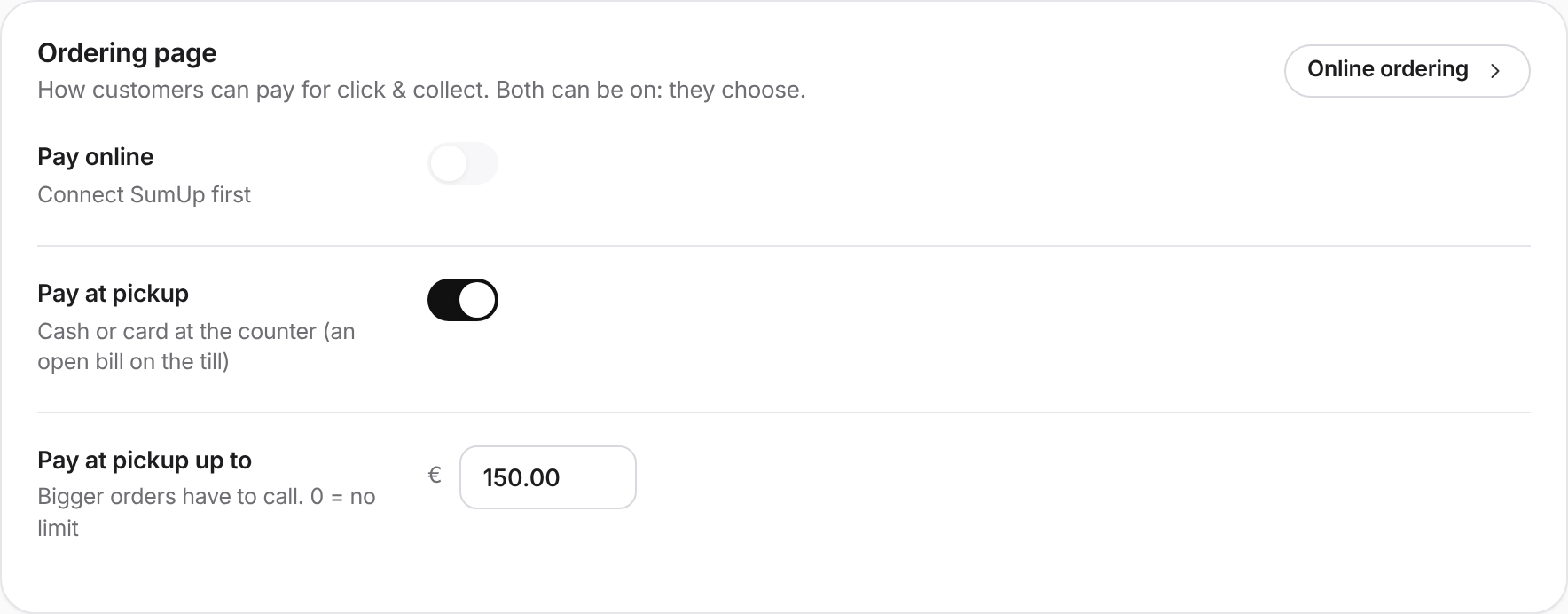
Under Ordering page, switch Pay online on. Customers can now pay by card when they order online.
Every setting
| Setting | Starts as |
|---|---|
| Pay online | Off (needs SumUp) |
| Pay at pickup | On |
| Pay at pickup up to | €150 (0 = no limit) |