Reports & forecasts
See your profit
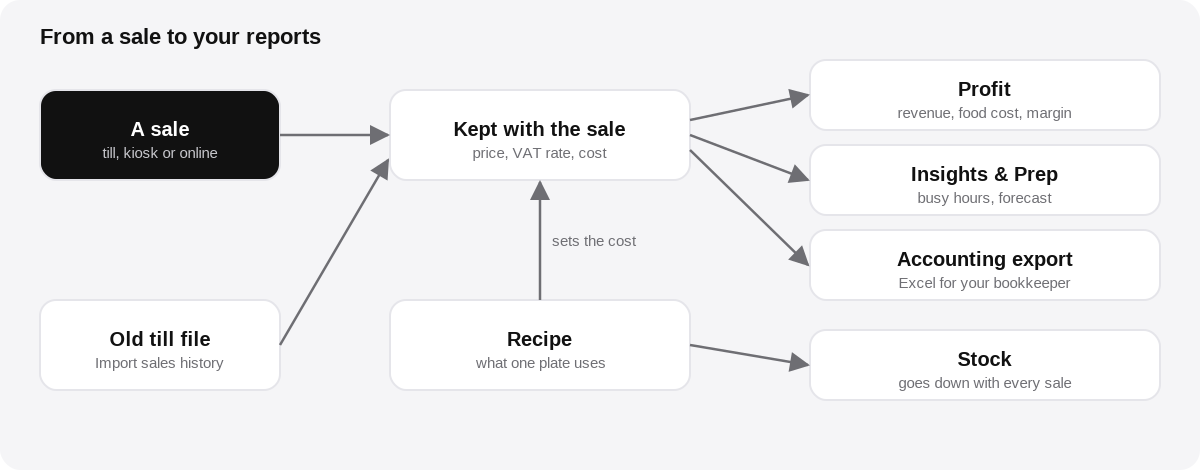
Open Profit and pick a period. Add food costs first, or the page has nothing to subtract.
Ce contenu n’est pas encore disponible dans votre langue.
-
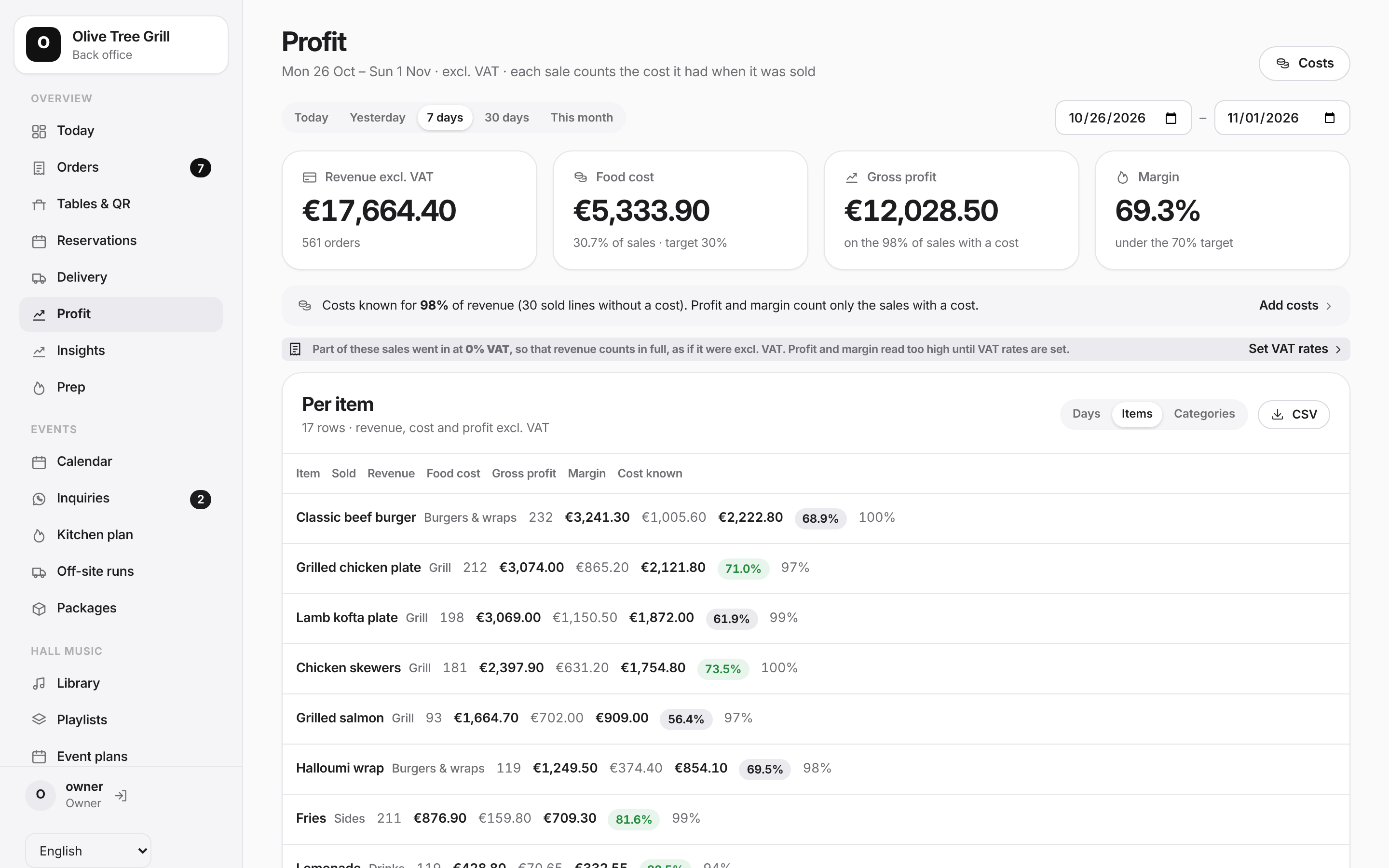
Open Profit in the side menu.
-
Pick Today, Yesterday, 7 days, 30 days, This month, or type your own dates.
-
Read the four numbers: Revenue excl. VAT, Food cost, Gross profit and Margin.
-
Switch the table between Days, Items and Categories. Cost known shows how much of the sales had a cost.
-
Tap CSV to download the table.
Where the numbers come from