Stock & recipes
Write a recipe
Ce contenu n’est pas encore disponible dans votre langue.
-
Open Stock & recipes → Recipes. The list shows every dish, its cost and whether it has a recipe.
-
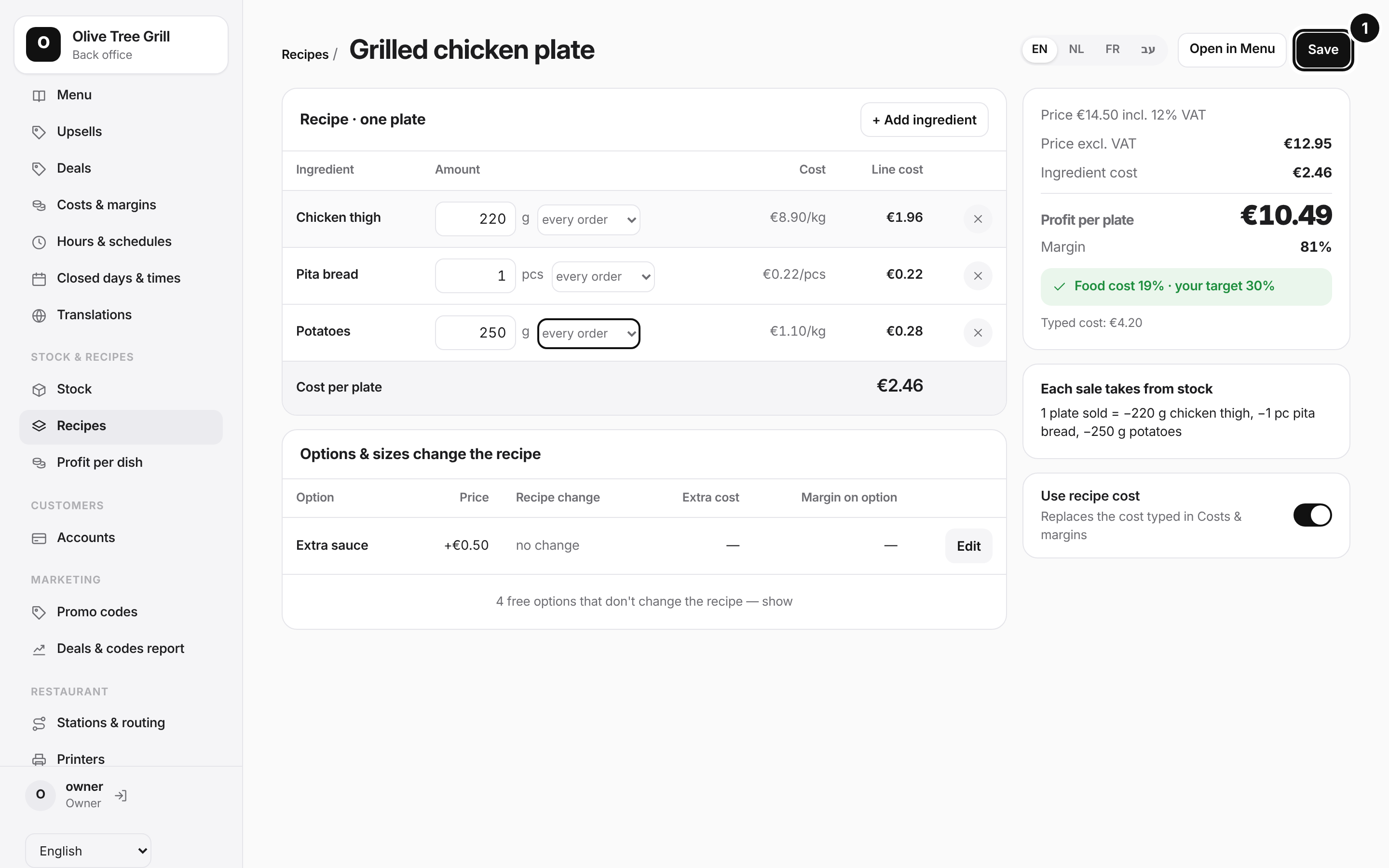
Tap a dish. Under Recipe · one plate, pick an ingredient in + Add ingredient and type the amount (grams, ml or pieces). Each line can count for every order, takeaway only or eat in only.
-
Check Cost per plate, Profit per plate and Margin on the right.
-
Tap Save. Each plate sold now takes these amounts off your stock.
-
Want the recipe to set the dish’s cost? Tap Use recipe cost. It replaces the cost typed in Costs & margins.
Options and sizes
Under Options & sizes change the recipe, tap Edit next to an option, like extra cheese, to add what it uses. Free options that change nothing can stay as they are.