Tables & reservations
Use the reservations timeline
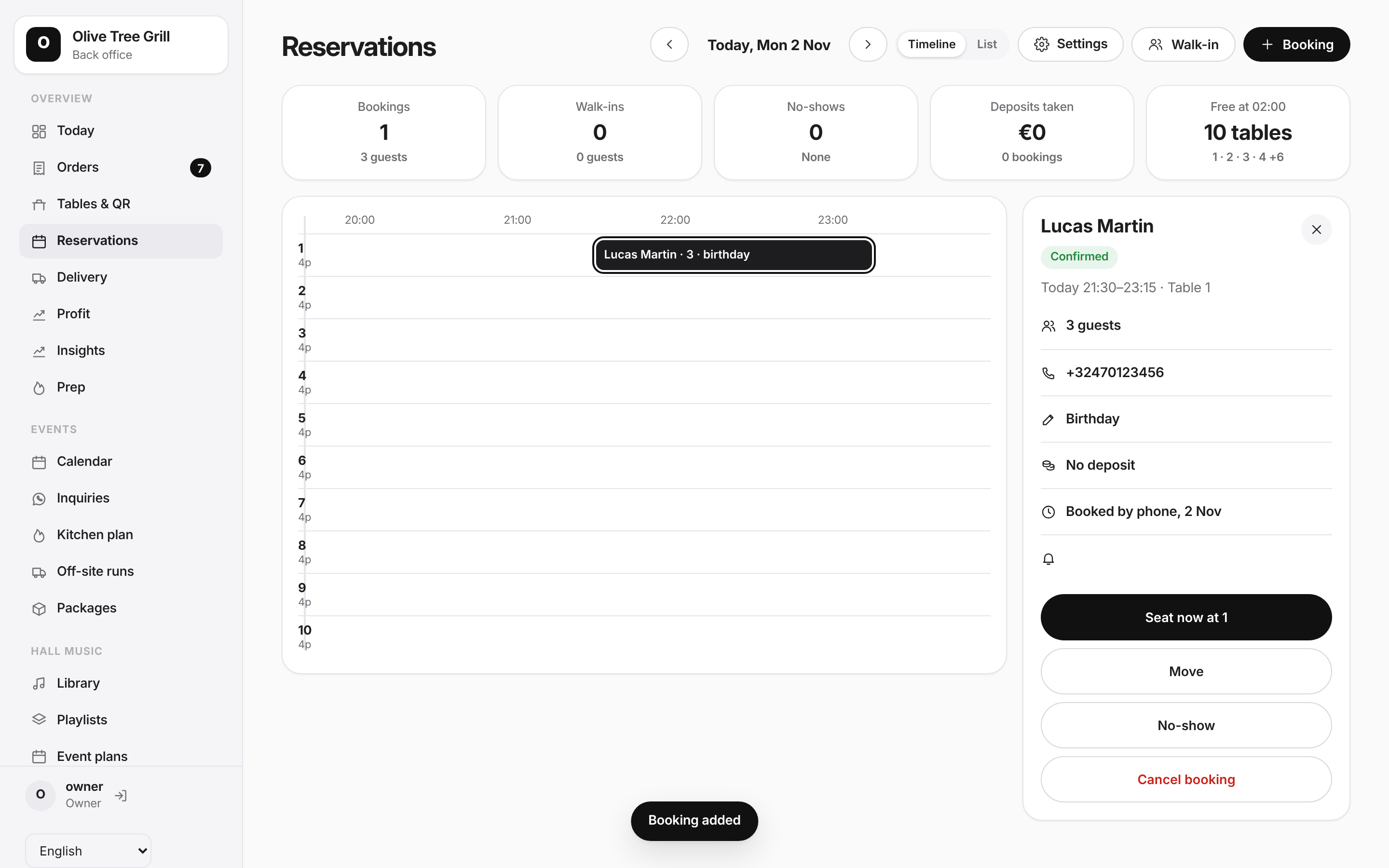
Open Reservations. Each table is a row; each booking a block. Tap Booking to add one by phone, or Walk-in to seat someone now.
Ce contenu n’est pas encore disponible dans votre langue.
-
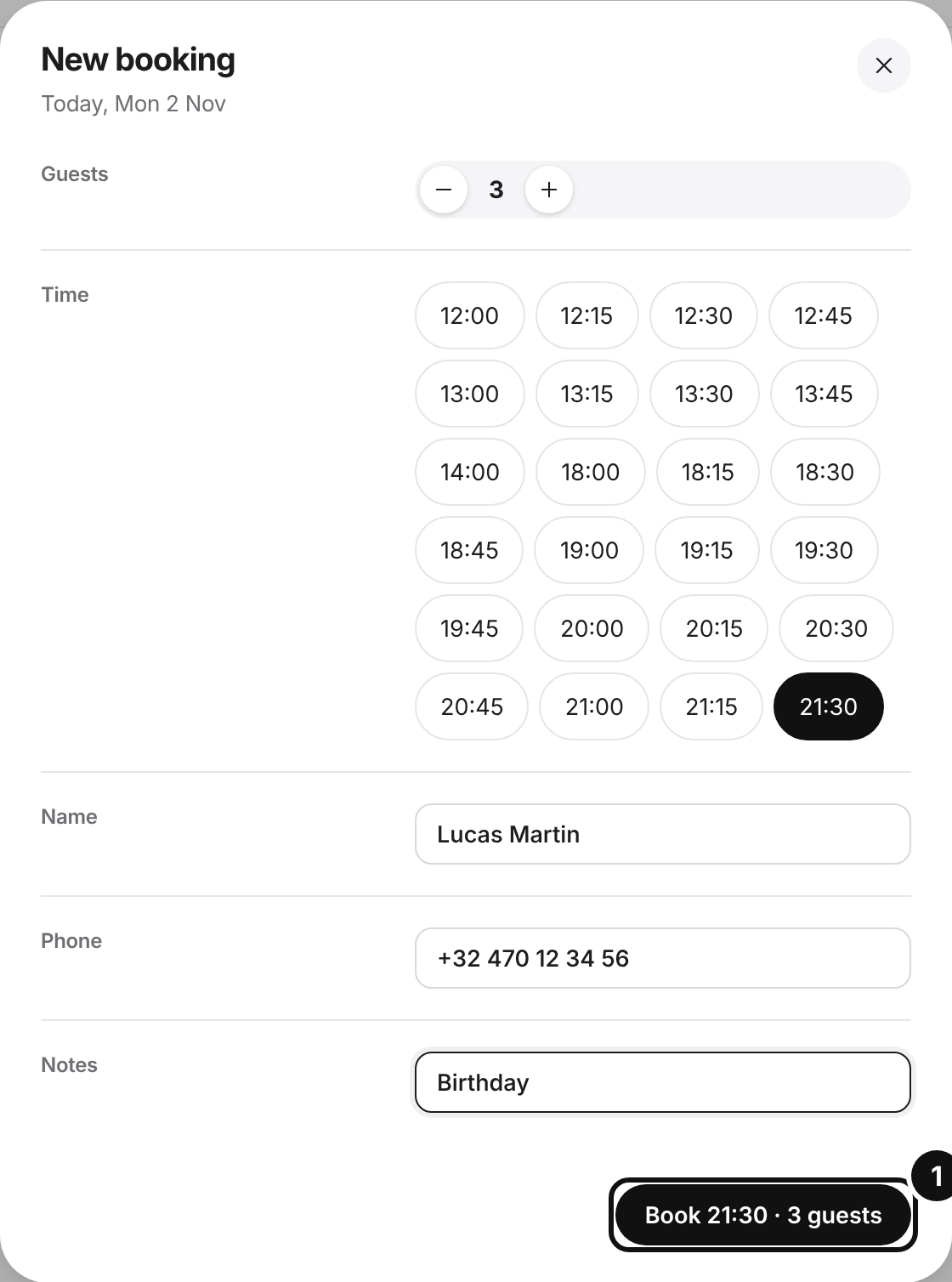
Someone calls? Tap Booking. Pick guests and a time, type their name and phone, and tap Book.
-
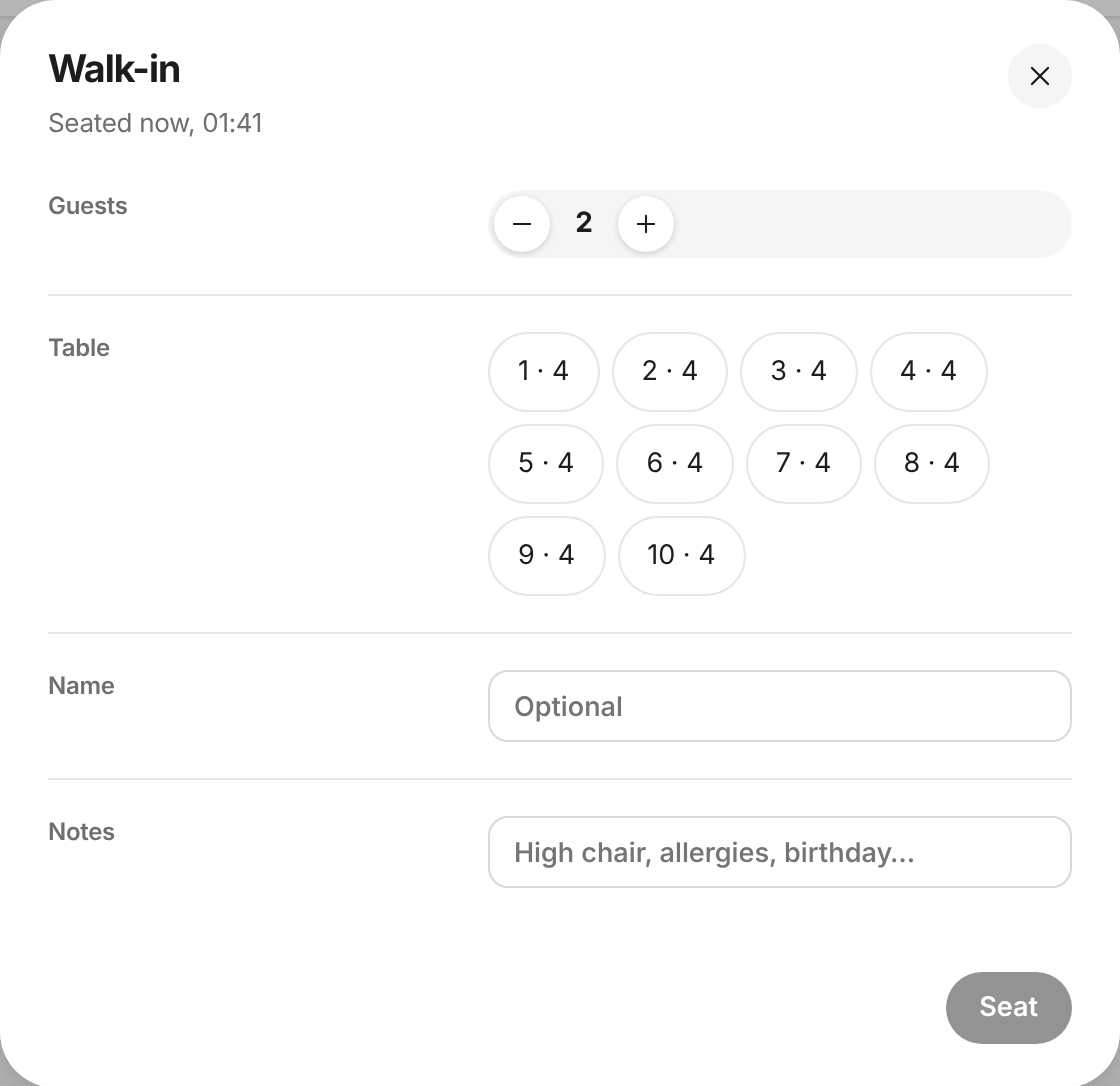
Guests at the door without a booking? Tap Walk-in.
-
Tap a booking to see it. Tap Seat now, Move, No-show or Cancel booking.