Money
Set food costs
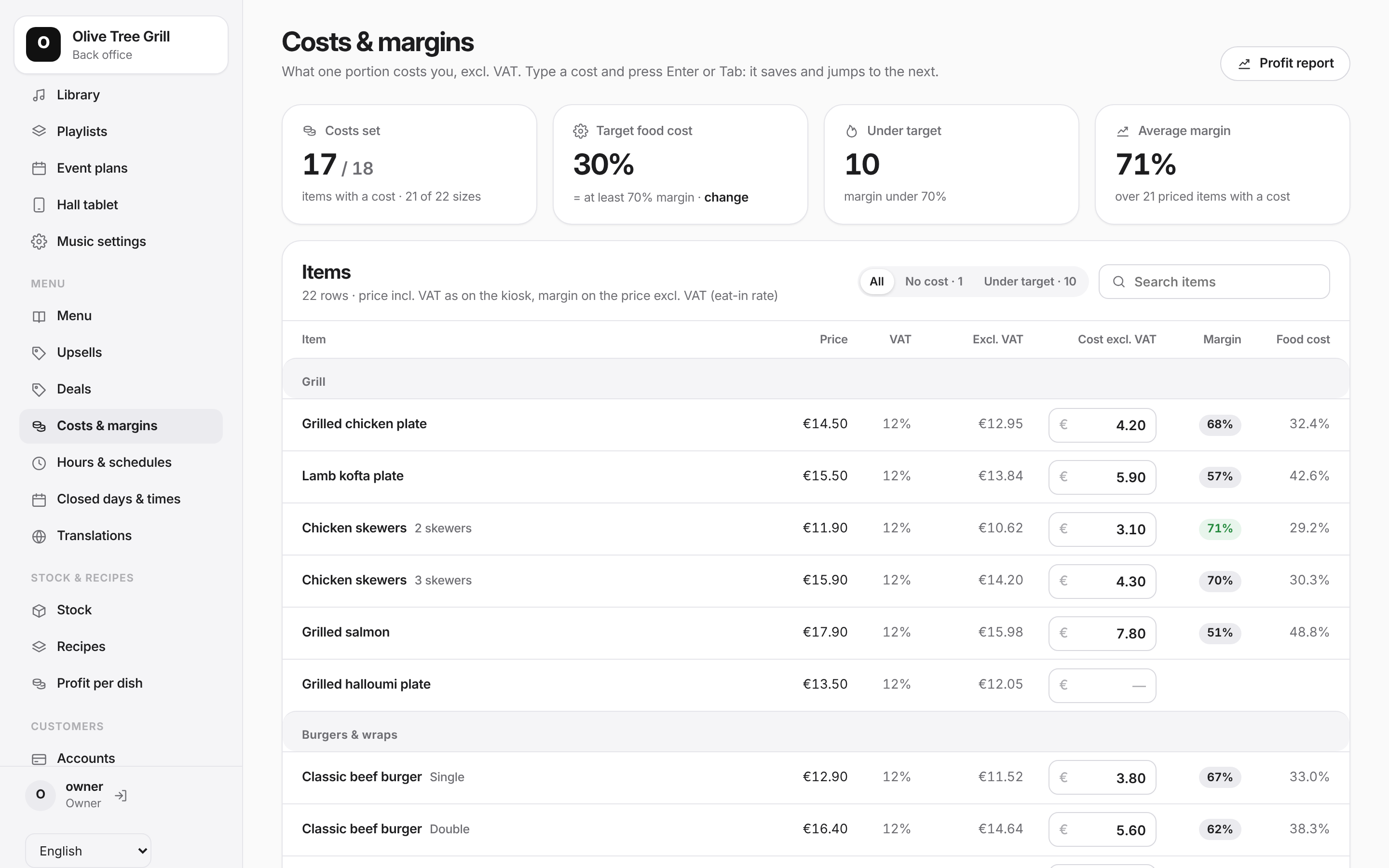
Open Costs & margins, type the cost of each dish (excl. VAT) and press Enter: it saves and jumps to the next.
Ce contenu n’est pas encore disponible dans votre langue.
-
Open Costs & margins in the side menu (under Menu).
-
Type the cost of one portion in Cost excl. VAT. Press Enter or Tab: it saves and jumps to the next row.
-
Dishes with sizes have one row per size.
-
Under Options & extras, type a cost for extras like cheese. It’s added to a dish’s cost when someone picks it.
-
Use the filters All, No cost and Under target to find what’s left.
Your target
Target food cost starts at 30% (so at least 70% margin). Change it in Settings → Costs & margins. Dishes within the target get a green margin chip, dishes above it a grey one.