Team
What each role can do
Open Team → Roles. A Cashier sells and asks a manager when money goes out; a Shift lead doesn't need to ask. Need a different mix? Tap New role.
Ce contenu n’est pas encore disponible dans votre langue.
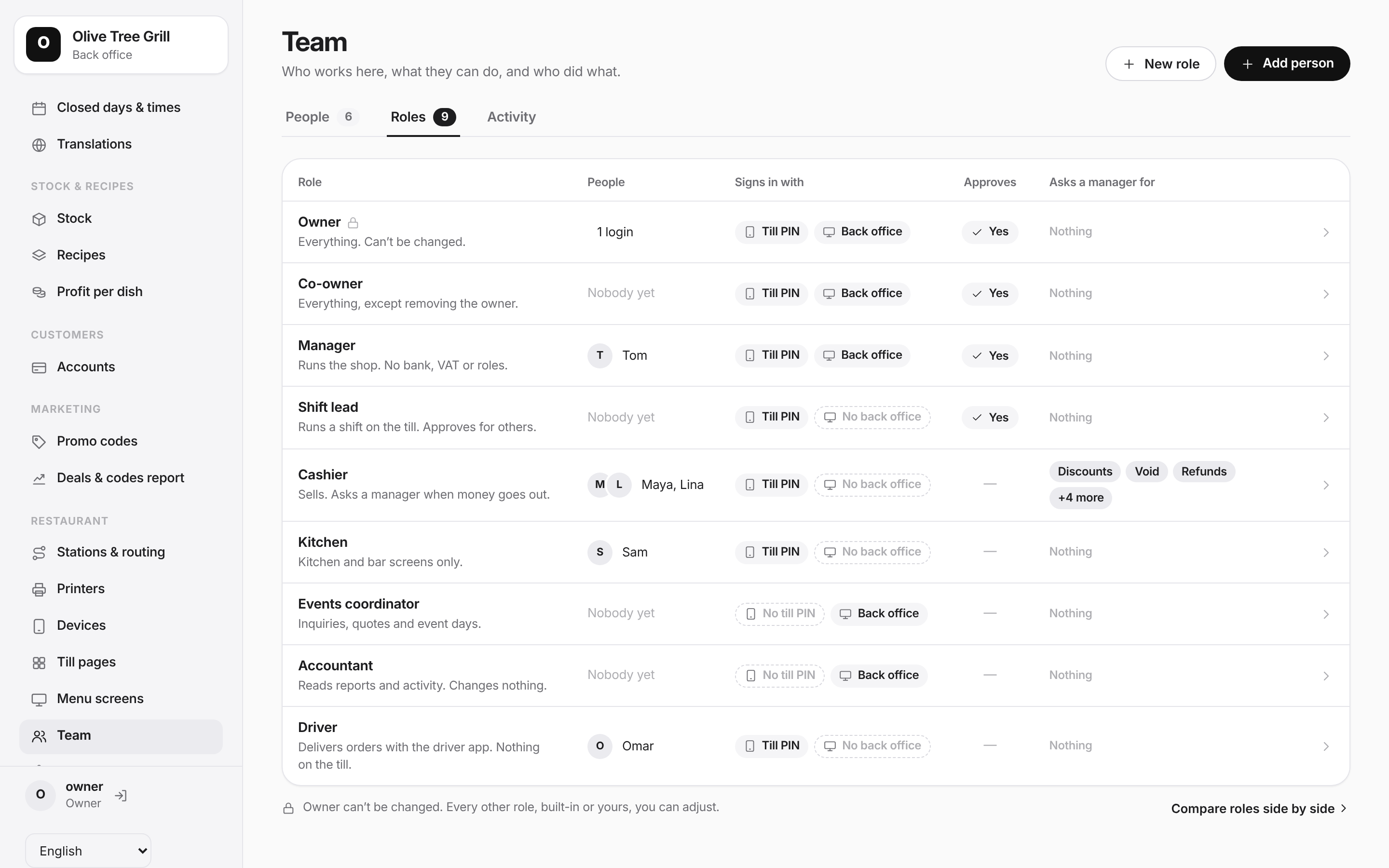
The built-in roles
| Role | Signs in with | What they can do |
|---|---|---|
| Owner | Till PIN and back office | Everything. Can’t be changed. |
| Co-owner | Till PIN and back office | Everything, except removing the owner. |
| Manager | Till PIN and back office | Everything, except Roles, VAT and Bank & payments. |
| Shift lead | Till PIN | Sells, and does every money action on the till without asking: discounts, voids, refunds, walk-outs, open drawer, cash in & out, close the day. Approves for others. Sends drivers out. |
| Cashier | Till PIN | Sells, open bills, reprints, sold out. Every money action is Ask a manager. |
| Kitchen | Till PIN | Kitchen and bar screens only: sold out, reprint, screen settings. |
| Events coordinator | Back office | Sees events. Answers inquiries and sends quotes. |
| Accountant | Back office | Reads sales, profit and activity, and downloads exports. Changes nothing. |
| Driver | Till PIN (driver app) | Delivers orders with the driver app. Nothing on the till. |
Yes, Ask a manager or No
Every till action has three choices:
- Yes: they just do it.
- Ask a manager: the till asks for the PIN of someone who has the action and Approve for others.
- No: the button is not there for them.
Back office actions are Yes or No.
Money actions
These are always written in Team → Activity, whoever does them: Discounts, Void, Refunds, Walk-outs, Open drawer, no sale, Cash in & out, Close the day.
Make your own role
-
Open Team and tap New role.
-
Pick the role that is closest. Your new role starts as a copy of it.
-
Give it a name. Change the actions you want different.
-
Save. Give it to people in Team → People.