Stock & recipes
Keep track of stock
Open Stock and tap Turn on. Then tap New ingredient for each thing you buy.
Ce contenu n’est pas encore disponible dans votre langue.
Stock & recipes is off until you switch it on. Nothing changes for your tills, kiosk or kitchen until you add recipes.
-
Open Stock & recipes → Stock in the side menu and tap Turn on.
-
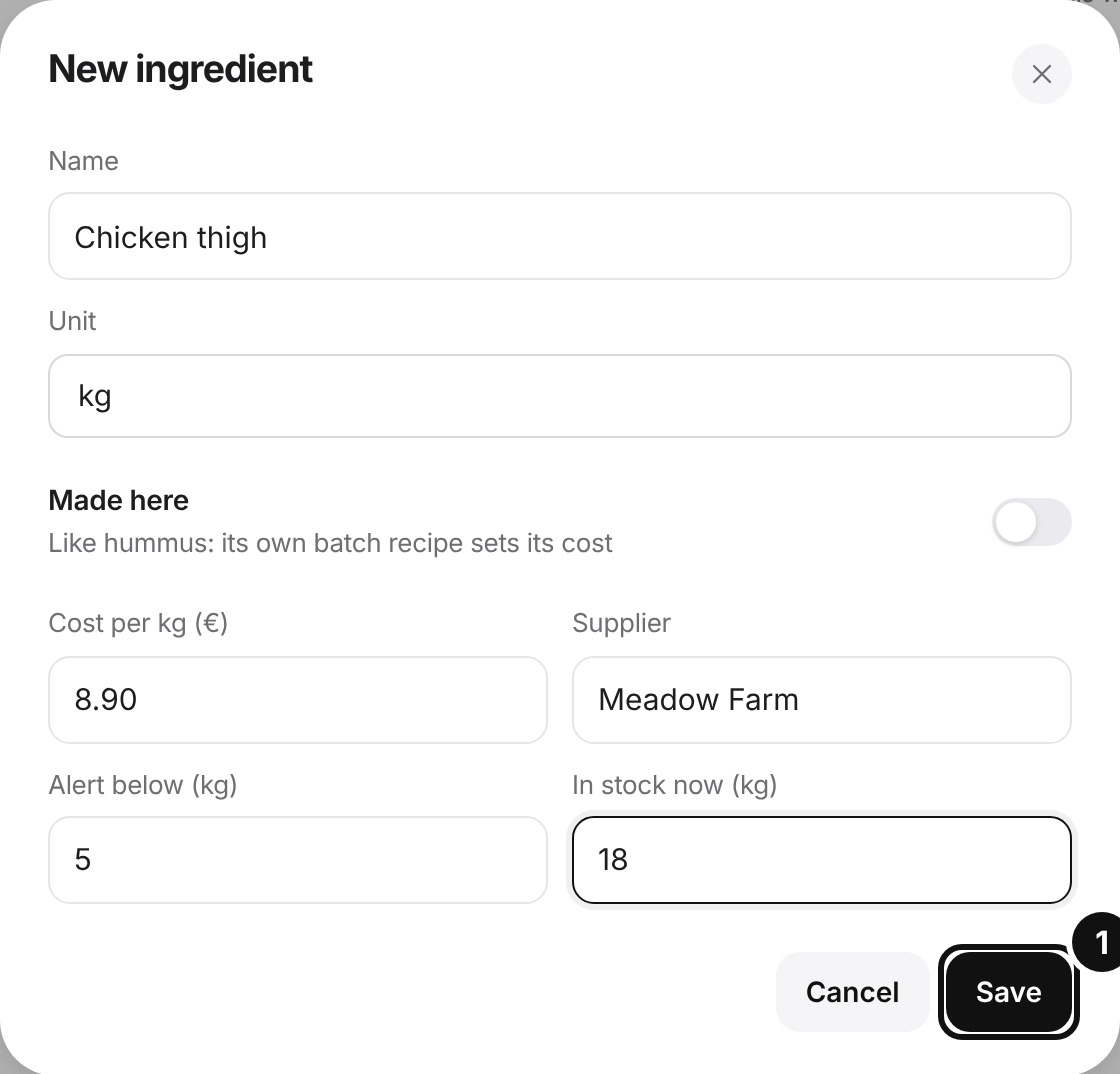
Tap New ingredient. Type the Name, pick the Unit (kg, g, L, ml or pcs), the cost per unit, the Supplier, Alert below and how much is In stock now. Tap Save.
-
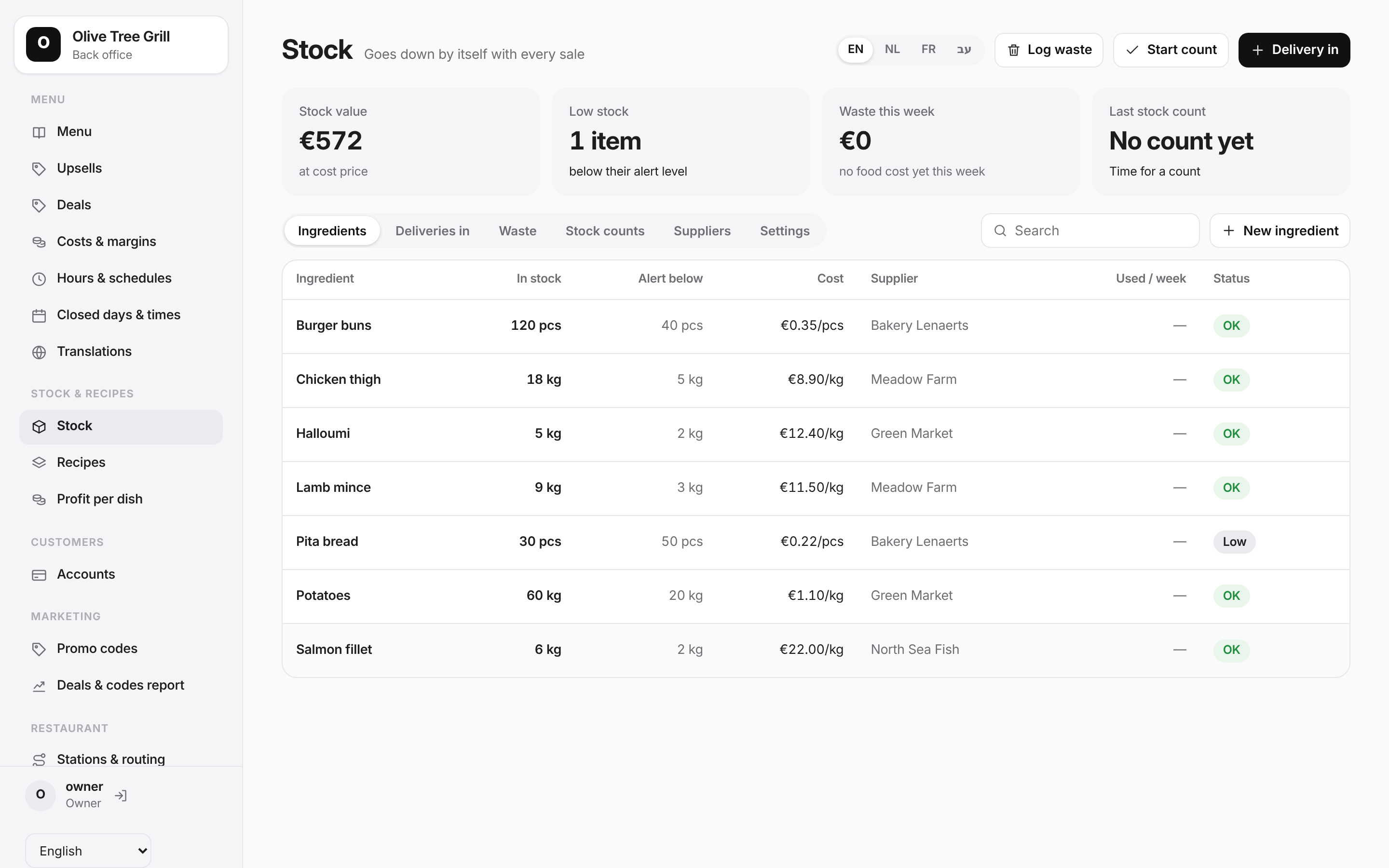
Add the rest. The list shows what’s in stock, the alert level, the cost and the status: OK, Low or Below 0.
-
Now write a recipe for each dish, so every sale takes its ingredients off the stock.
Deliveries, waste and counts
| Button | Use it when |
|---|---|
| Delivery in | Goods arrive. It adds to stock, and the price you type updates the cost. |
| Log waste | Something is thrown away. Pick a reason and the amount; it’s counted at cost price. |
| Start count | You count the shelves. Pick a full count or a spot count. Several phones can count at once. Then post the differences. |
Already use prep components? Copy from Prep turns them into ingredients.
Every setting
Open Stock and tap the Settings tab.
| Setting | Starts as |
|---|---|
| Use recipe cost | On |
| Each sale takes from stock | On |
| Allow stock below 0 | On |
| Low-stock alerts | On |
| Blind counts | Off |
| Delivery price updates the cost | On |
| Count reminder | Every week |
| Waste reasons | Expired, Dropped / spoiled, Over-prepared, Returned by customer, Staff meal |