Shop mode (retail)
Sell at the shop till
Scan the barcode (or tap the product), check the sale on the right, tap Pay and pick Card, Cash or Gift card.
Deze inhoud is nog niet vertaald.
-
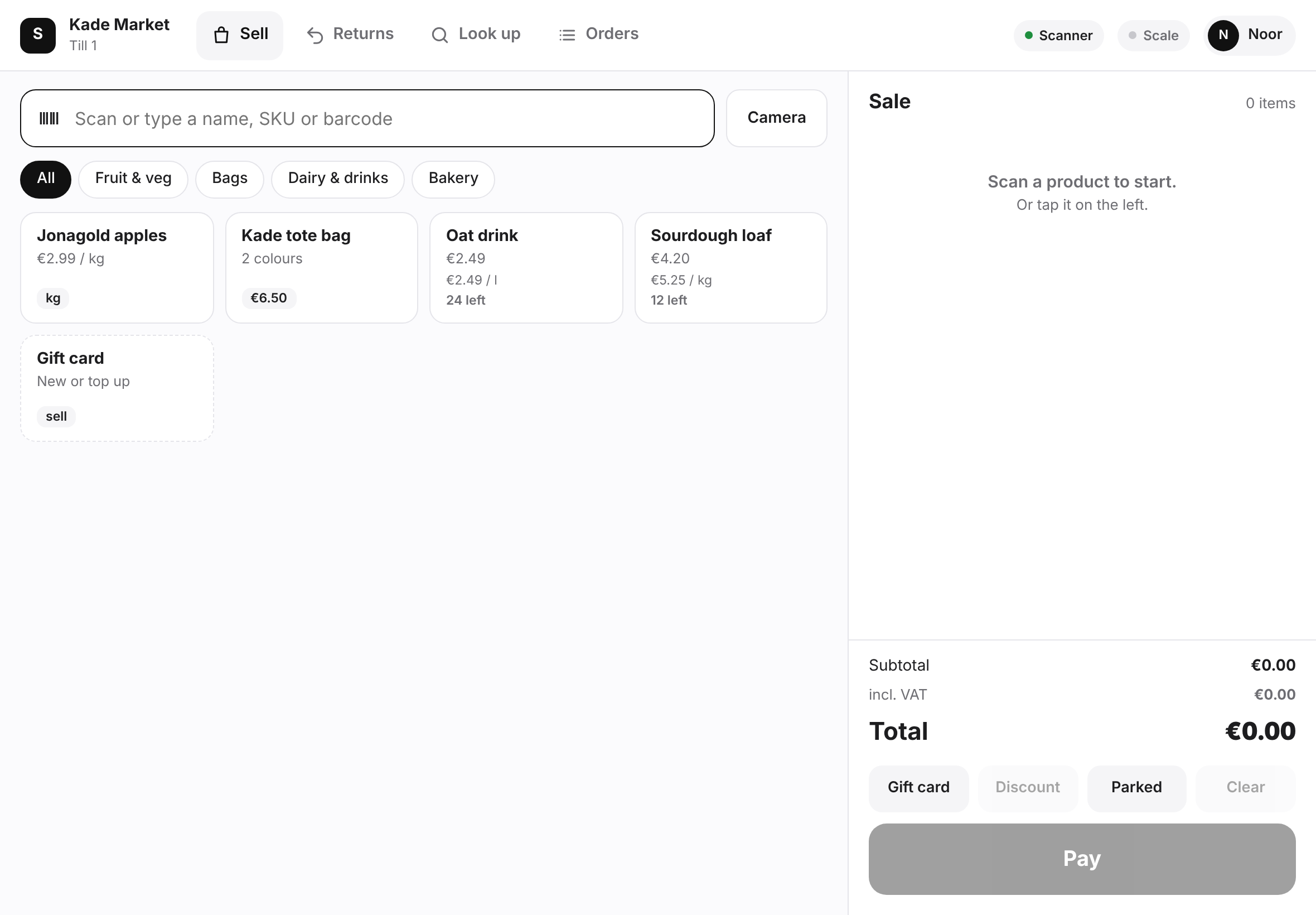
Sign in with your PIN. The till opens on Sell.
-
Scan a barcode, or type a name, SKU or barcode in the box. You can also tap a product on the left. Camera reads a barcode with the tablet’s camera.
-
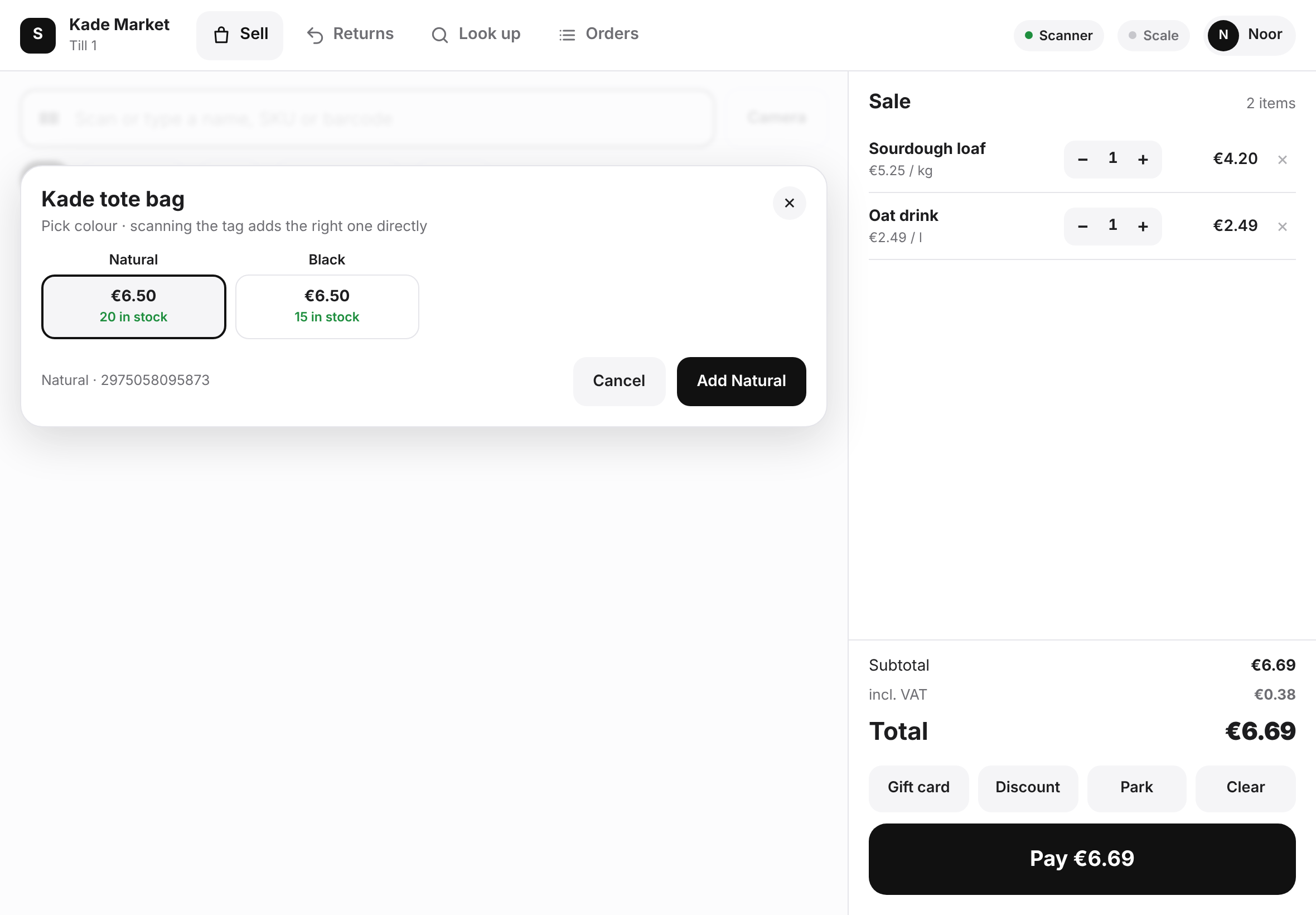
A product with sizes or colours asks which one. Tap it, then tap Add. Scanning the tag adds the right one directly.
-
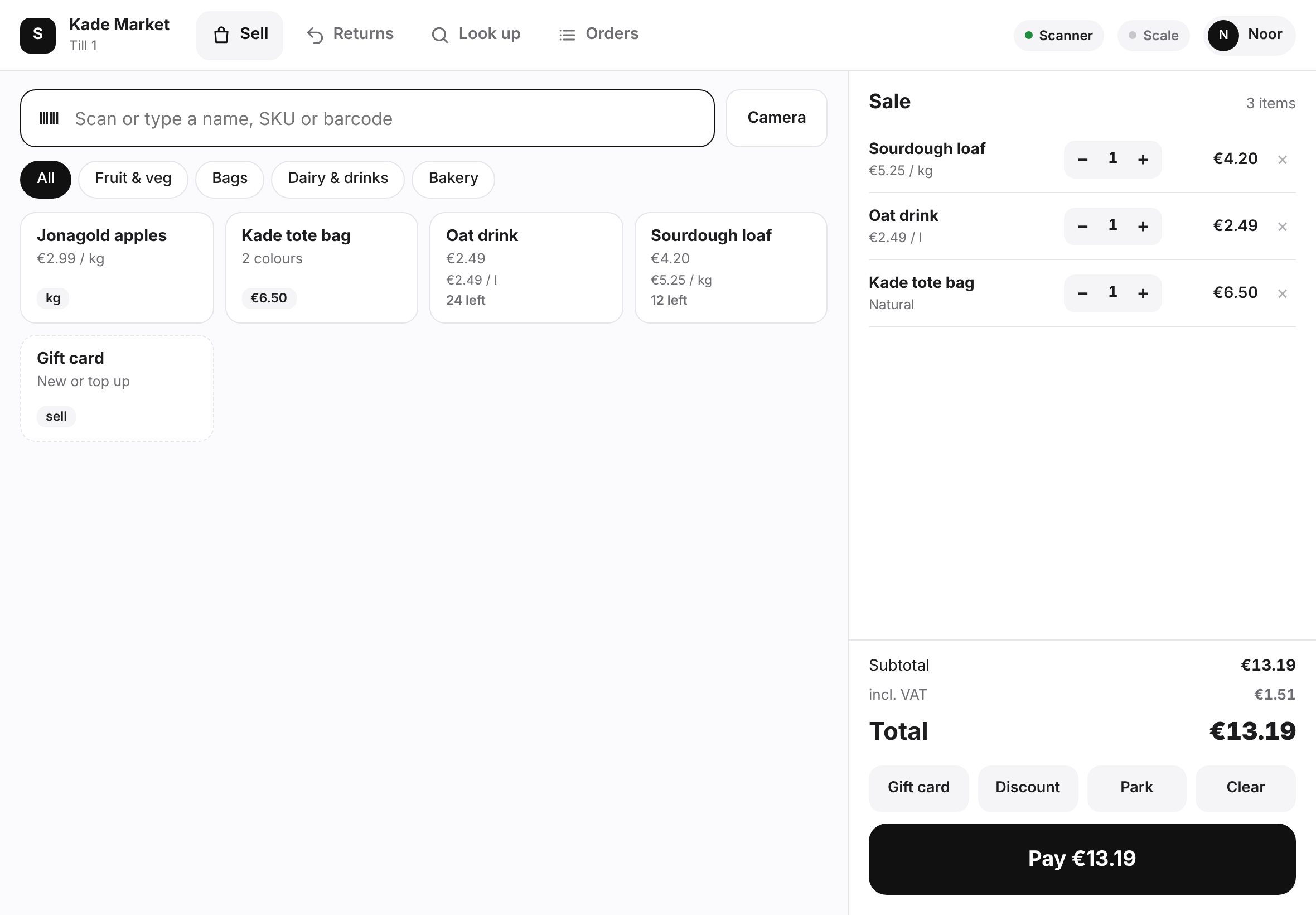
Check the sale on the right. Change the number with − and +, or remove a line with ×.
-
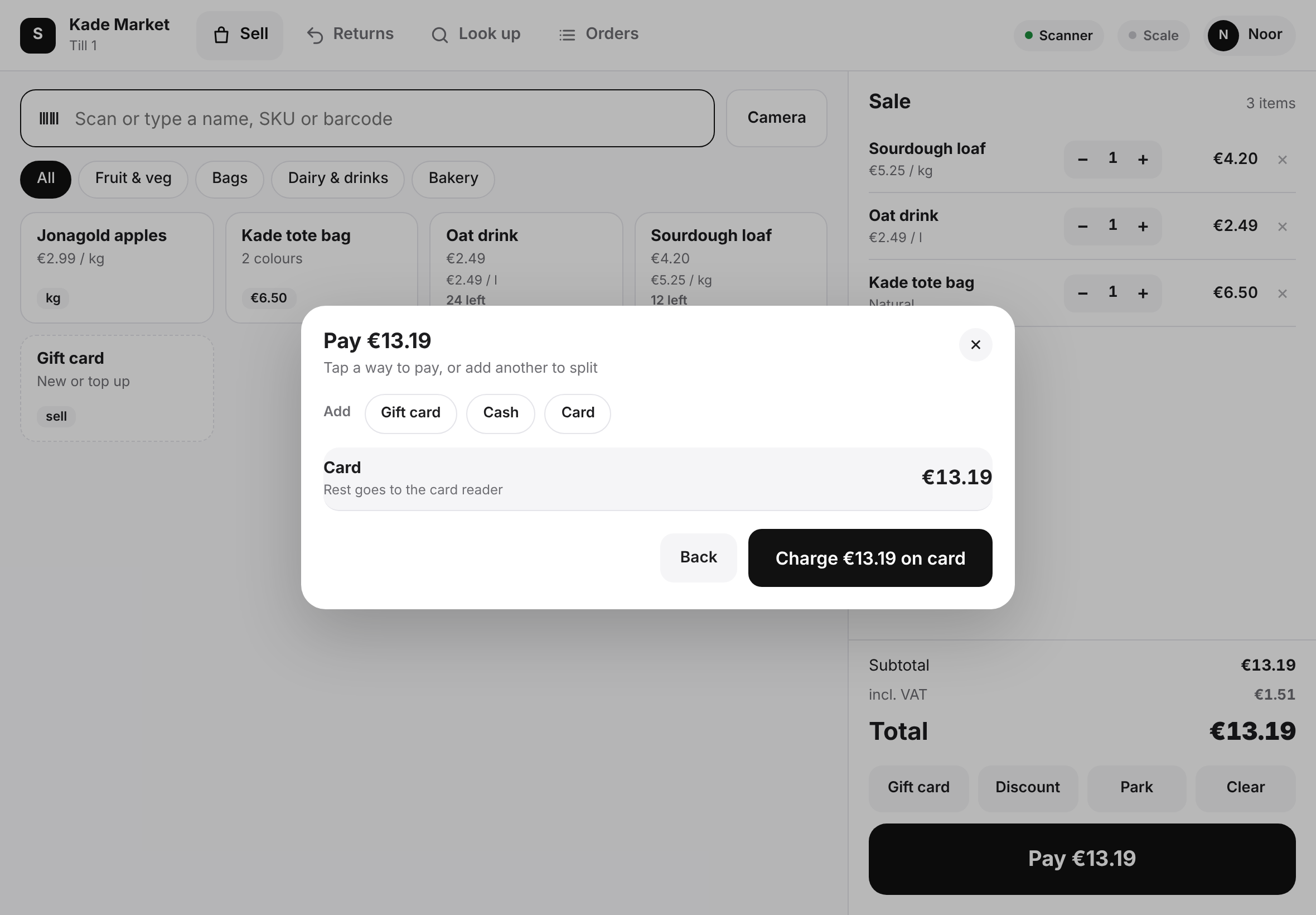
Tap Pay. Pick Card, Cash or Gift card. Add a second way to split the payment.
Other buttons
| Button | Does |
|---|---|
| Discount | Takes money off the sale |
| Park | Puts the sale aside; serve the next customer and pick it up later |
| Clear | Empties the sale |
| Returns | Takes a product back (tab at the top) |
| Look up | Finds a product, its price and its stock |