Delivery
Choose how delivery customers pay and tip
In Settings → Delivery → Payment & tips, switch on Cash on delivery and/or Card at the door, and set your Tip buttons.
Deze inhoud is nog niet vertaald.
-
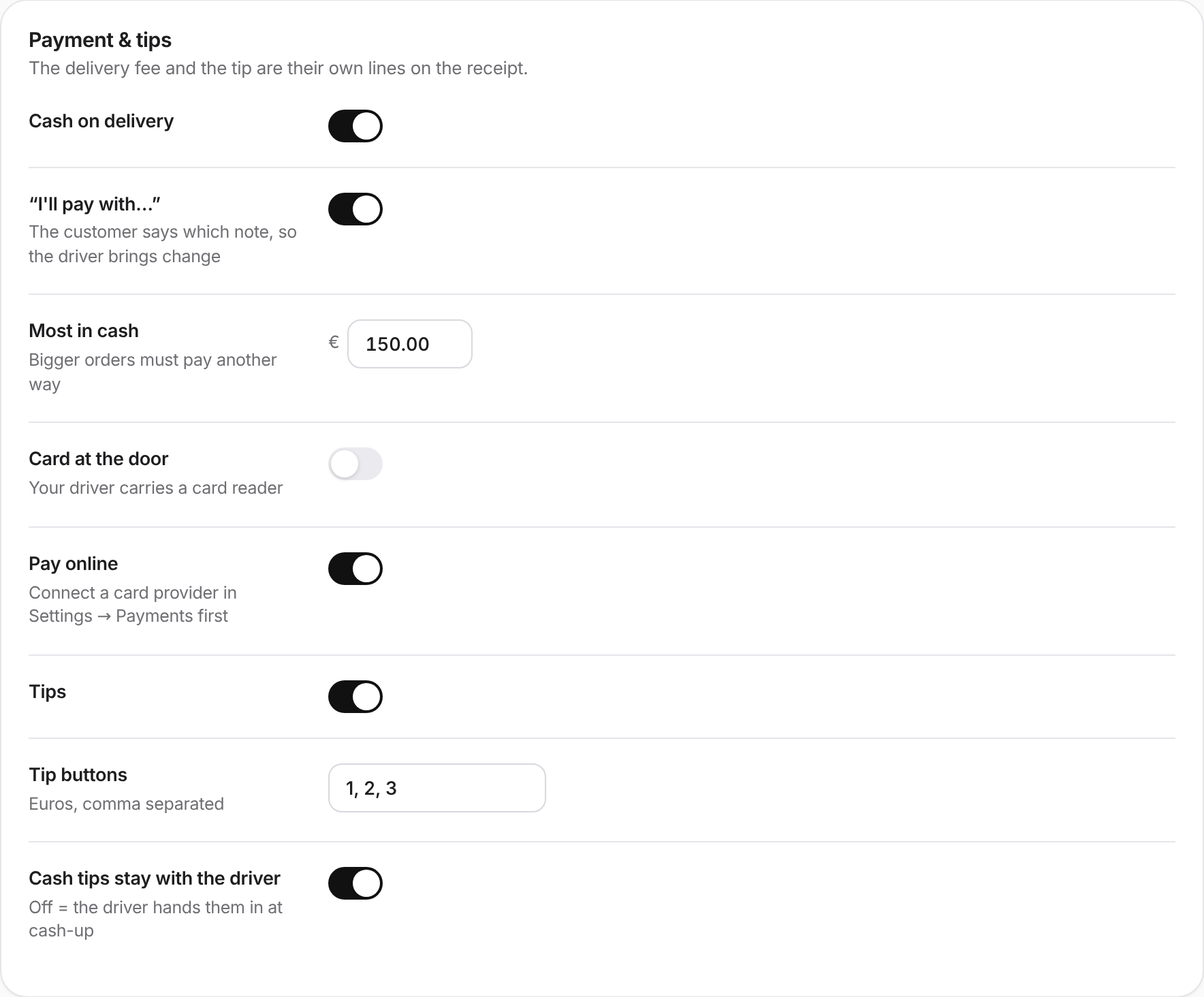
Open Settings → Delivery and scroll to Payment & tips.
-
Keep Cash on delivery on. With “I’ll pay with…” on, the customer says which note they have, so the driver brings change.
-
Set Most in cash. Bigger orders must pay another way.
-
Does your driver carry a card reader? Switch Card at the door on.
-
Under Tips, type the amounts in euros, with commas: 1, 2, 3.
Every setting
| Setting | Starts as |
|---|---|
| Cash on delivery | On |
| “I’ll pay with…” | On |
| Most in cash | €150.00 |
| Card at the door | Off |
| Pay online | Needs a card provider in Settings → Payments |
| Tips | On |
| Tip buttons | 1, 2, 3 |
| Cash tips stay with the driver | On. Off = the driver hands them in at cash-up |