Menu screens & music
Choose what a menu screen shows
In Menu screens → Layouts, tap Edit (or Add for a new layout). Pick the categories, the style and the columns, then tap Save.
Deze inhoud is nog niet vertaald.
-
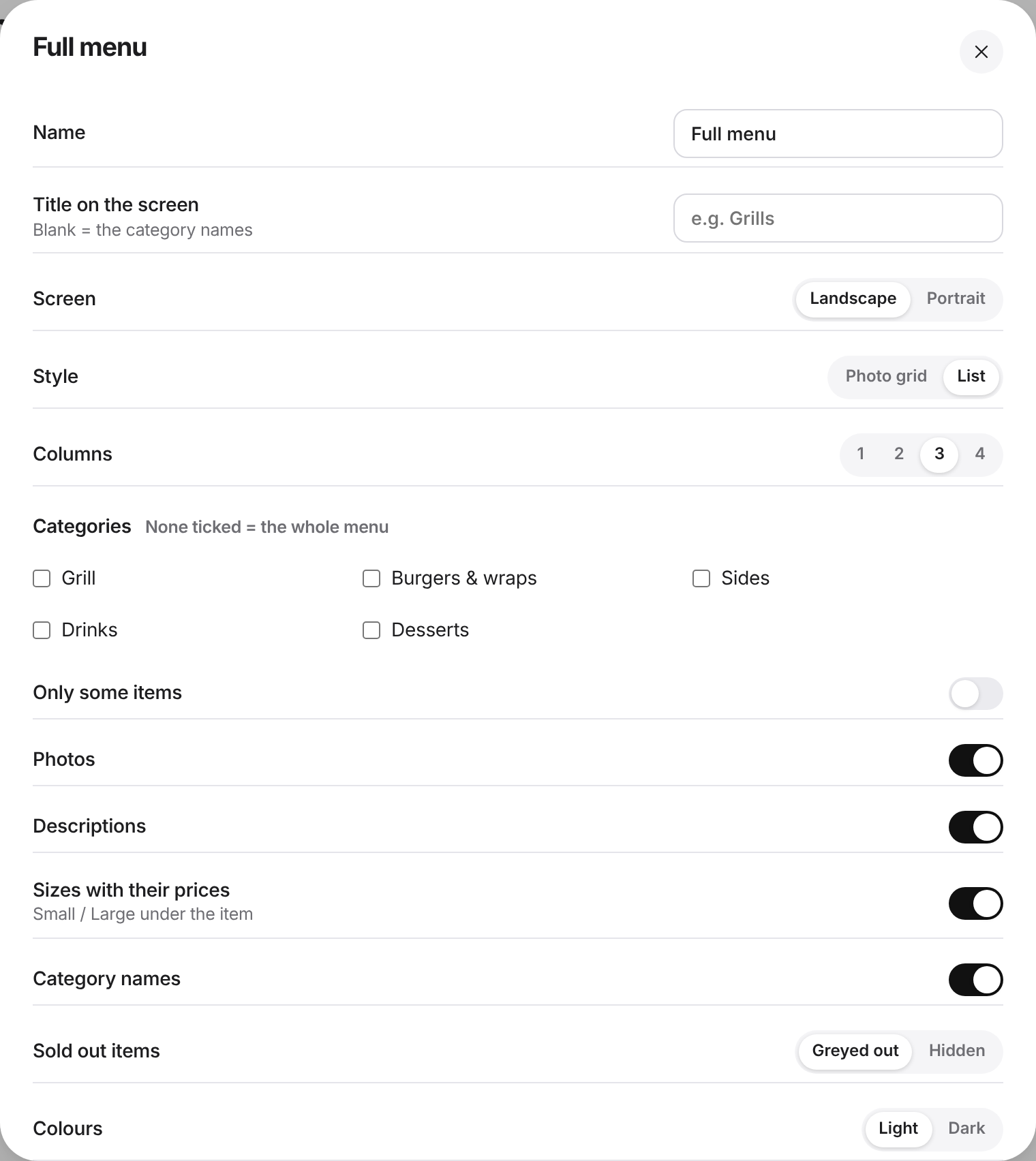
Open Menu screens. Under Layouts, tap Edit next to Full menu, or Add.
-
Pick Landscape or Portrait, then Photo grid or List, and the number of Columns.
-
Tick the Categories to show. None ticked = the whole menu.
-
Choose what each dish shows, and if sold out items are Greyed out or Hidden. Tap Save.
Every setting
| Setting | Starts as (Full menu) |
|---|---|
| Screen | Landscape |
| Style | List |
| Columns | 3 |
| Categories | None ticked = the whole menu |
| Photos, Descriptions, Sizes with their prices, Category names | On |
| Seconds per page | 12 |