Online ordering
How customers follow their order
After ordering online, the customer lands on a live status page. Kiosk customers get the same by scanning the QR on the screen or on their slip. Switch these in Settings → Pickup & order link.
Deze inhoud is nog niet vertaald.
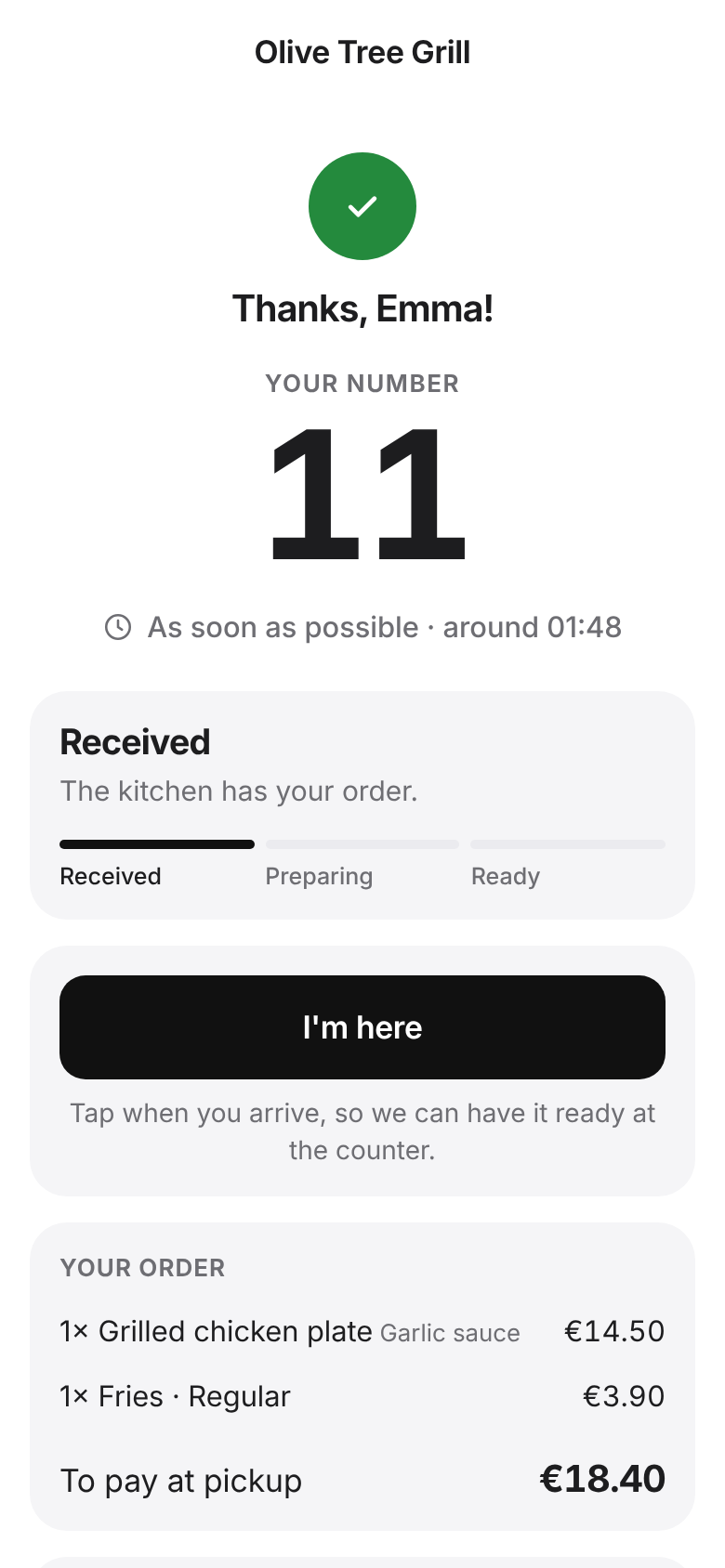
What the customer sees
- Their pickup number, and when it should be ready.
- The steps Received, Preparing, Ready. They move by themselves when the kitchen taps Done.
- I’m here: they tap it when they arrive, so you can have it ready at the counter.
- What they ordered, and what’s left to pay.
No app, no login. The link stops working at the end of the day.
For kiosk orders: the order link
Open Settings → Pickup & order link. Under Order link (QR):
| Setting | What it does | Starts as |
|---|---|---|
| Show the QR on the kiosk | Under the pickup number on “order placed” | On |
| Print the QR on the ticket | On the customer slip | On |
| “Notify me when ready” | The phone can beep when the order is ready | On |