Shop mode (retail)
Deliver with your own drivers
Turn on Settings → Online shop → Delivery by my own drivers, then set up Settings → Delivery.
Deze inhoud is nog niet vertaald.
-
In Settings → Online shop, turn on Delivery by my own drivers. Then Settings → Delivery appears: your shop’s location, delivery zones, fees, time slots and payment at the door.
-
Pair each driver’s phone: Devices → Pair a device → Driver. Give the driver a staff PIN with the driver role.
-
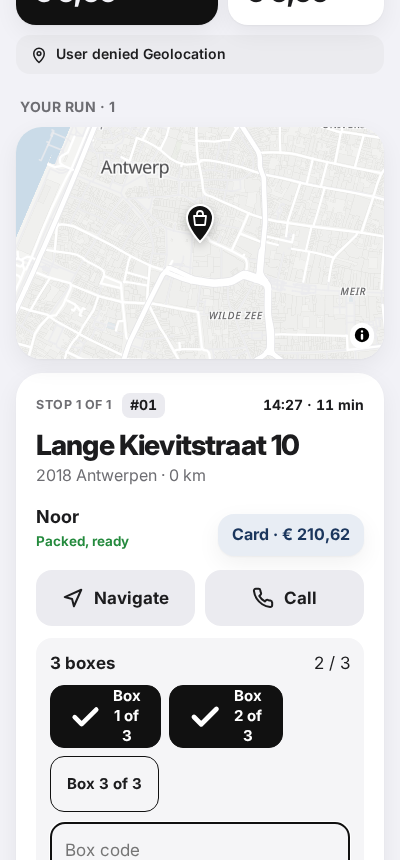
At the shop, the driver takes the order and confirms every box: scan each box label, or tap each box. The app won’t let them leave until all boxes are there.
-
At the door, the driver confirms again that every box was handed over, takes the payment if there is one, and swipes Delivered.