Online ordering
Group orders
Switch on Group orders in Settings → Online ordering. Customers then see Start a group order on your page and share one link.
Deze inhoud is nog niet vertaald.
Good for an office lunch, a team or a family. At the cut-off it becomes one order, with each person’s name on the kitchen ticket.
Switch it on
-
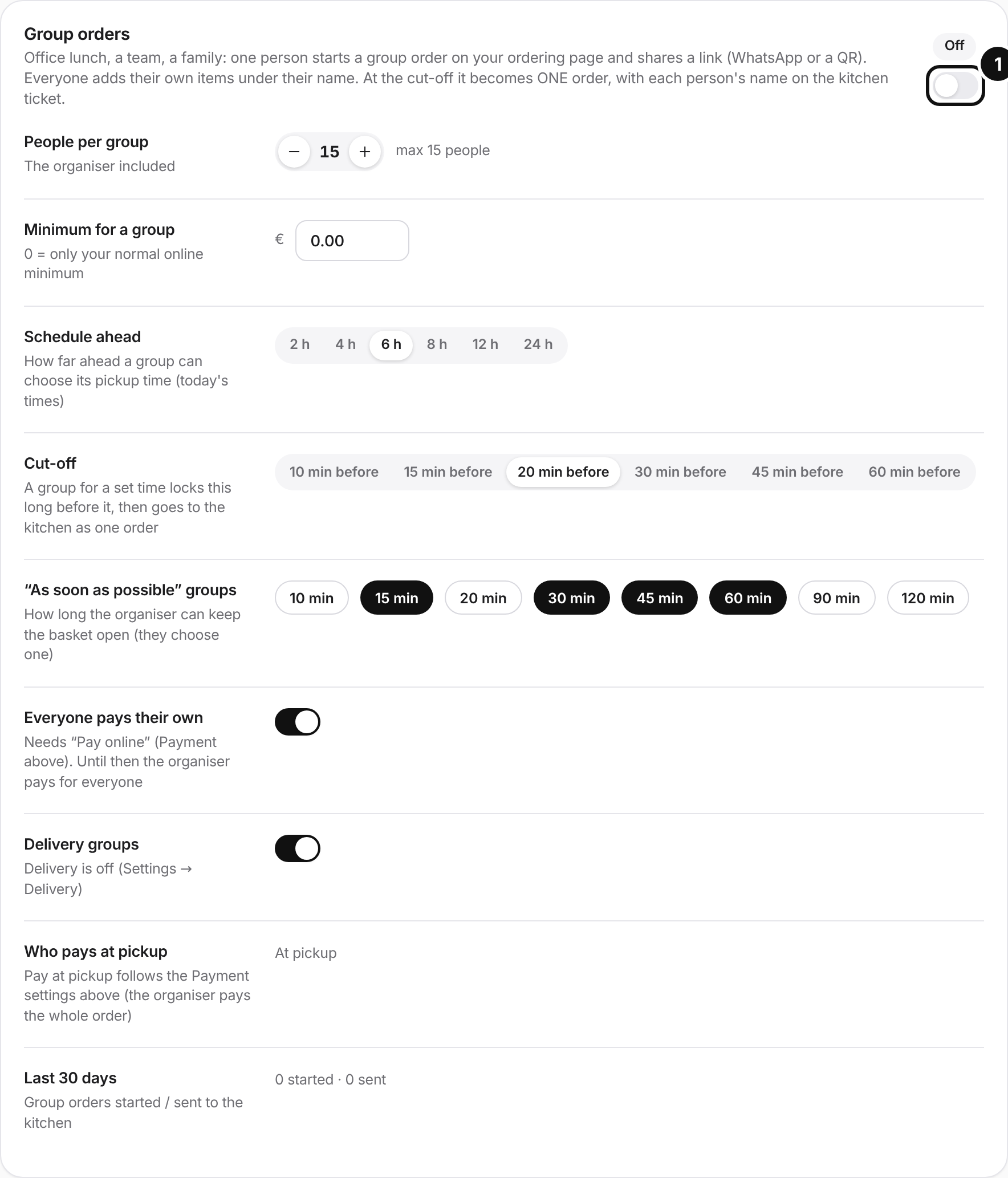
Open Settings → Online ordering and scroll to Group orders. Tap the switch.
-
Check the limits (below). They save by themselves.
| Setting | Starts as |
|---|---|
| Group orders | Off |
| People per group (the organiser included) | 15 |
| Minimum for a group | €0 (your normal online minimum) |
| Schedule ahead | 6 h |
| Cut-off (a group for a set time locks this long before) | 20 min before |
| Everyone pays their own | On, but needs Pay online. Until then the organiser pays for everyone |
How customers use it
-
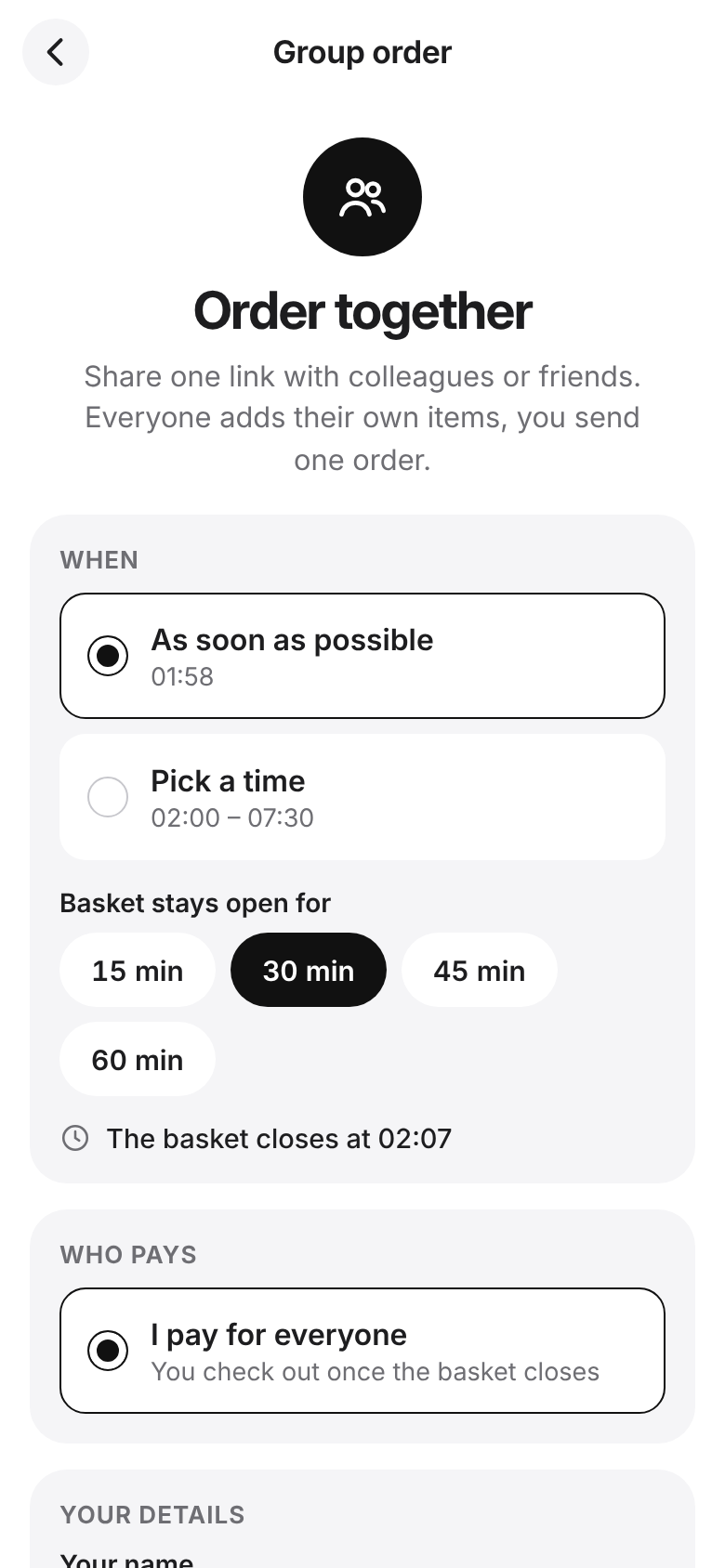
On your page, the customer taps Start a group order, picks when, how long the basket stays open and who pays, types their name and phone, and taps Start group order.
-
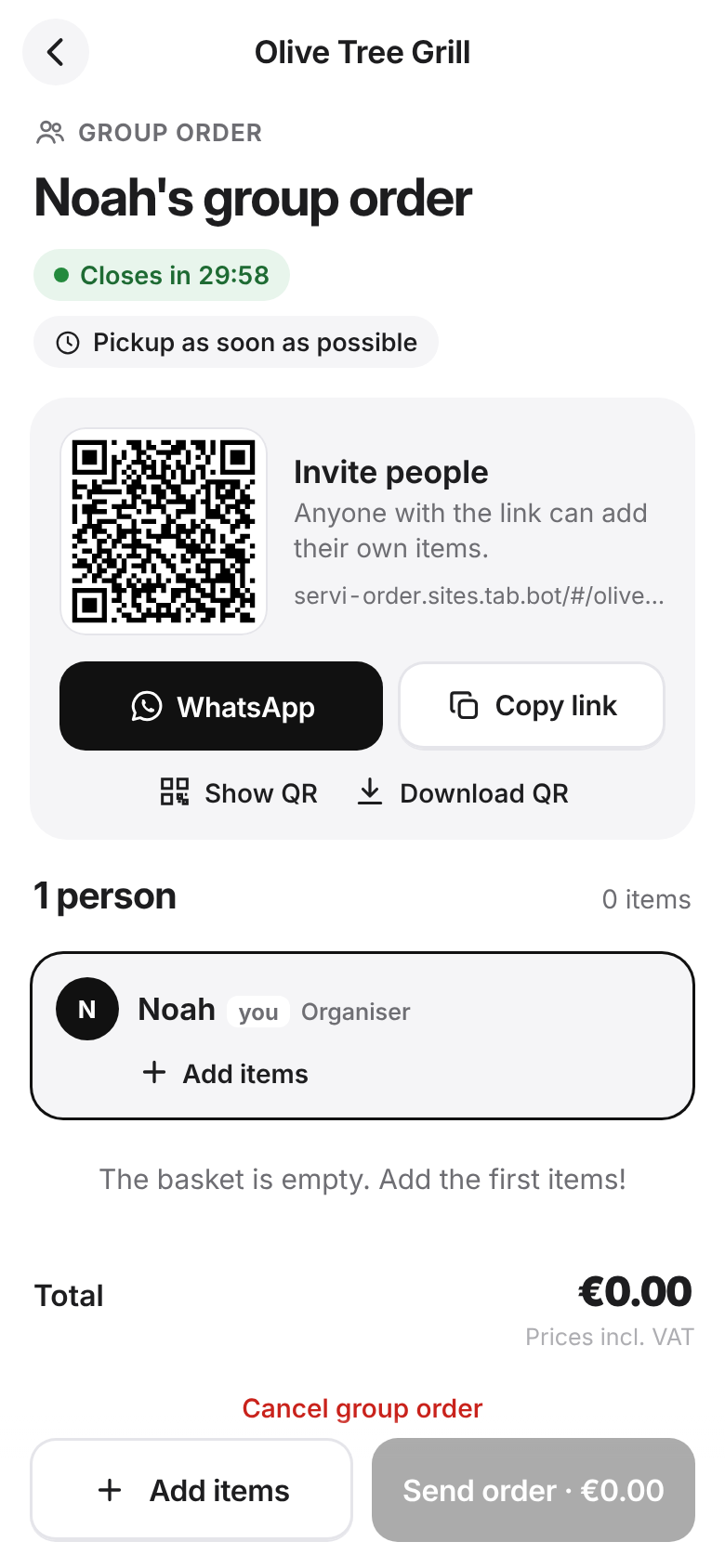
They share the link with WhatsApp, Copy link or Show QR. Everyone adds their own items under their name.
-
The organiser taps Send order (or it closes at the cut-off). One order goes to the kitchen.