Delivery
Deliver an order
In the driver app, tap Take all, swipe Swipe when picked up, tap I'm on my way, then at the door swipe Swipe when delivered.
-
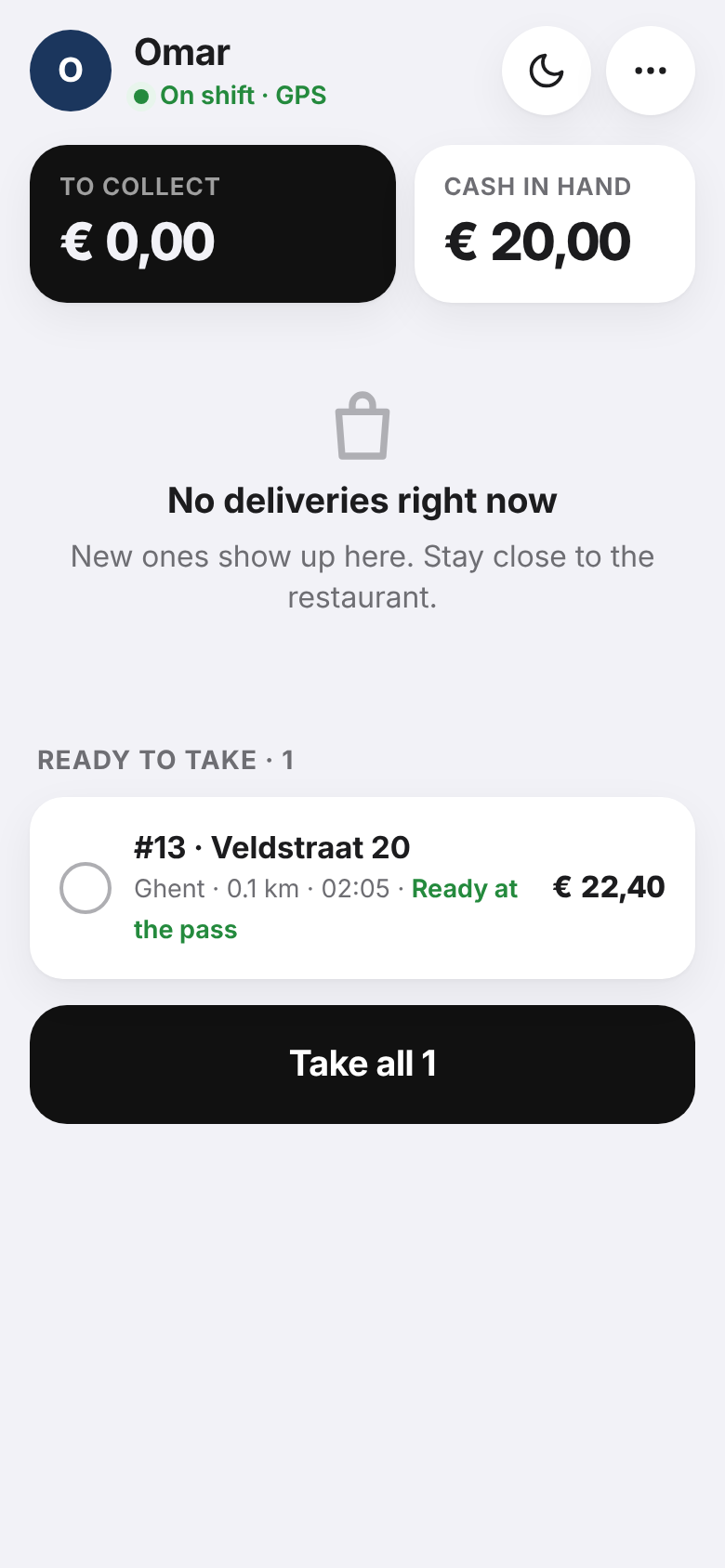
Ready orders show under Ready to take. Tap Take all.
-
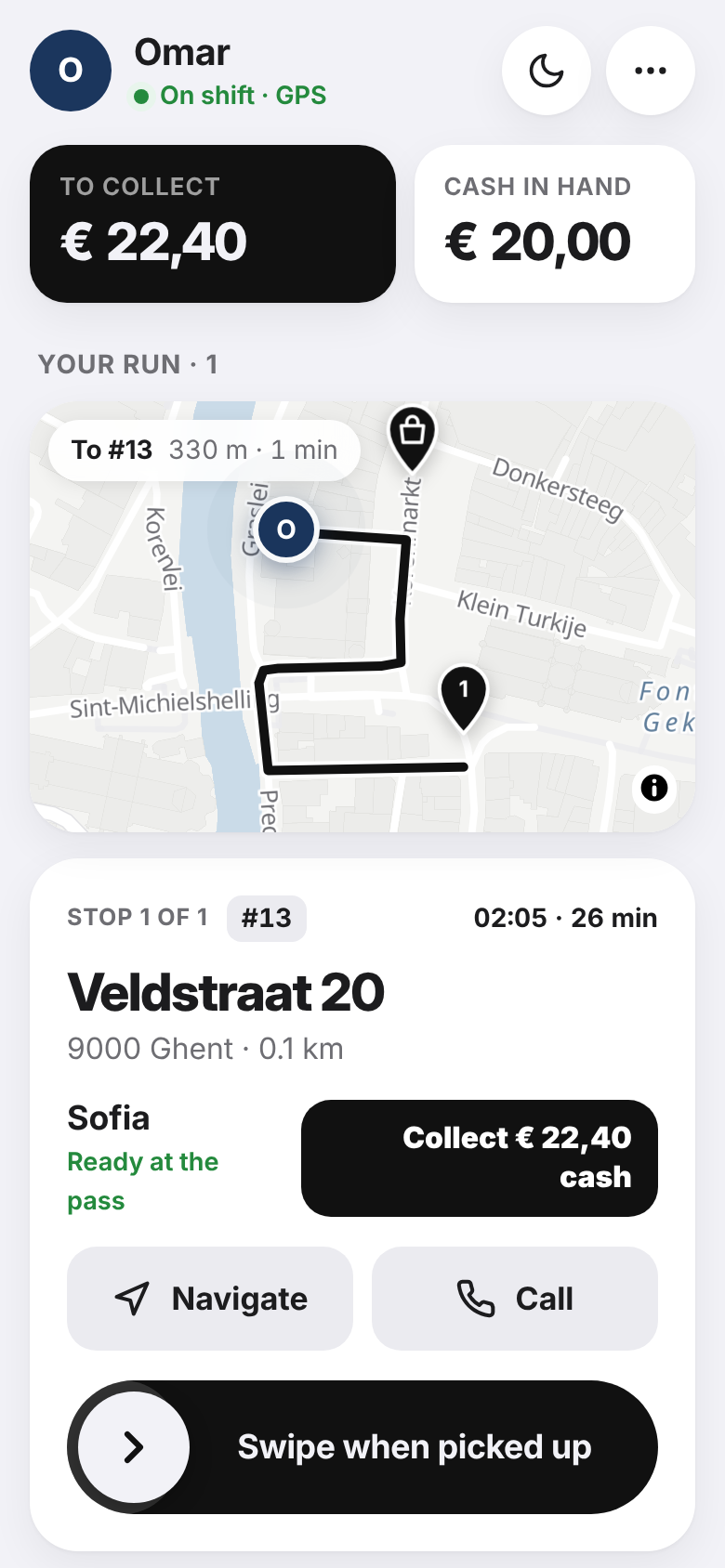
Your run shows each stop. When you have the bag, swipe Swipe when picked up.
-
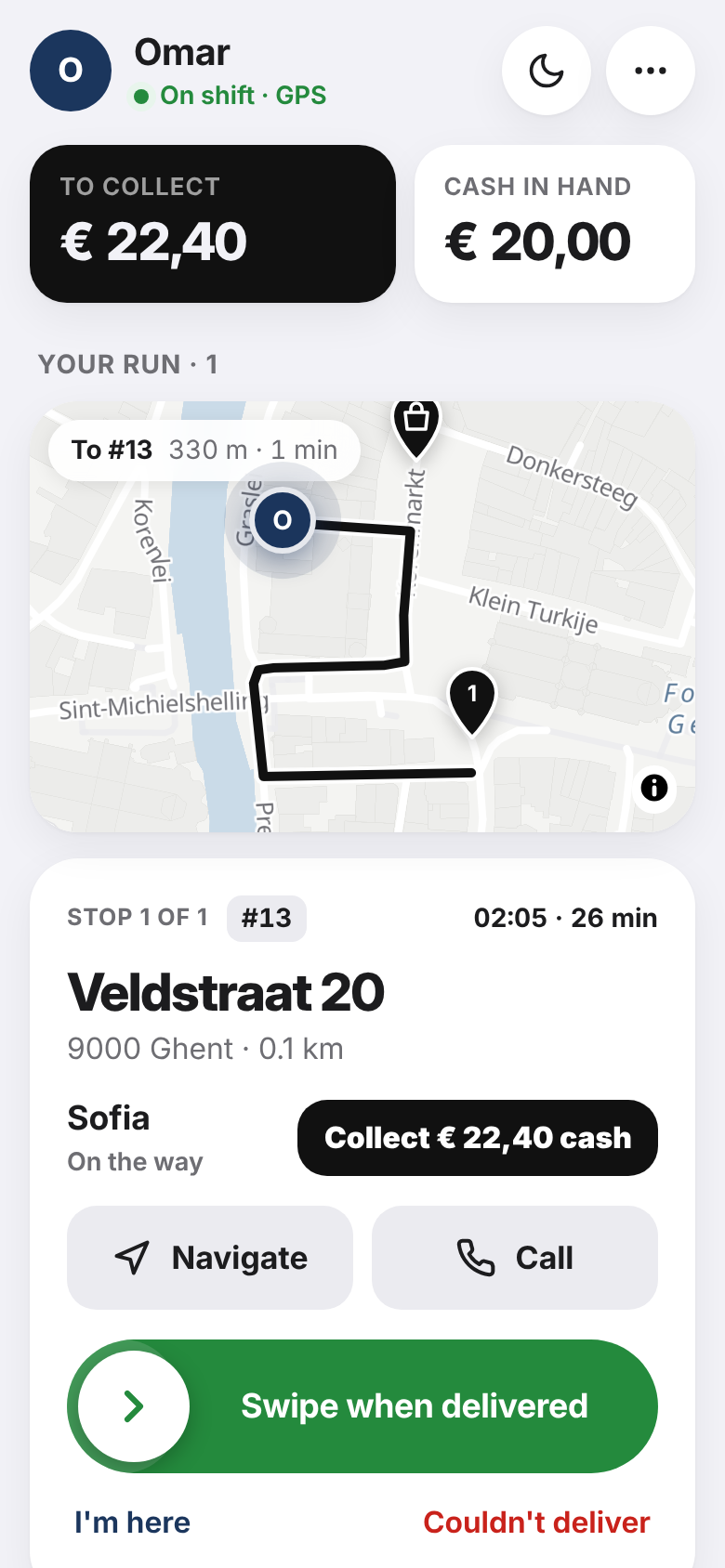
Tap I’m on my way. The customer now sees you’re coming.
-
Tap Navigate for directions or Call to phone the customer.
-
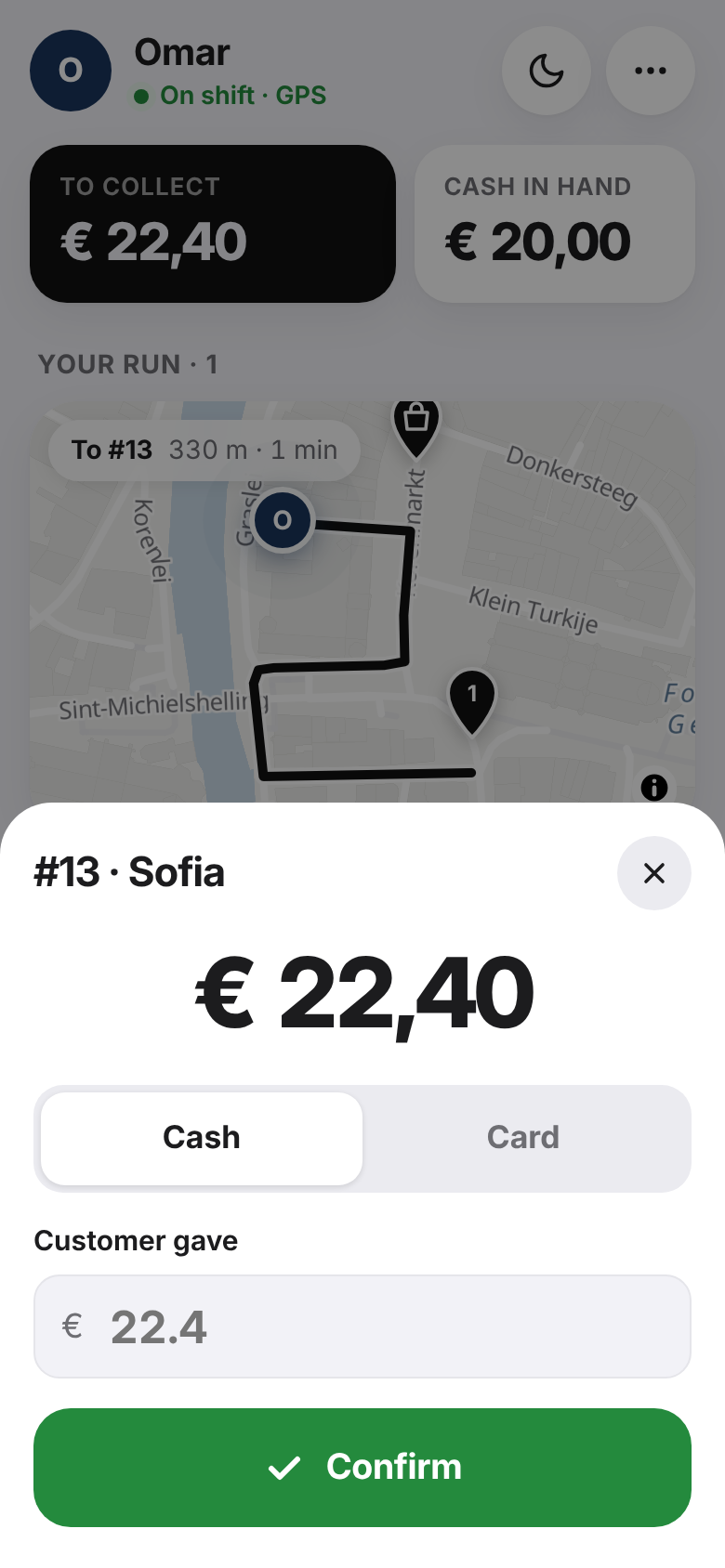
At the door, swipe Swipe when delivered. For cash, type what the customer gave and tap Confirm.