Deals & promotions
Make a meal deal
Open Deals, tap New deal, name it, pick a category for each slot, set the price and tap Save deal. Switch Meal deals on.
תוכן זה אינו זמין עדיין בשפה שלך.
-
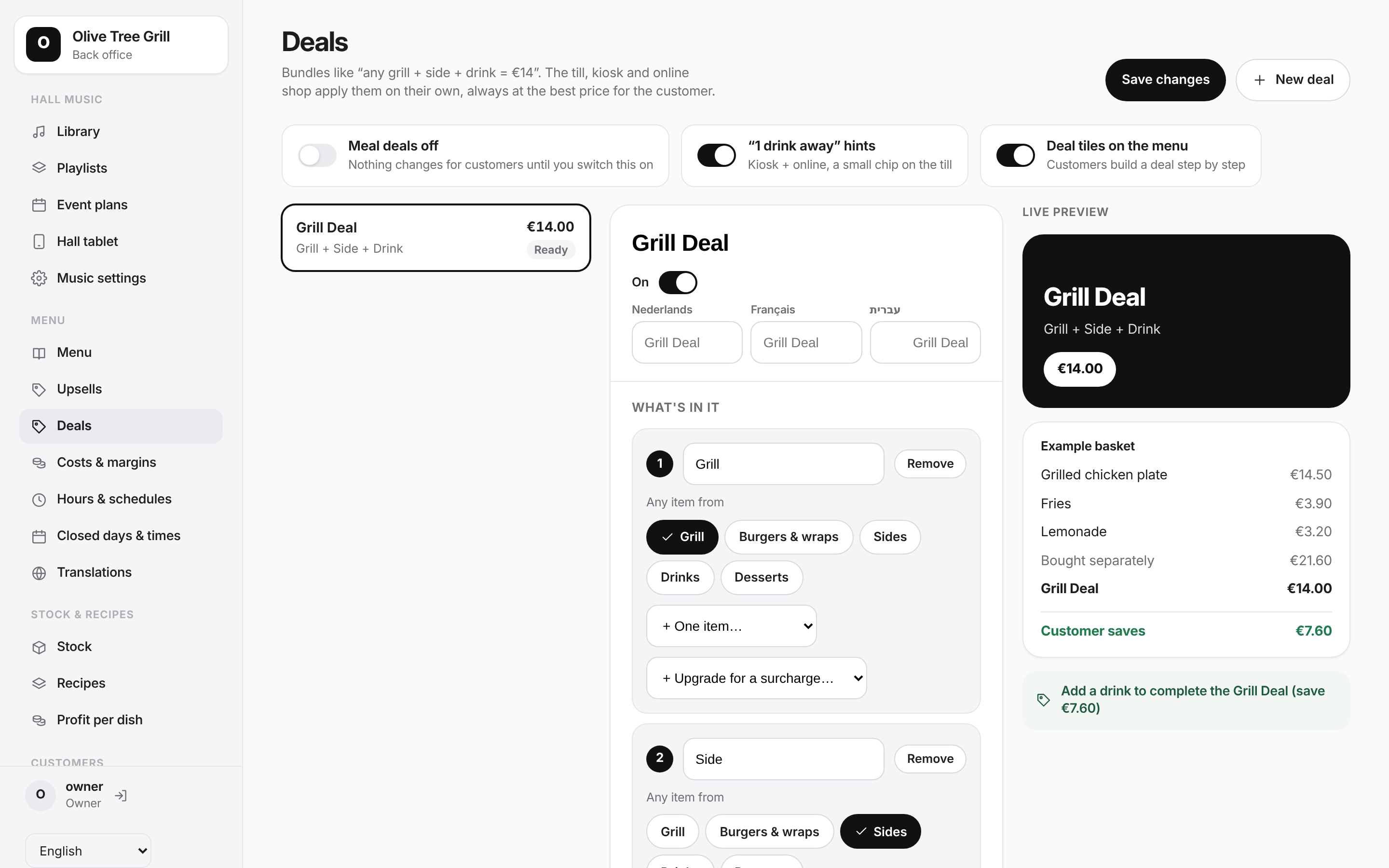
Open Deals and tap New deal. Type a name, like Grill Deal.
-
Under What’s in it, each slot is one item. Pick Any item from a category, or + One item… for a single dish.
-
Set the price. Pick one: Fixed price (the whole meal costs this), % off (the whole meal), Main + extra (the first item keeps its price, the rest costs this much on top) or % off the rest (the first item keeps its price, the rest gets this much off). Pick the days and where it works: Till, Kiosk, Online pickup, Delivery.
-
Tap Save deal.
-
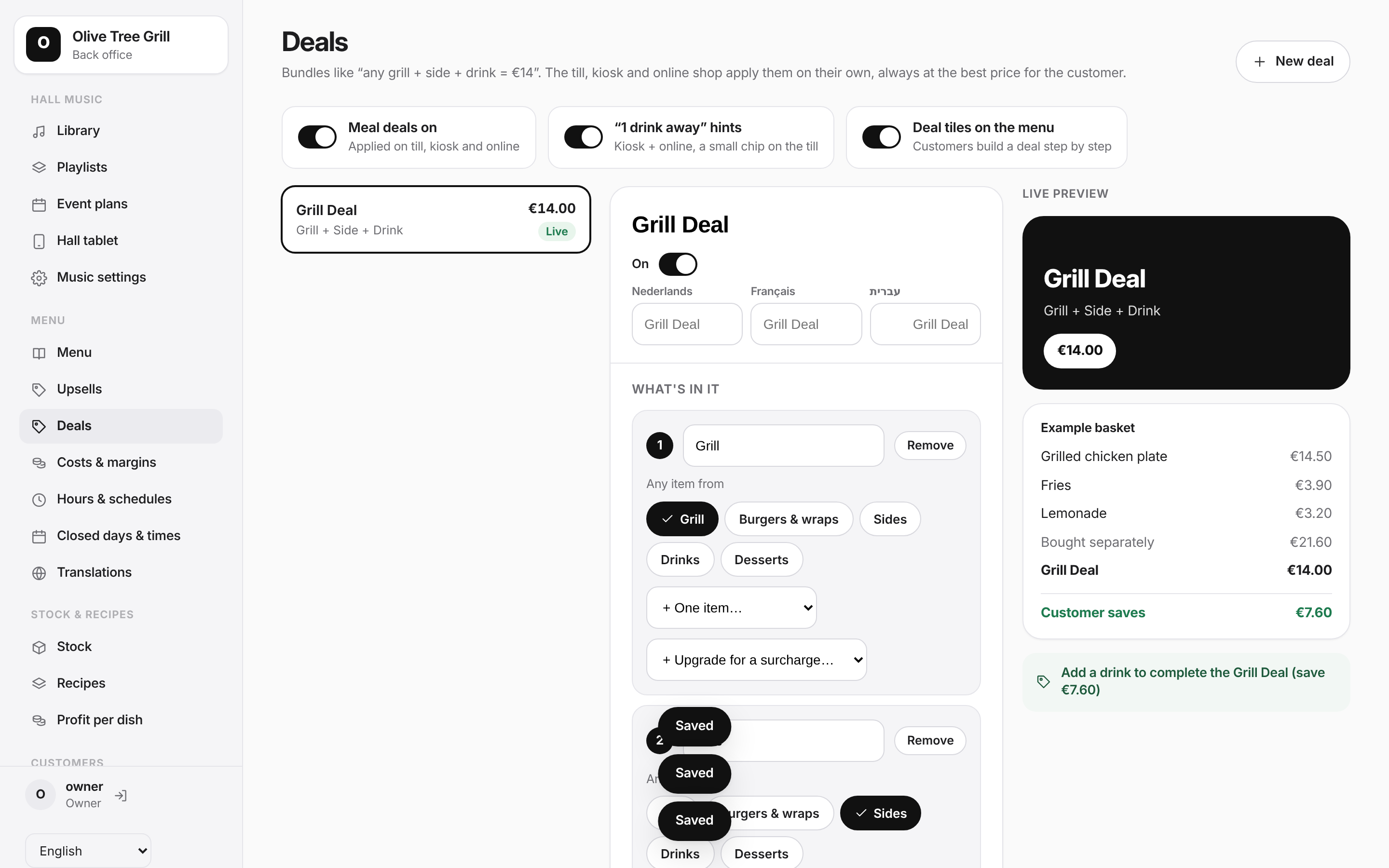
Switch Meal deals on at the top. The live preview shows what a customer saves.
Every setting
| Setting | Starts as |
|---|---|
| Meal deals | Off: nothing changes for customers |
| “1 drink away” hints | On (kiosk + online, a small chip on the till) |
| Deal tiles on the menu | On: customers build a deal step by step |