Money
Set your VAT rates
Go to Settings → VAT, tap Add the 3 rates at 0%, type the real percentages, then pick a rate per category under Default per category.
תוכן זה אינו זמין עדיין בשפה שלך.
Menu prices include VAT. Servi works out the VAT inside each price. Each sale keeps the rate it had, so past orders never change.
-
Open Settings and tap VAT.
-
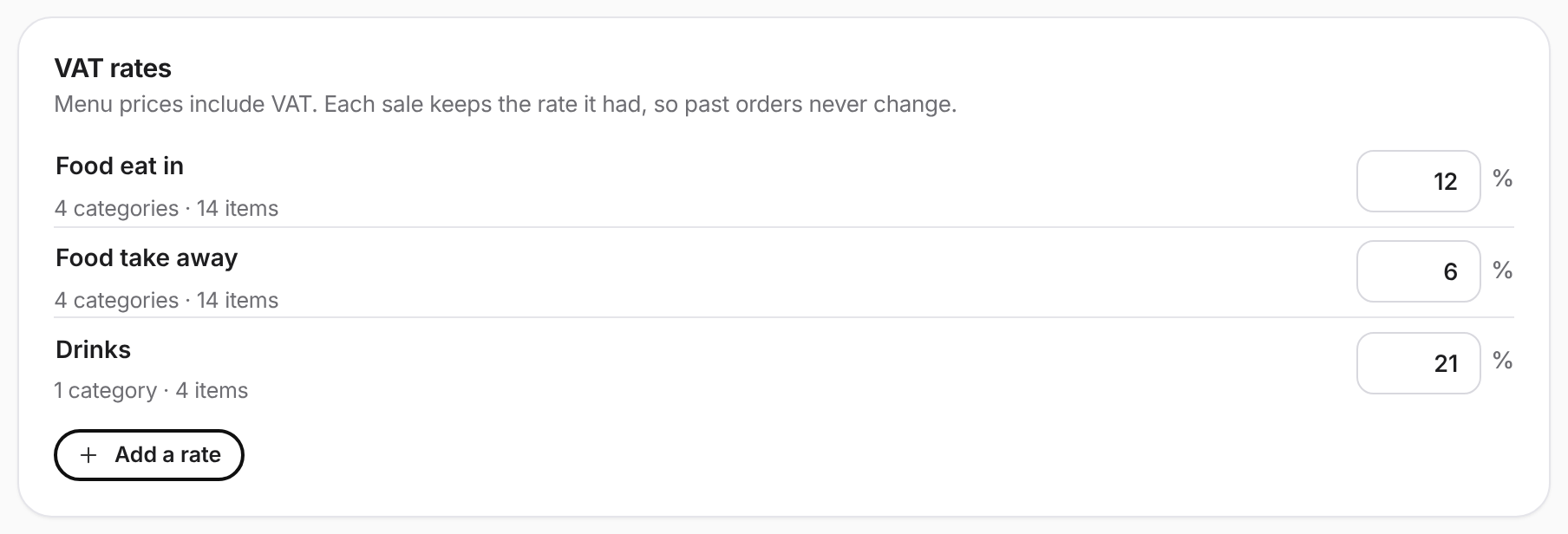
Tap Add the 3 rates at 0%. You get Food eat in, Food take away and Drinks.
-
Type the real percentage next to each rate. It saves when you leave the box and counts from the next sale on. Need another rate? Tap Add a rate.
-
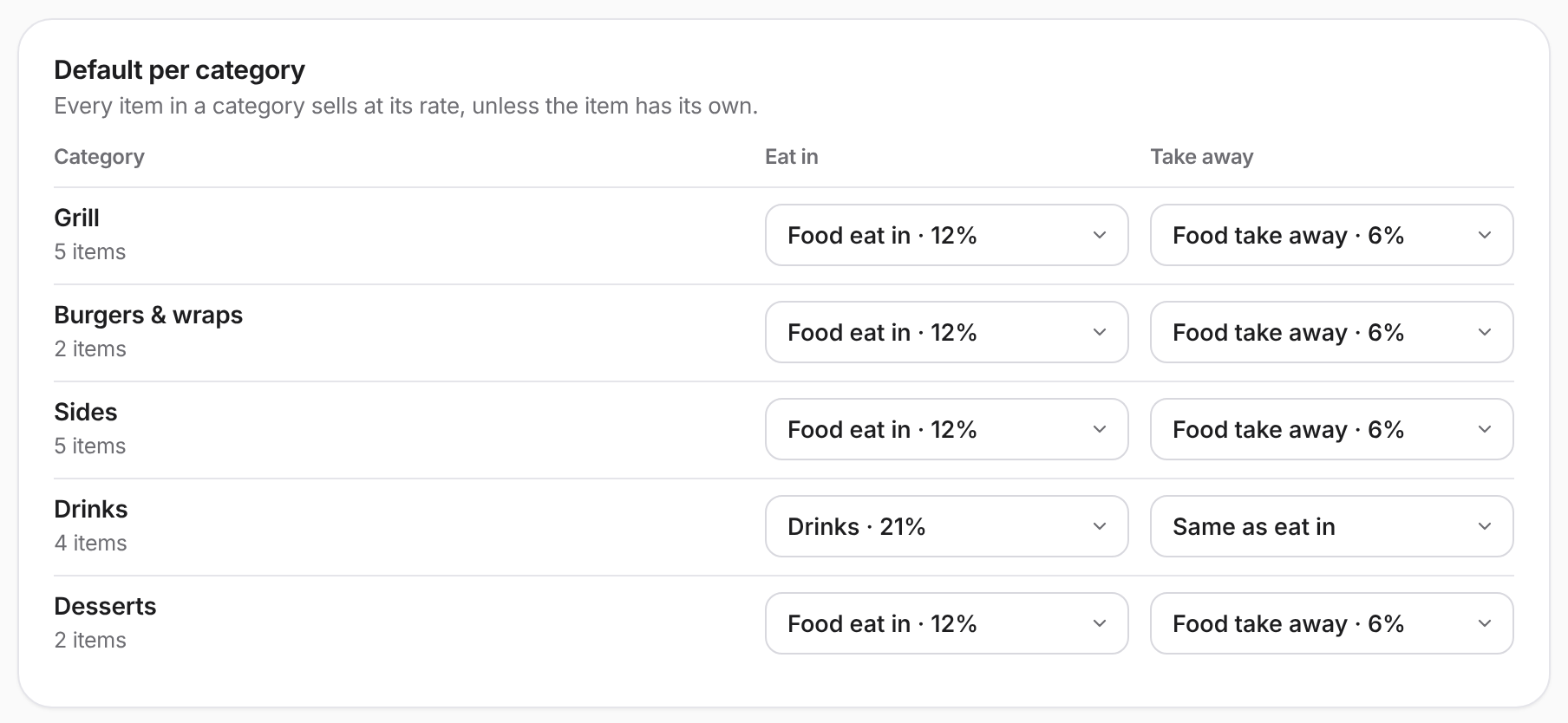
Under Default per category, pick the Eat in and Take away rate for each category. Same as eat in keeps one rate for both.
-
One item different from its category, like a beer among the grill dishes? Under Items with their own rate, choose the item and tap Give it its own rate.