Menu
Show a category only on some days
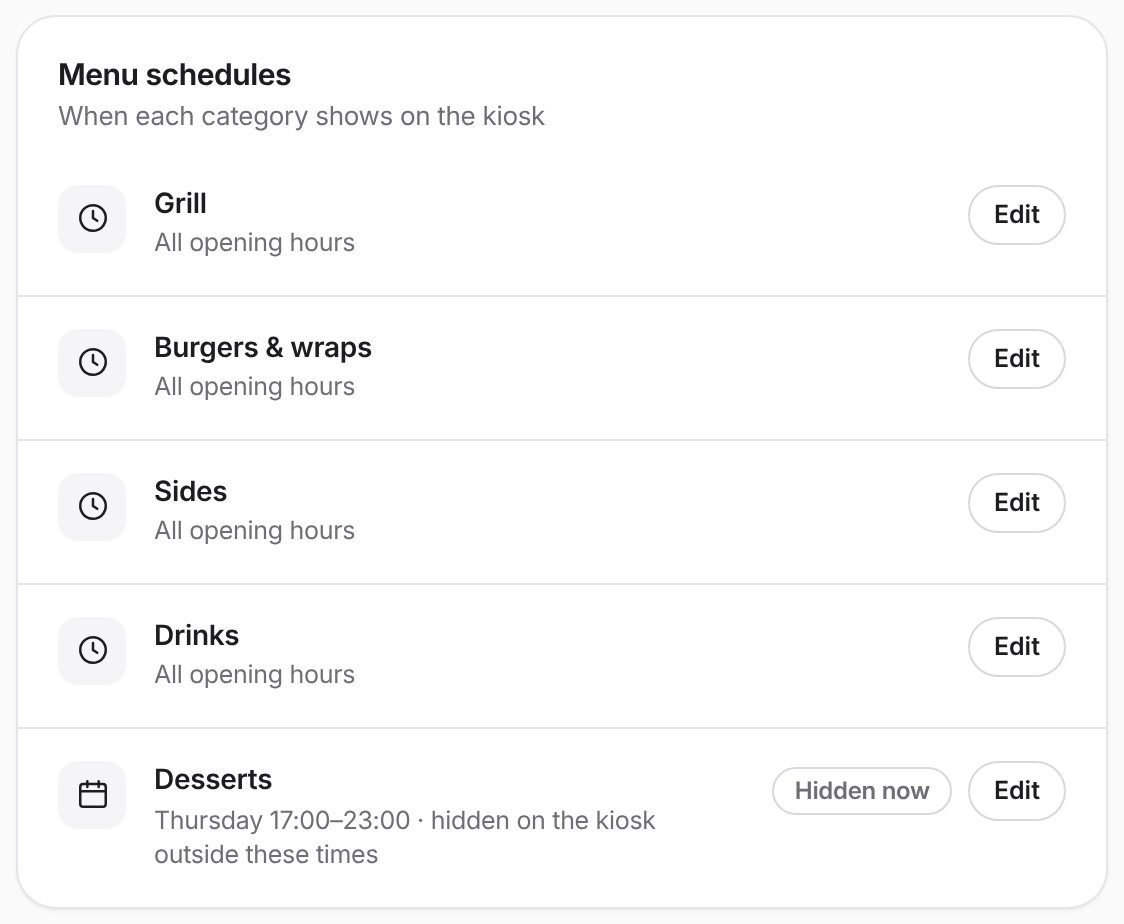
Open Menu → Hours & schedules. Under Menu schedules, tap Edit next to the category, switch on Only at certain times, pick the days and the times, and tap Save.
תוכן זה אינו זמין עדיין בשפה שלך.
Example: desserts only on Thursday
-
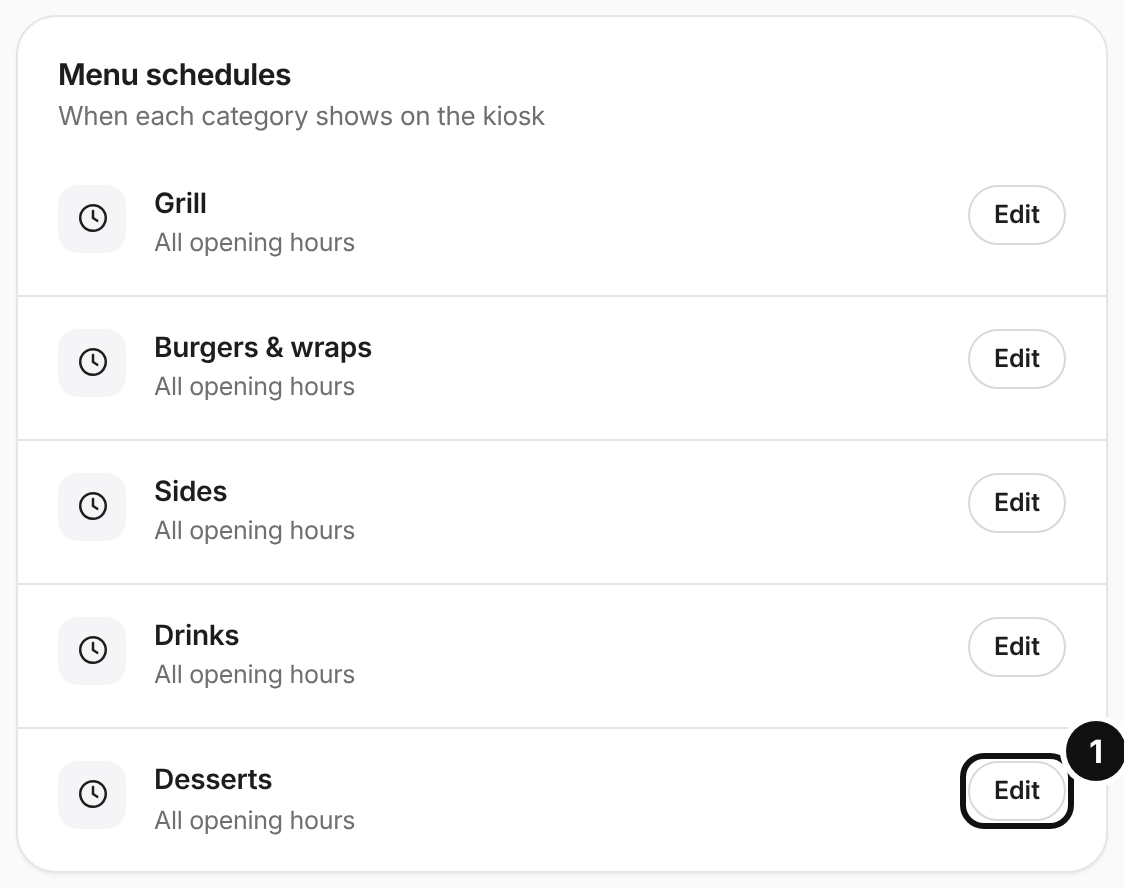
Open Menu → Hours & schedules. Under Menu schedules, tap Edit next to the category.
-
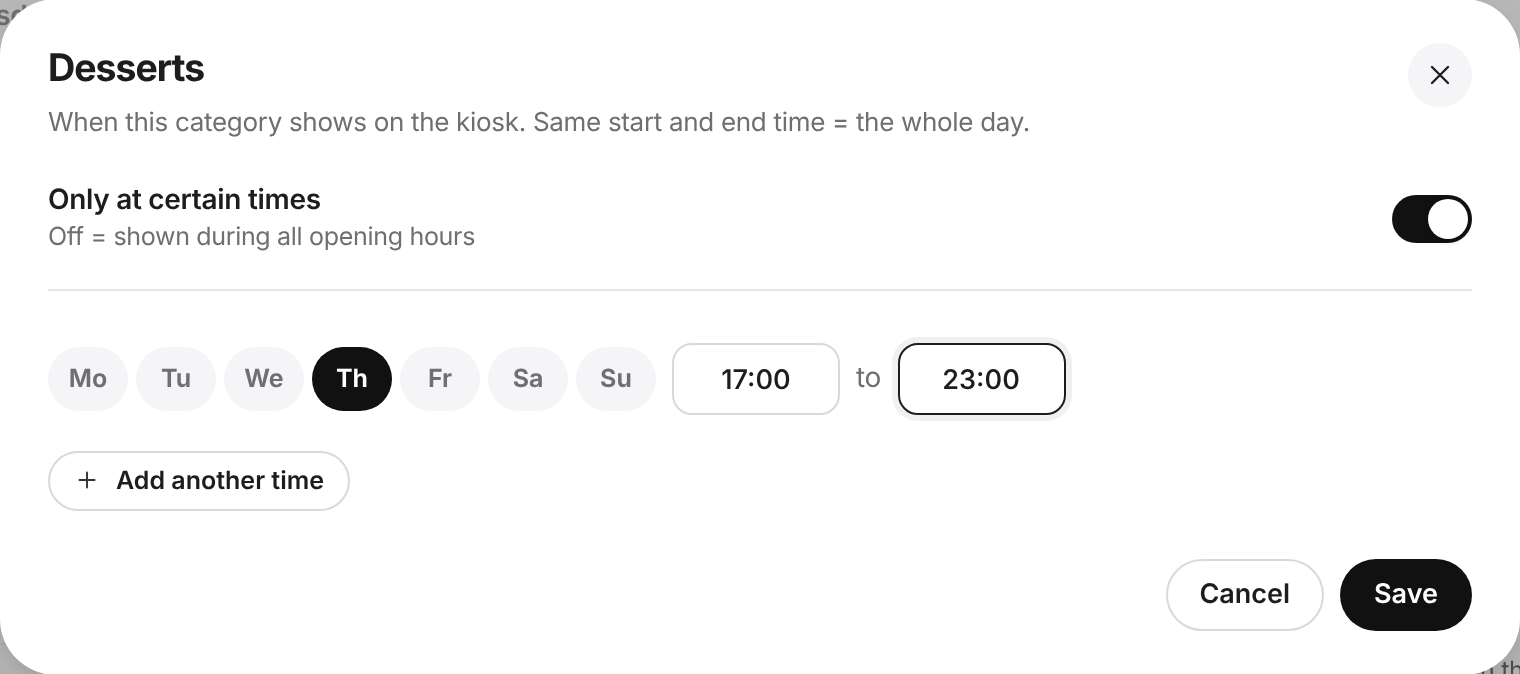
Switch on Only at certain times. Tap Th, set 17:00 to 23:00, and tap Save.
-
Done. The category shows on the kiosk only in that time, and is hidden the rest of the week.