Tables & reservations
Take bookings online
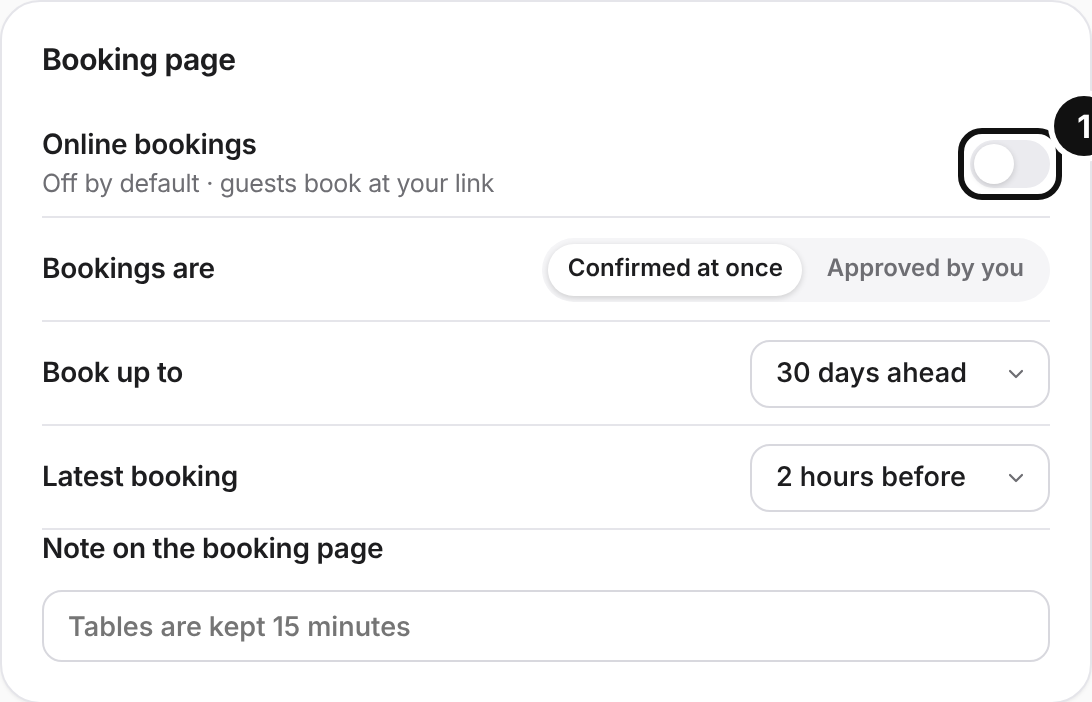
Open Reservations → Settings and switch Online bookings on. Share the booking page with Open booking page or Copy.
תוכן זה אינו זמין עדיין בשפה שלך.
-
Open Reservations and tap Settings. Switch Online bookings on.
-
Choose Bookings are: Confirmed at once or Approved by you.
-
Pick how far ahead guests can book, and the Latest booking.
-
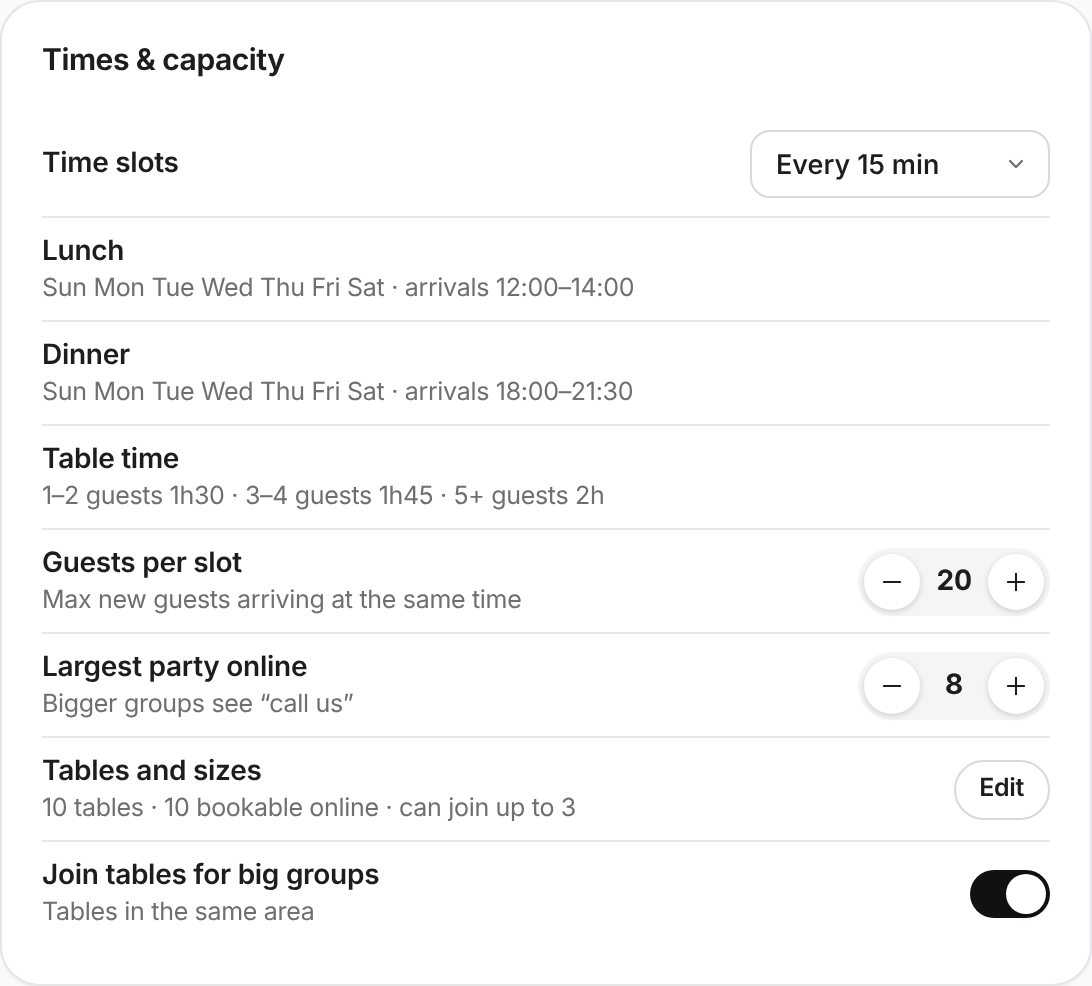
Under Times & capacity, check your slots, lunch and dinner times and how long a table is kept.
-
Tap Copy next to your booking link and put it on your website or social media.
Every setting
| Setting | Starts as |
|---|---|
| Online bookings | Off |
| Bookings are | Confirmed at once |
| Book up to | 30 days ahead |
| Latest booking | 2 hours before |
| Time slots | Every 15 min |
| Table time | 1–2 guests 1h30 · 3–4 guests 1h45 · 5+ guests 2h |
| Guests per slot | 20 |
| Largest party online | 8 (bigger groups see “call us”) |
| Join tables for big groups | On, tables in the same area |
| Ask for an email address | On, optional for guests |
| No bookings inside closed days & times | On |