Deals & promotions
Make a promo code
Open Promo codes, switch Promo codes on, tap New code, fill in the code and the discount and tap Create code.
-
Open Promo codes and switch Promo codes on.
-
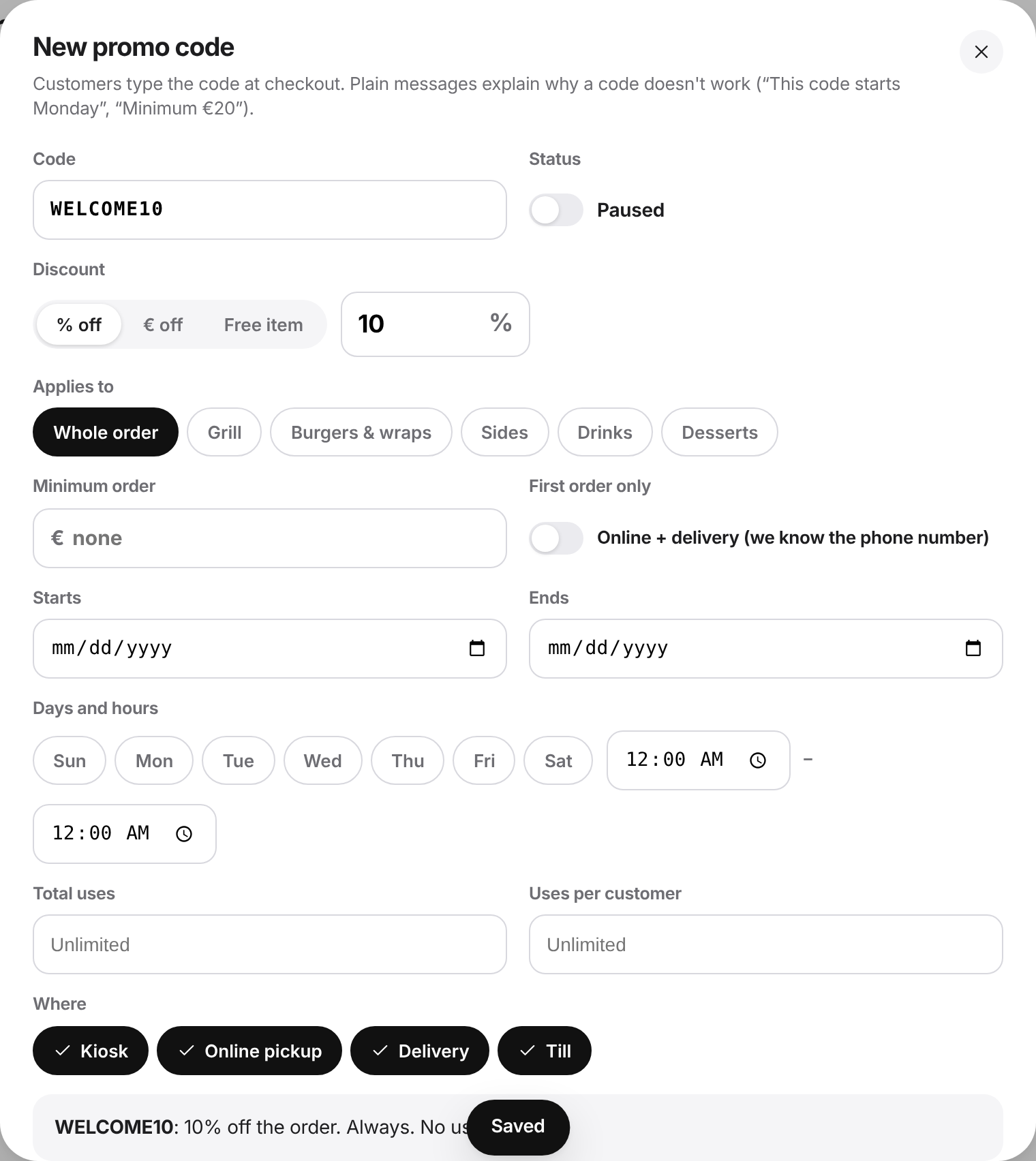
Tap New code. Type the code, like WELCOME10.
-
Pick % off, € off or Free item, and what it applies to.
-
Add limits if you like: Minimum order, First order only, dates, days and hours, Total uses, Uses per customer.
-
Under Where, pick Kiosk, Online pickup, Delivery and/or Till. Check Status is Active, then tap Create code.
-
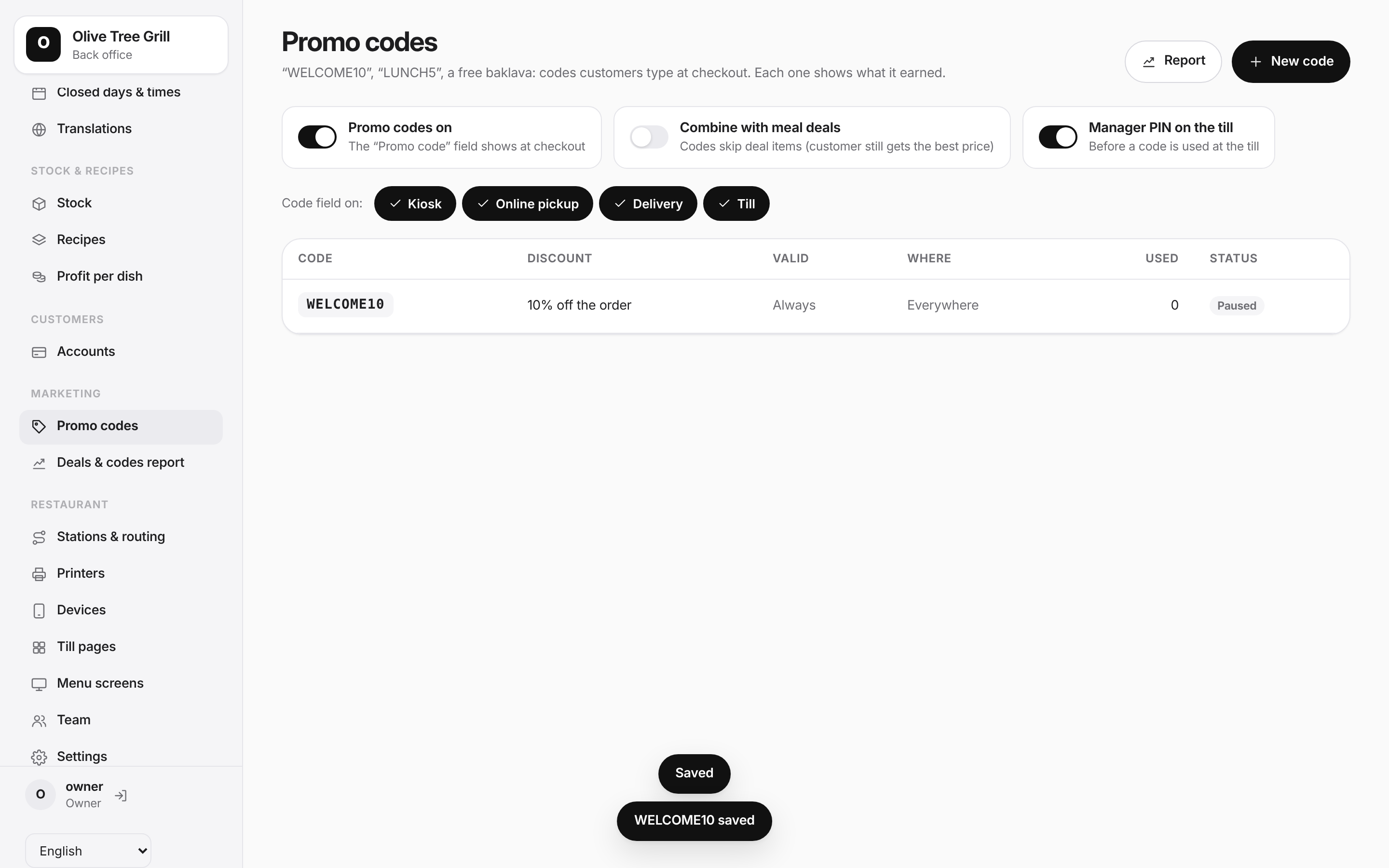
The code is in the list, with how often it was used.
Every setting
| Setting | Starts as |
|---|---|
| Promo codes | Off: no code field anywhere |
| Combine with meal deals | Off: codes skip deal items |
| Manager PIN on the till | On |
| Code field on | Kiosk, Online pickup, Delivery, Till |