Shop mode (retail)
Reports by supplier, department, ABC and stock cover
Turn on More reports, then open Reports and pick Suppliers, Departments, ABC or Stock cover.
תוכן זה אינו זמין עדיין בשפה שלך.
-
In the back office, go to Shop → Till & returns. Under Back office tools, turn on More reports. It’s off until you turn it on. The Departments tab needs Departments on.
-
Open Reports, choose the dates (7, 30, 90 days or your own), and a tab:
- Suppliers: sales, share and margin per supplier.
- Departments: sales and margin per department, with its target margin. Tap a department to see its categories.
-
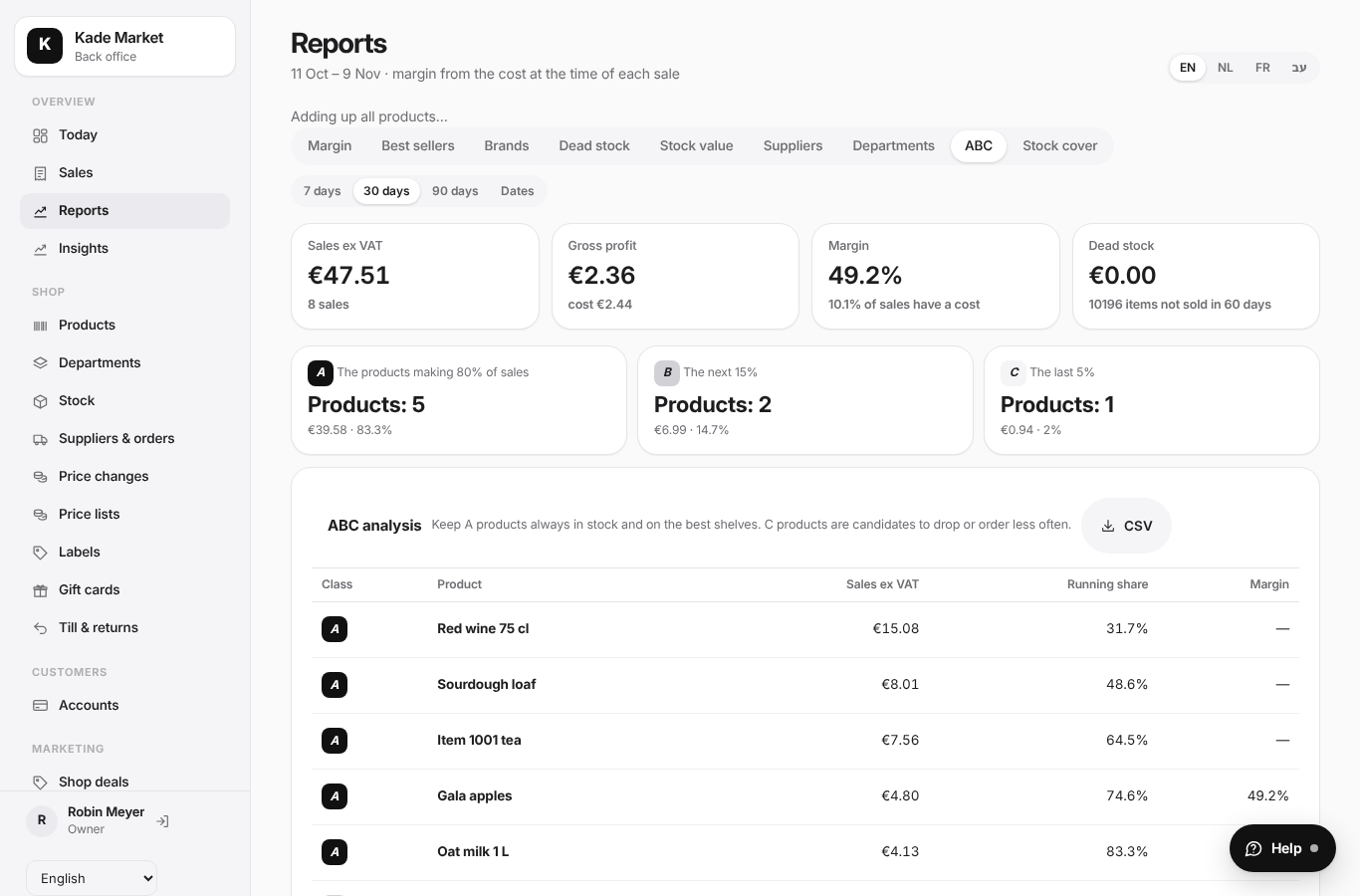
ABC: A products make 80% of your sales, B the next 15%, C the last 5%. Keep A always in stock; C are the ones to drop or order less.
-
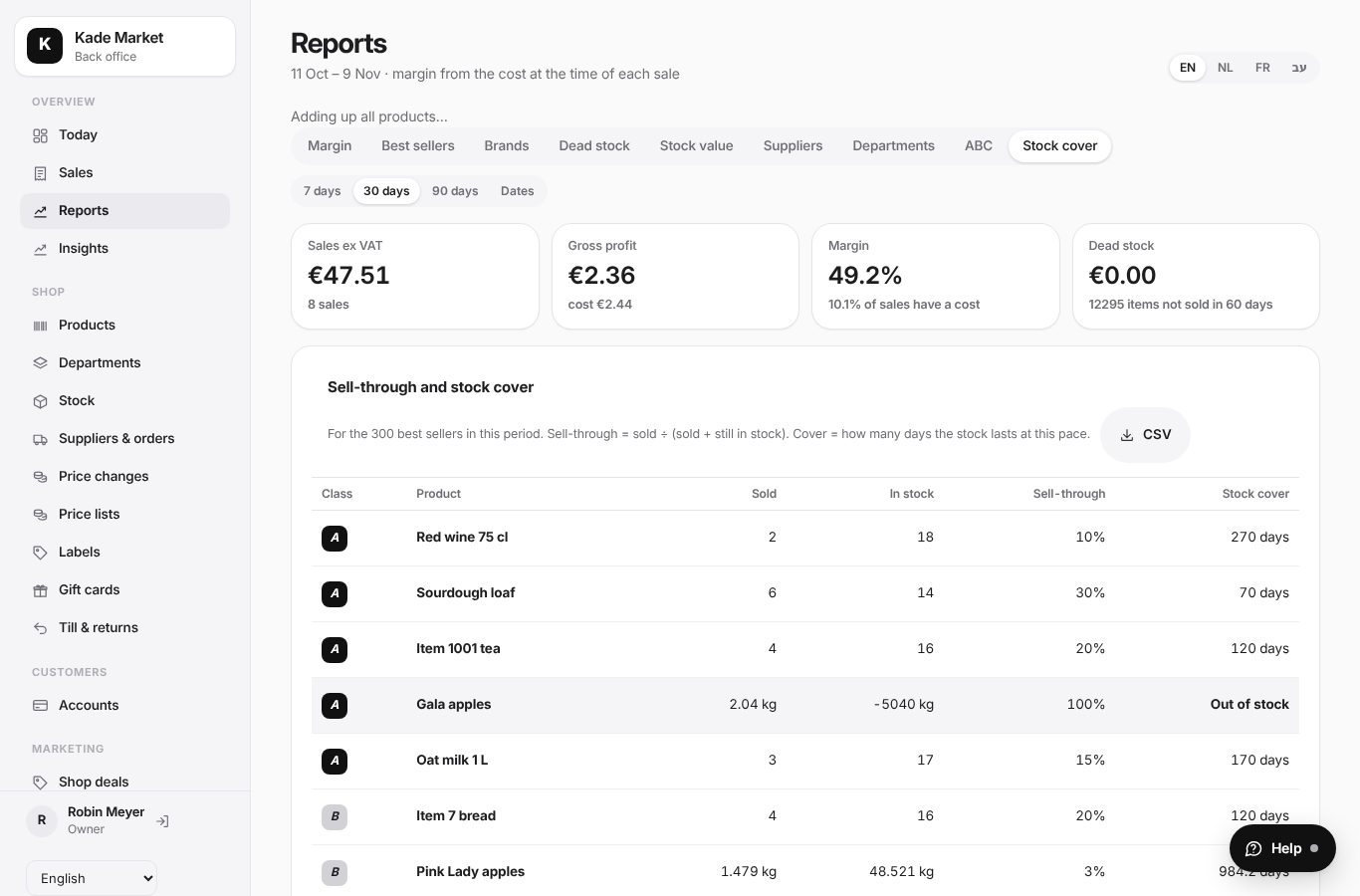
Stock cover: for the 300 best sellers, the Sell-through (sold ÷ sold + still in stock) and how many days the stock lasts at this pace.