Menu screens & music
Add songs and playlists
In Library, tap Upload songs (or Upload a folder). Then in Playlists, tap New playlist, name it, add songs and tap Save.
תוכן זה אינו זמין עדיין בשפה שלך.
-
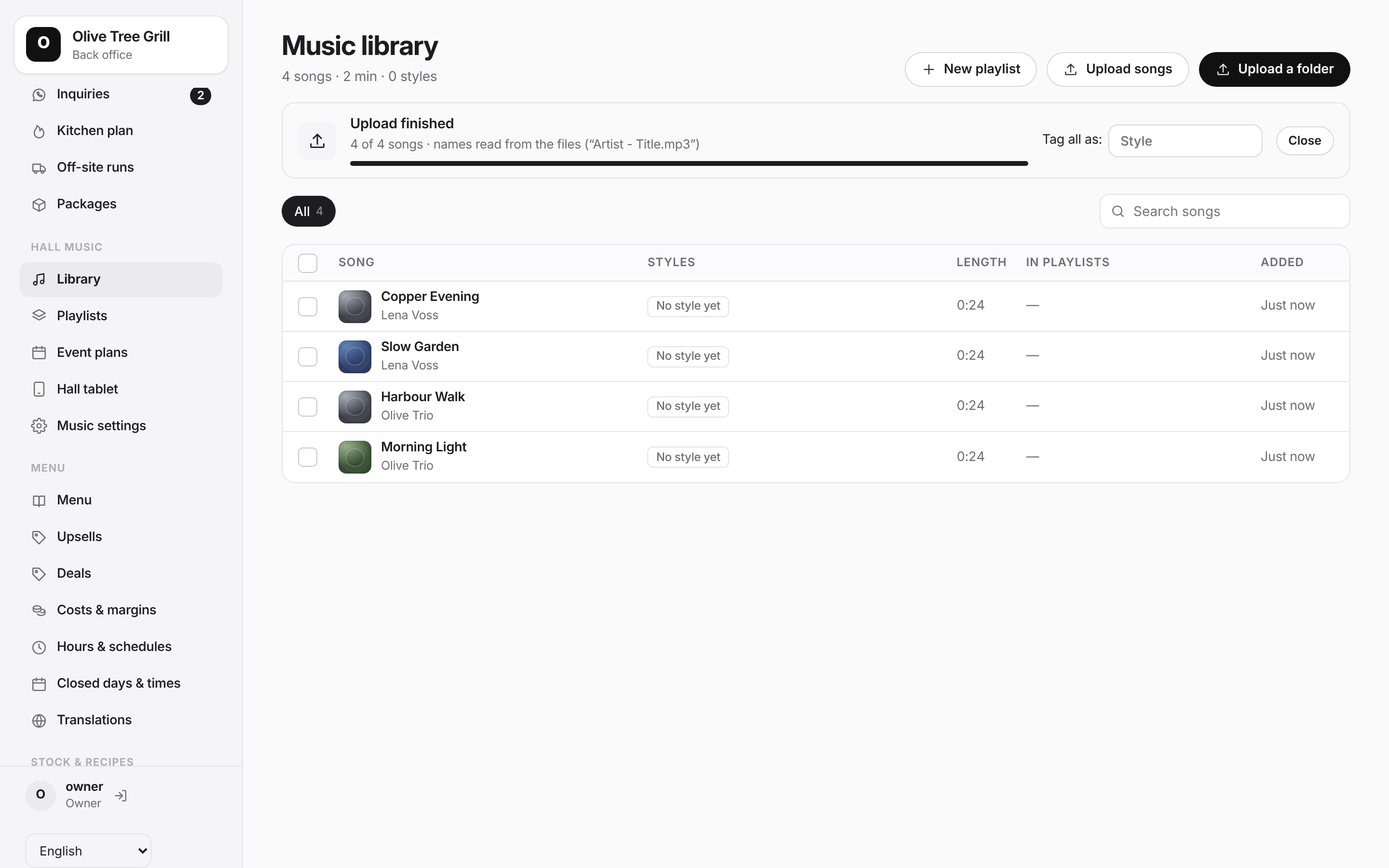
Open Library and tap Upload songs. Pick your files. Names are read from the files (Artist - Title.mp3).
-
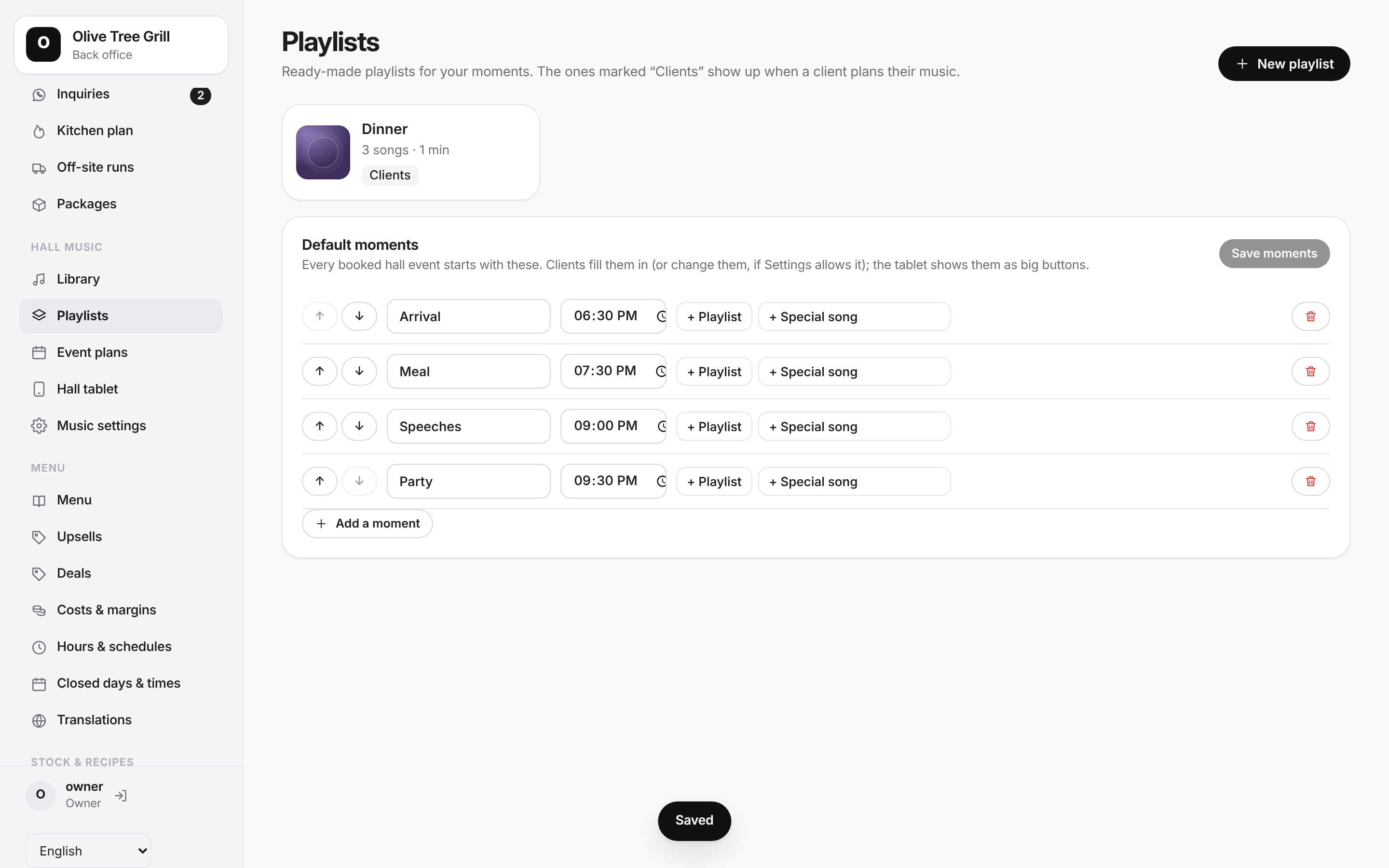
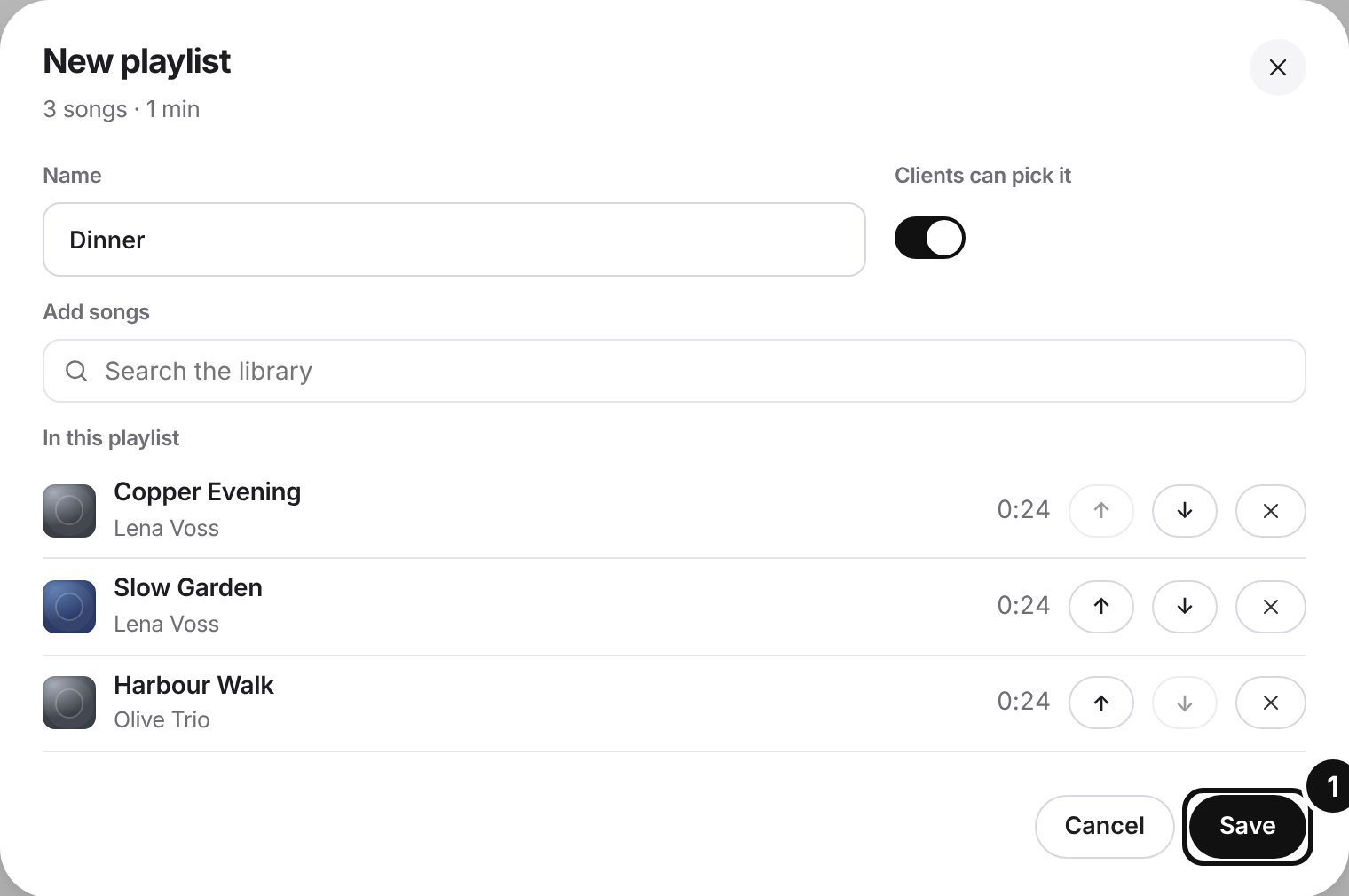
Open Playlists and tap New playlist. Type a name, like Dinner.
-
Search the library and tap Add next to each song. Tap Save.
-
Your playlist is in the list.