Till
Change the opening float
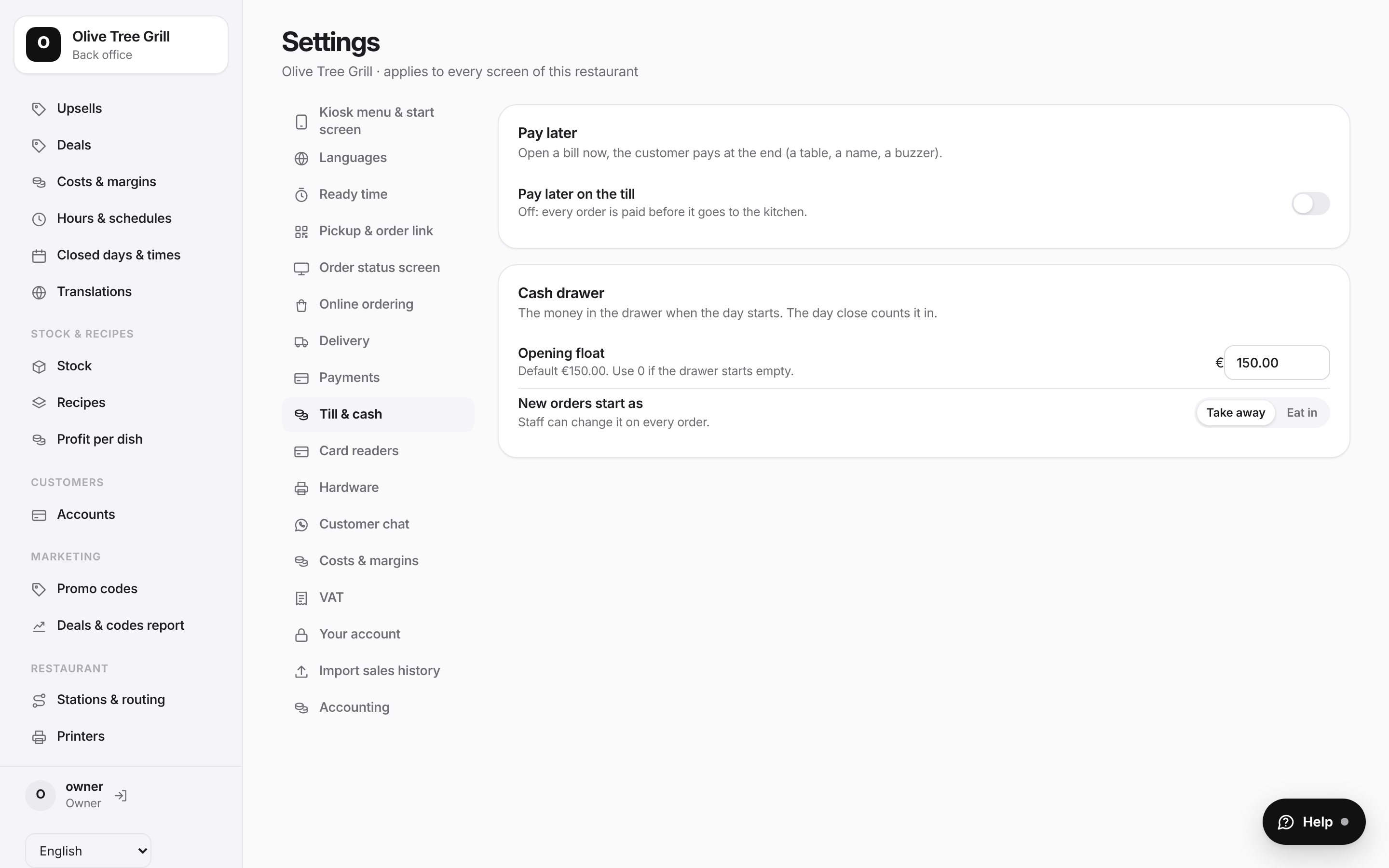
In the back office, open Settings → Till & cash and type the amount under Opening float. Use 0 if the drawer starts empty.
תוכן זה אינו זמין עדיין בשפה שלך.
Set the opening float
-
Open Settings and tap Till & cash.
-
Under Cash drawer, type the amount in Opening float. Tap somewhere else (or press Enter) to save.
The till uses it at Day close: Expected cash = opening float + cash sales + cash in − cash refunds − cash out.
Every setting
| Setting | Starts as |
|---|---|
| Opening float | €150.00 |
| New orders start as | Take away (staff can change it on every order) |