Delivery
Follow a delivery: the tracking page
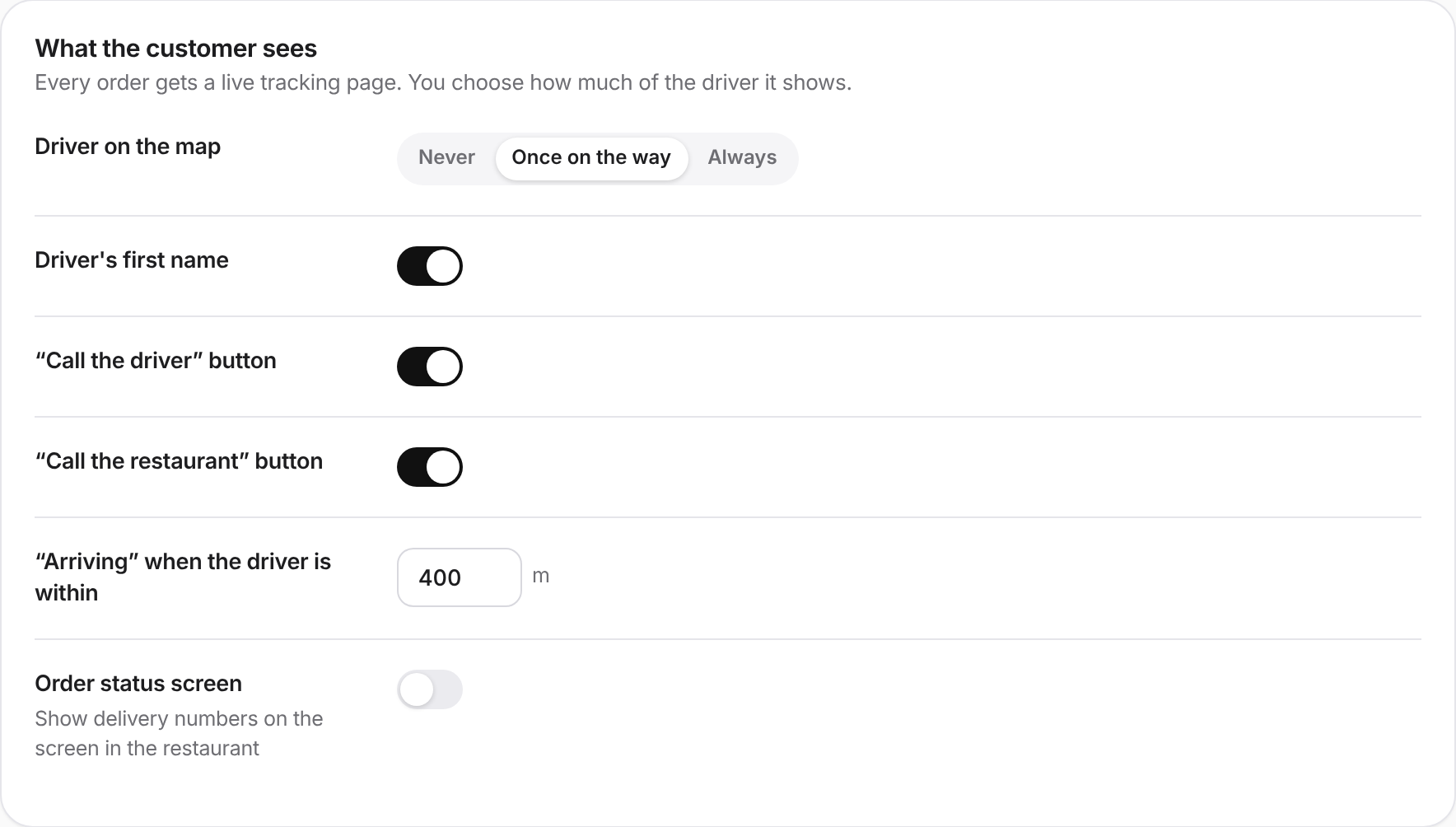
Every delivery order gets a live tracking page. In Settings → Delivery → What the customer sees, choose when the driver shows on the map and which buttons appear.
-
Open Settings → Delivery and scroll to What the customer sees.
-
Under Driver on the map, pick Never, Once on the way or Always.
-
Switch Driver’s first name, “Call the driver” and “Call the restaurant” on or off.
-
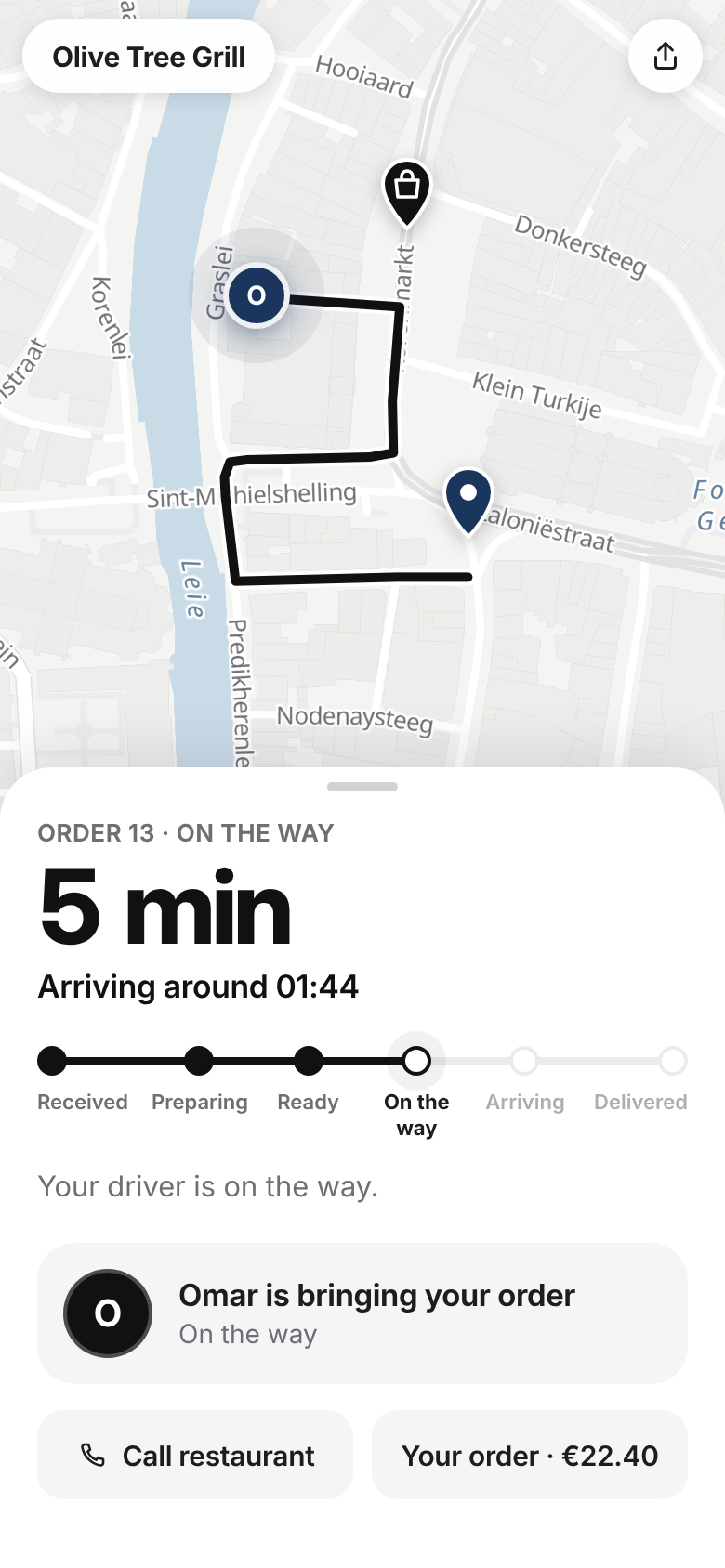
When the driver sets off, the customer sees who is bringing the order.
Every setting
| Setting | Starts as |
|---|---|
| Driver on the map | Once on the way |
| Driver’s first name | On |
| “Call the driver” button | On |
| “Call the restaurant” button | On |
| “Arriving” when the driver is within | 400 m |
| Order status screen (delivery numbers) | Off |