Devices
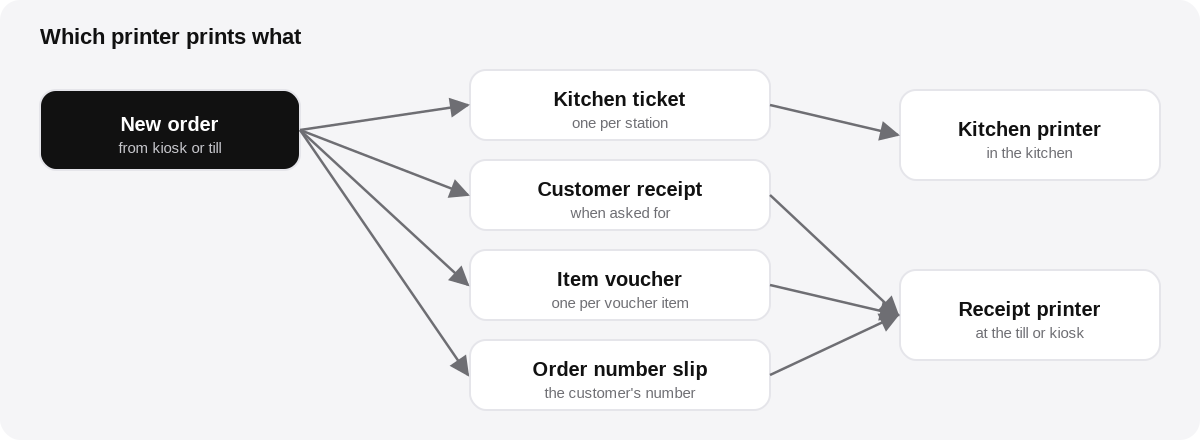
Which printer prints what
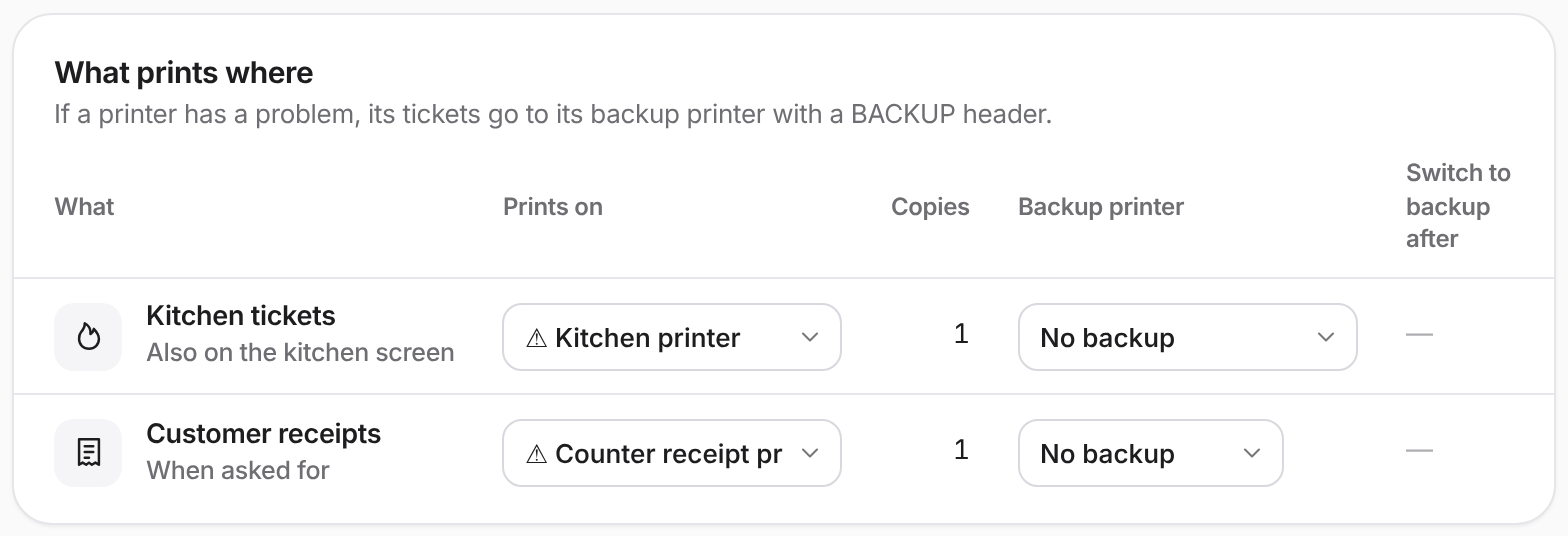
In Restaurant → Printers, the What prints where table sets the printer for each kind of ticket, how many copies, and a backup printer if one fails.
Set it
-
Open Restaurant → Printers and scroll to What prints where.
-
For each line, pick the printer under Prints on and the number of Copies.
-
Pick a Backup printer. If the first printer has a problem, tickets go to the backup with a BACKUP header.
| What | Prints | Default |
|---|---|---|
| Kitchen tickets | One per order, per station | Also shown on the kitchen screen |
| Customer receipts | When the customer asks for one | When asked for |
| Item vouchers | One per item with Print voucher | On the till’s or kiosk’s receipt printer |
| Order number slip | The customer’s number | On |