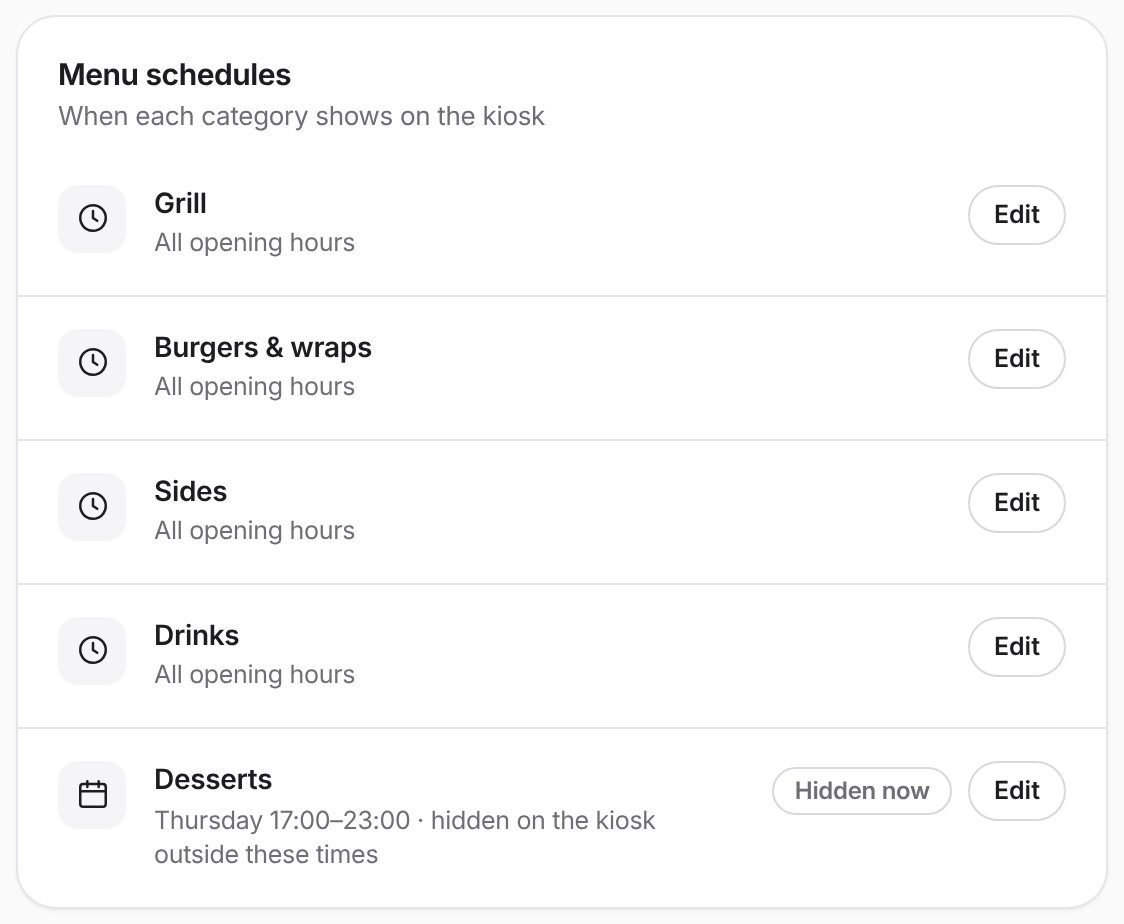
Menu
Show a category only on some days
Open Menu → Hours & schedules. Under Menu schedules, tap Edit next to the category, switch on Only at certain times, pick the days and the times, and tap Save.
Example: desserts only on Thursday
-
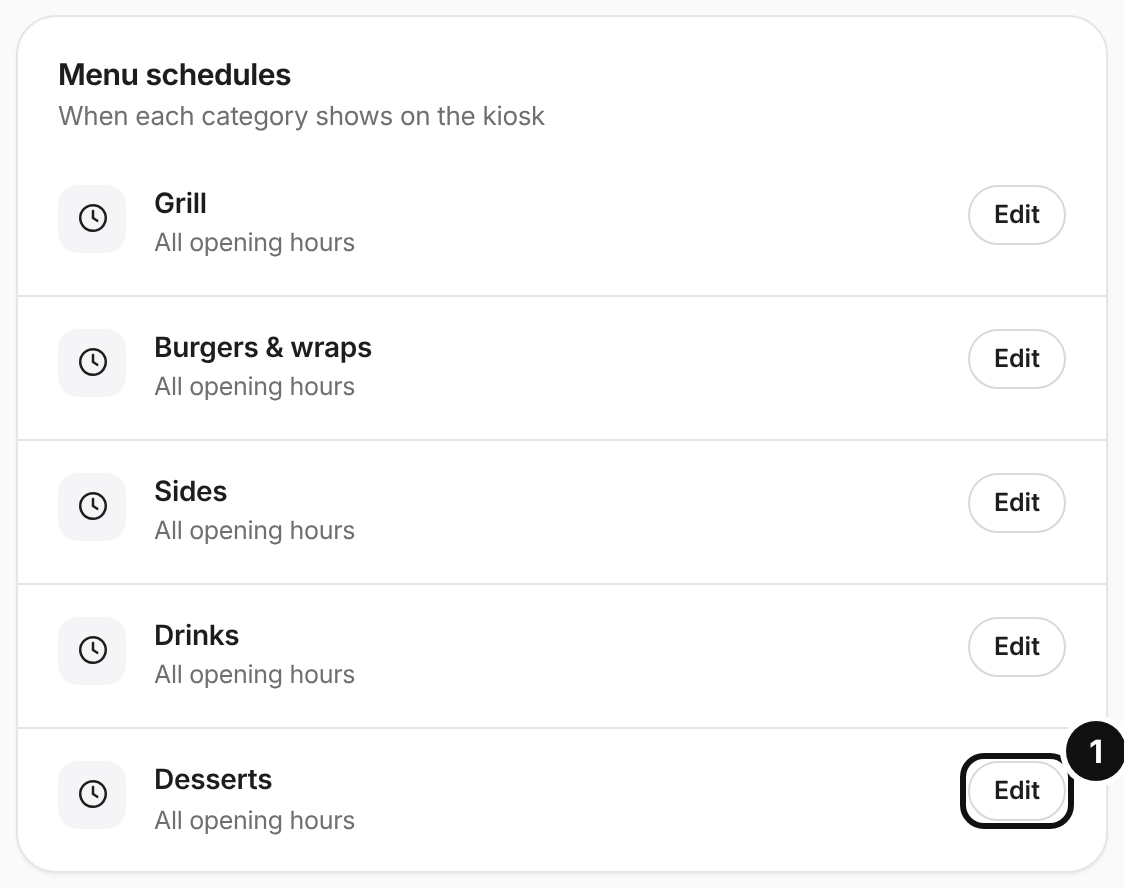
Open Menu → Hours & schedules. Under Menu schedules, tap Edit next to the category.
-
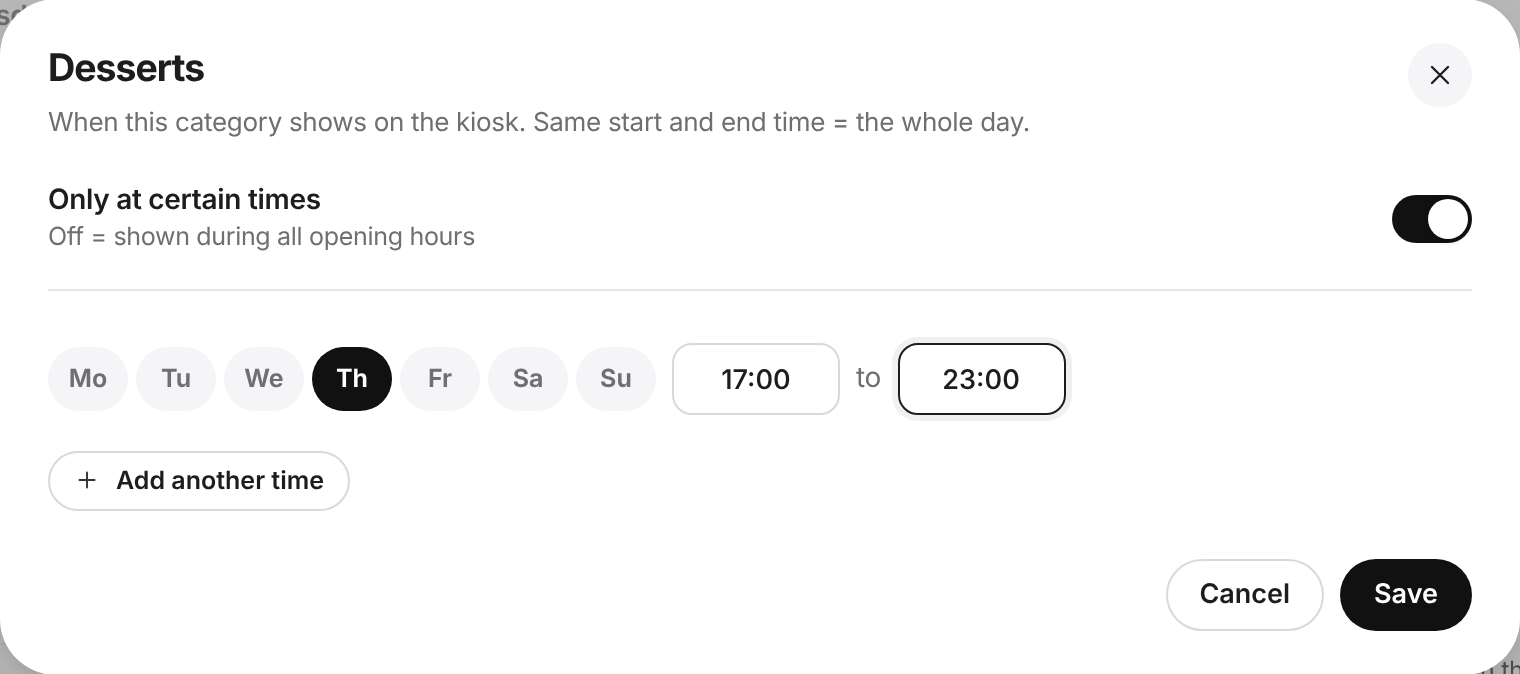
Switch on Only at certain times. Tap Th, set 17:00 to 23:00, and tap Save.
-
Done. The category shows on the kiosk only in that time, and is hidden the rest of the week.